XeOS: simplemente la mejor experiencia de pantalla externa para iPhone/iPad
Modo escritoriopara iPhone*o iPad
Conecta tu iPhone o iPad a un monitor, televisor o proyector.
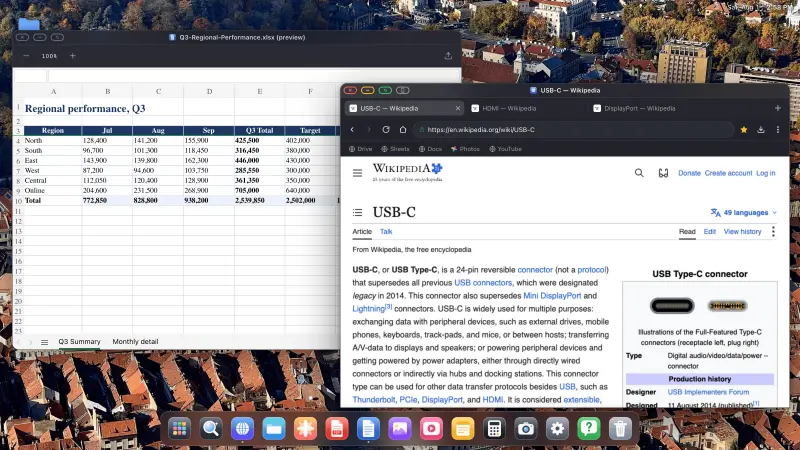
XeOS llena toda la pantalla externa, sin dejar bandas negras.
••••••
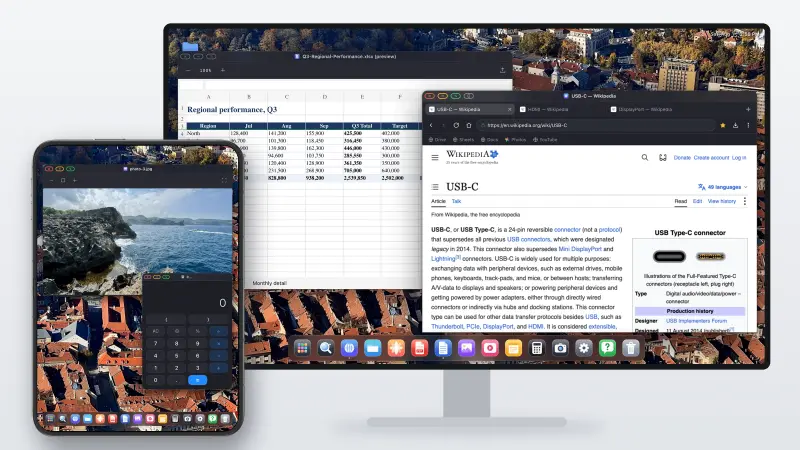
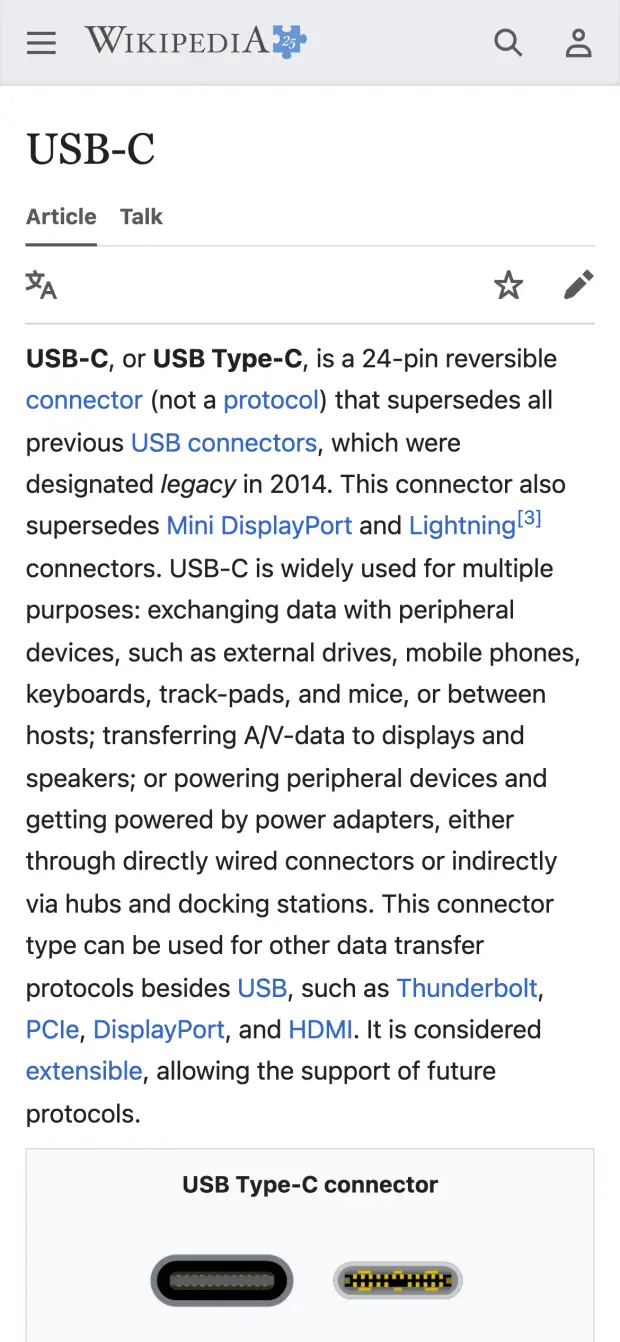
iPhone→Monitor externo
iPhone
Monitor externo
Olvídate de las bandas negras. Consigue un escritorio real con multitarea.
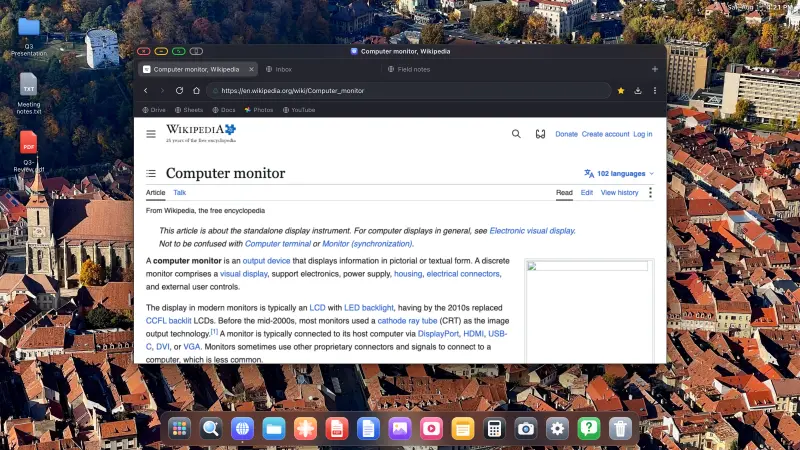
XeOS lleva la experiencia de un sistema operativo de escritorio al iPhone y al iPad en tu pantalla externa, de esquina a esquina.
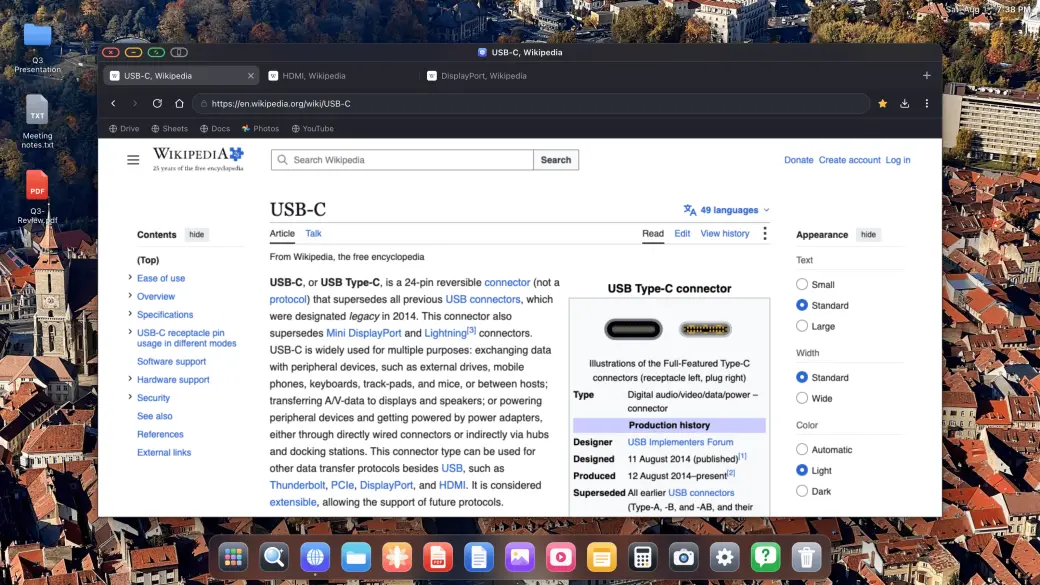
YouTube y vídeo, a pantalla completa
YouTube y vídeo, a pantalla completa
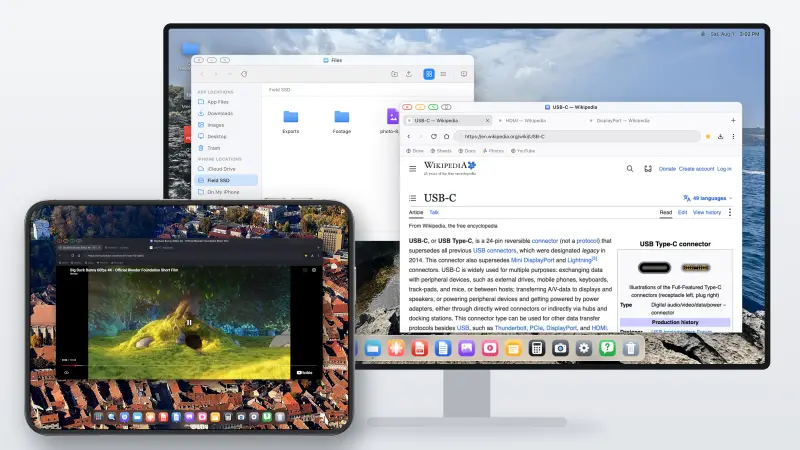
YouTube llena toda la pantalla, sin bandas negras
Cualquier sitio de streaming: Twitch, Vimeo, etc.
Funcionan tanto el vídeo dentro de la página como la pantalla completa
Las bandas negras en un monitor externo grande o en una pantalla portátil son de verdad molestas. XeOS: External Display Browser llena toda la pantalla de lado a lado: YouTube, Twitch, Vimeo, todo.
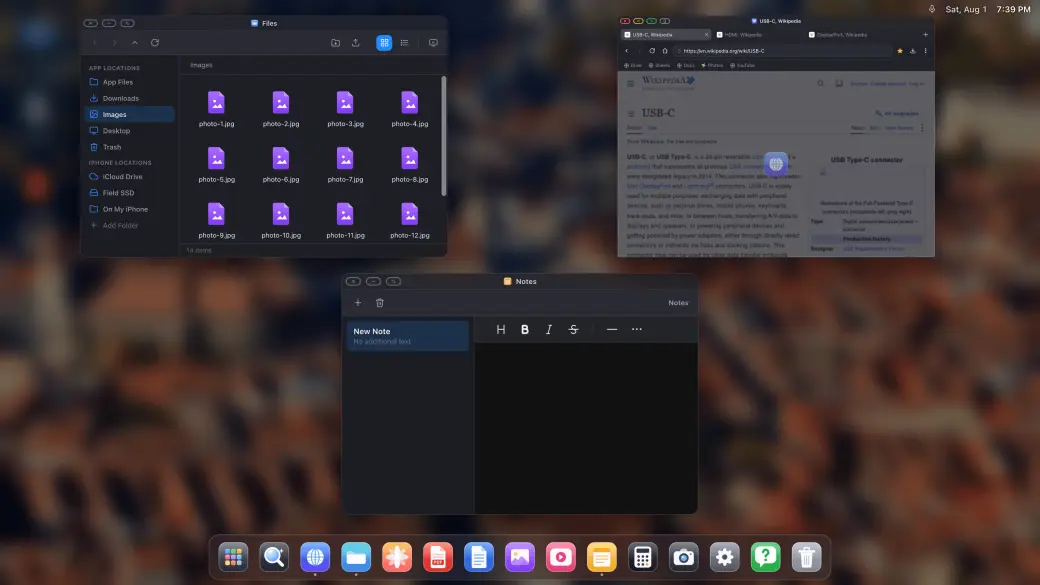
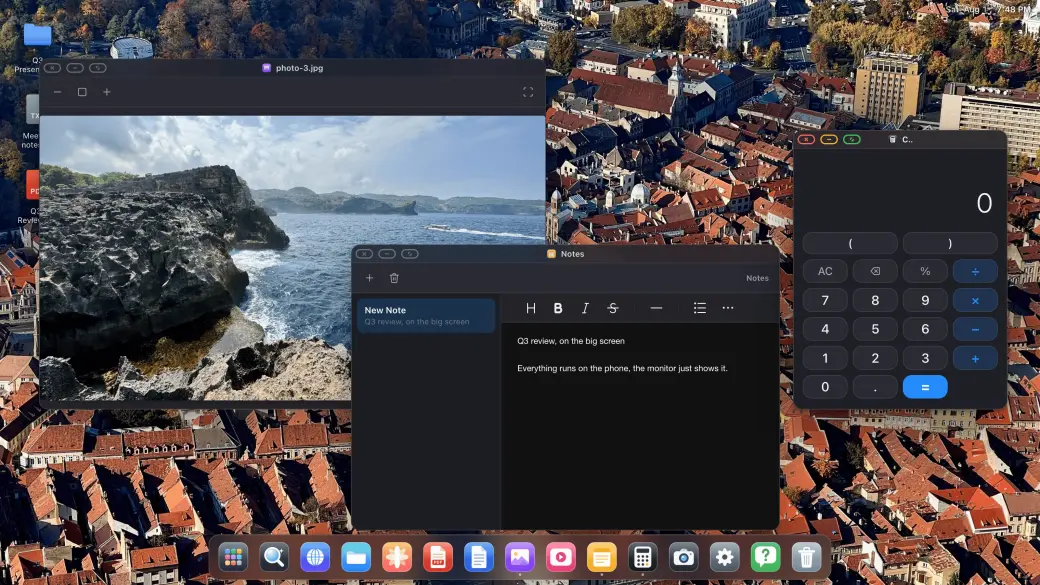
Ventanas de verdad, multitarea de verdad
Ventanas de verdad, multitarea de verdad
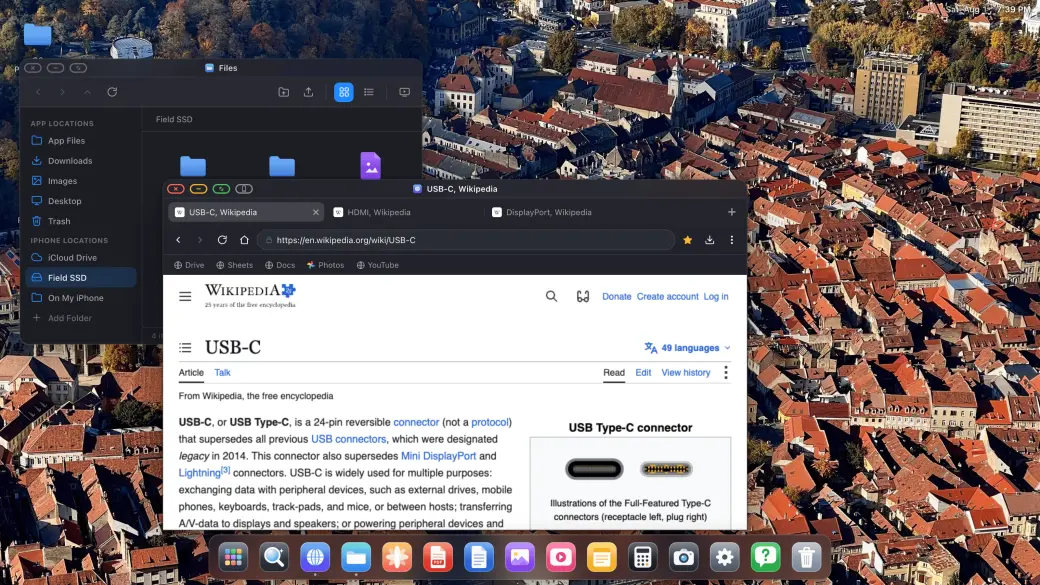
Arrastra, redimensiona y apila ventanas de verdad
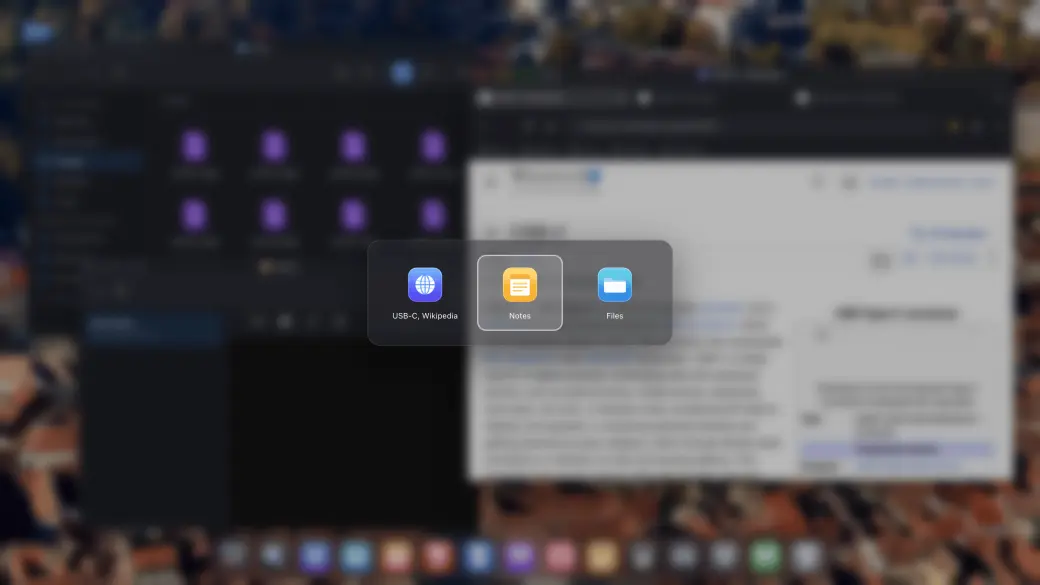
Selector de ventanas y resumen de todas ellas
Instala cualquier sitio web como su propia app
Abre tantas ventanas como necesites y colócalas como lo harías en un escritorio: arrastra, redimensiona, apila, pantalla completa y un resumen de todo lo abierto al estilo Mission Control.
Juegos en la nube en pantalla grande
Juegos en la nube en pantalla grande
Xbox Cloud Gaming, Amazon Luna, GeForce NOW y más
Juego en toda la pantalla externa, sin bandas negras
Vincula un mando compatible y empieza a jugar
Abre servicios de juego en la nube compatibles en XeOS y juega con un mando vinculado en toda la pantalla externa.
Compatible con ratón y teclado
⌘
C
↵
Compatible con ratón y teclado
Cursor de ratón completo en la pantalla externa o portátil
Atajos, copiar y pegar, escritura
La rueda de desplazamiento y los botones extra del ratón también funcionan
Empareja un ratón y un teclado Bluetooth y simplemente funciona: cursor, desplazamiento, atajos. Es lo más parecido a Samsung DeX que ha tenido nunca el iPhone.
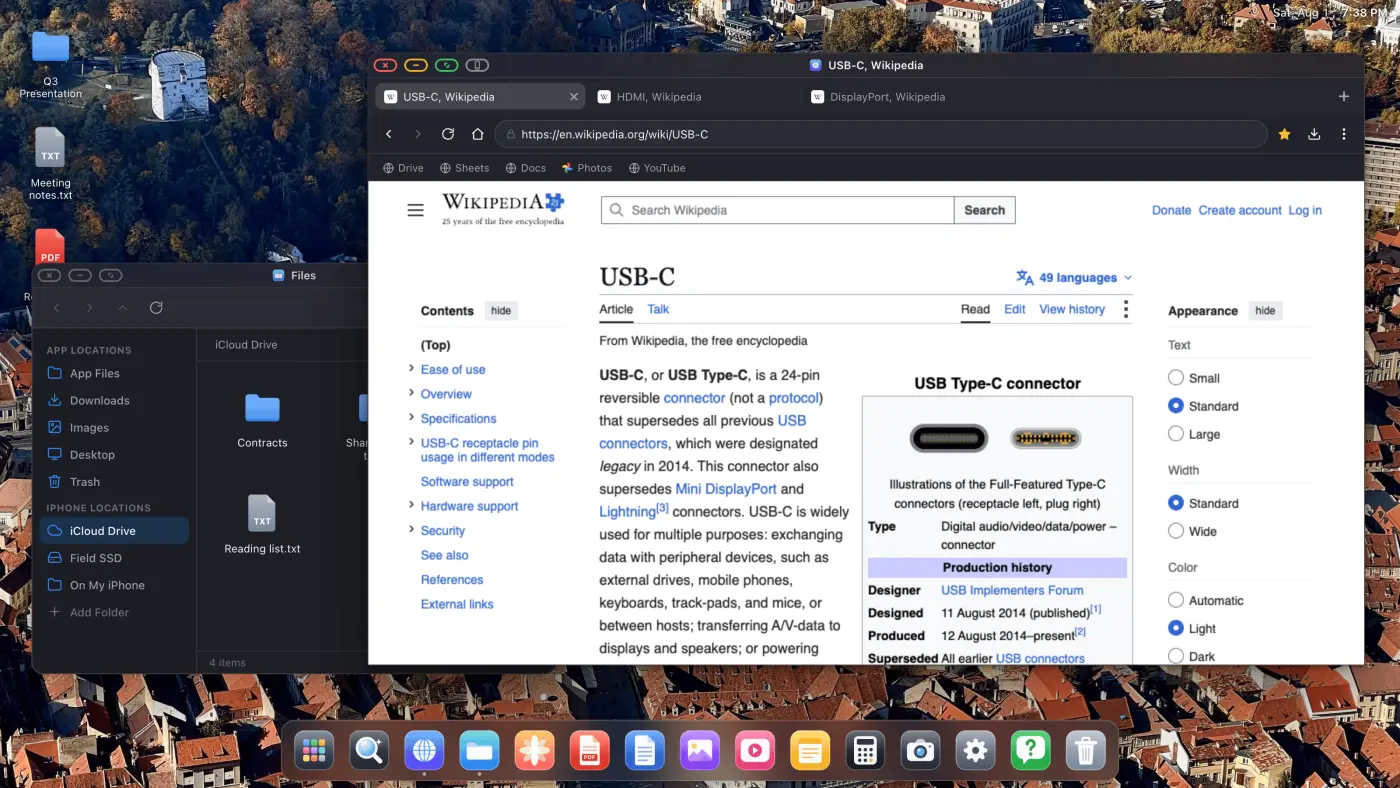
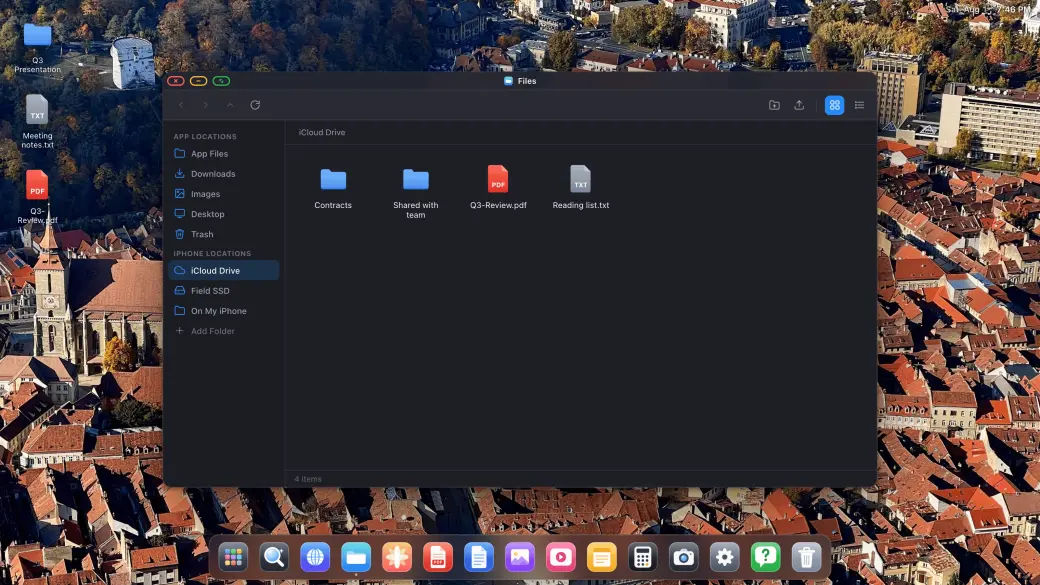
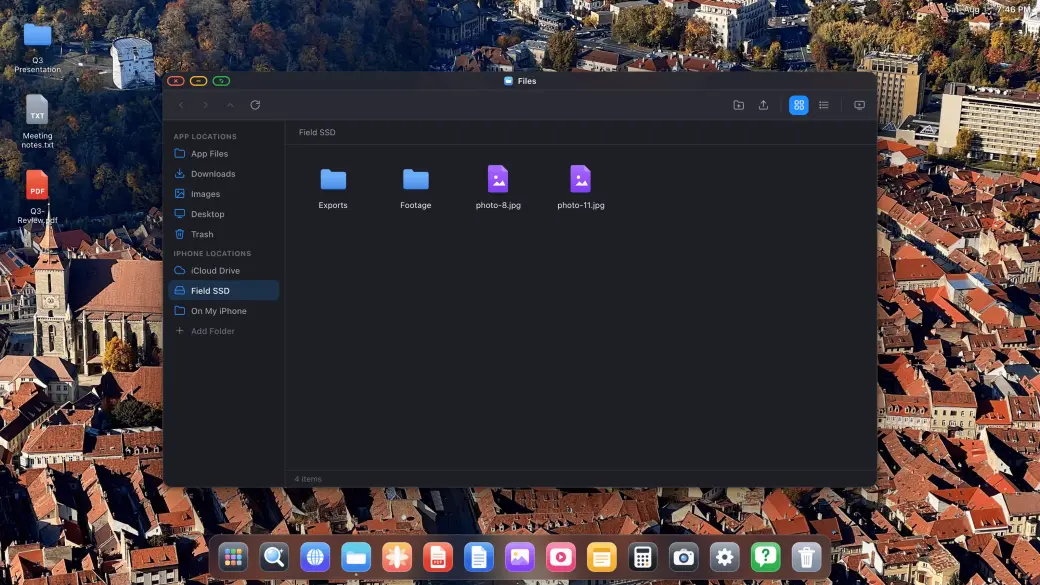
Tus archivos, tus unidades, tu iCloud
Tus archivos, tus unidades, tu iCloud
Monta iCloud Drive, SSD externos y carpetas locales
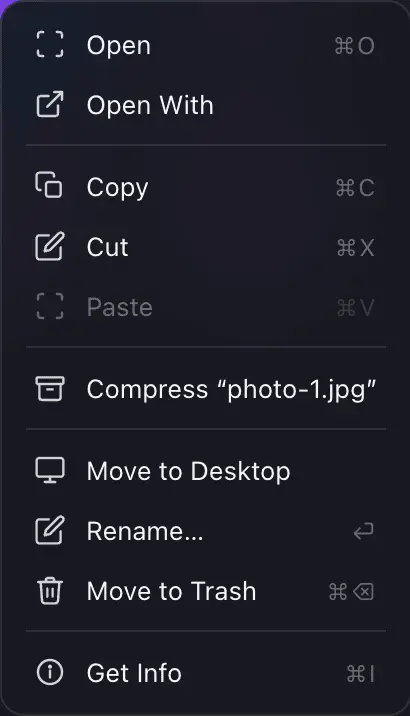
Copia, mueve, renombra, comprime y descomprime
Abre cualquier archivo en los visores integrados
Archivos es un gestor de archivos en condiciones: monta tu iCloud Drive, un SSD USB-C o una carpeta del propio iPhone, y copia, mueve, comprime y abre lo que quieras entre todos ellos en la pantalla grande.
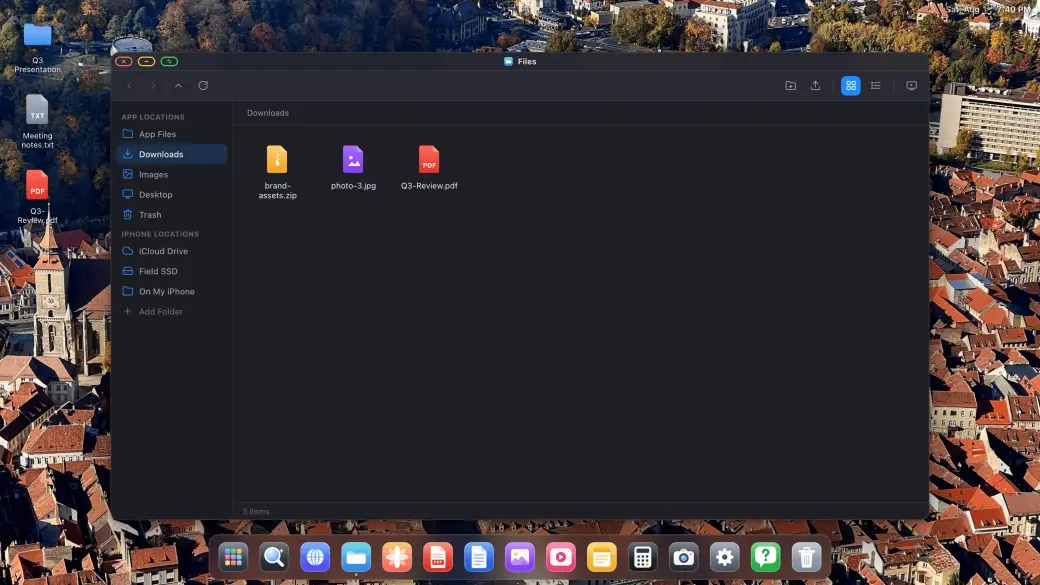
Descargas, PDF y archivos de Office
Descargas, PDF y archivos de Office
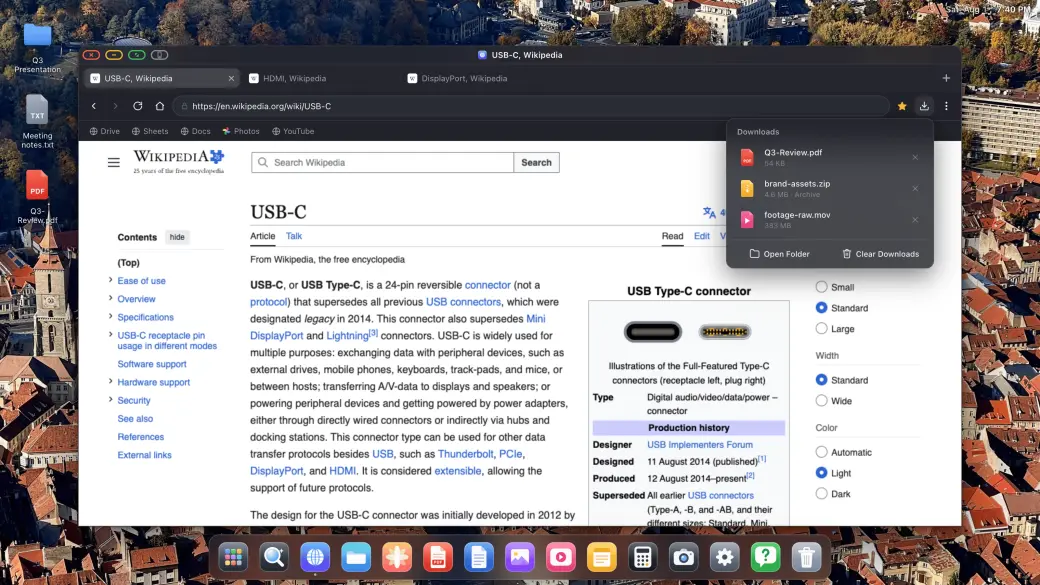
Descargas de verdad con progreso, directas al sistema de archivos
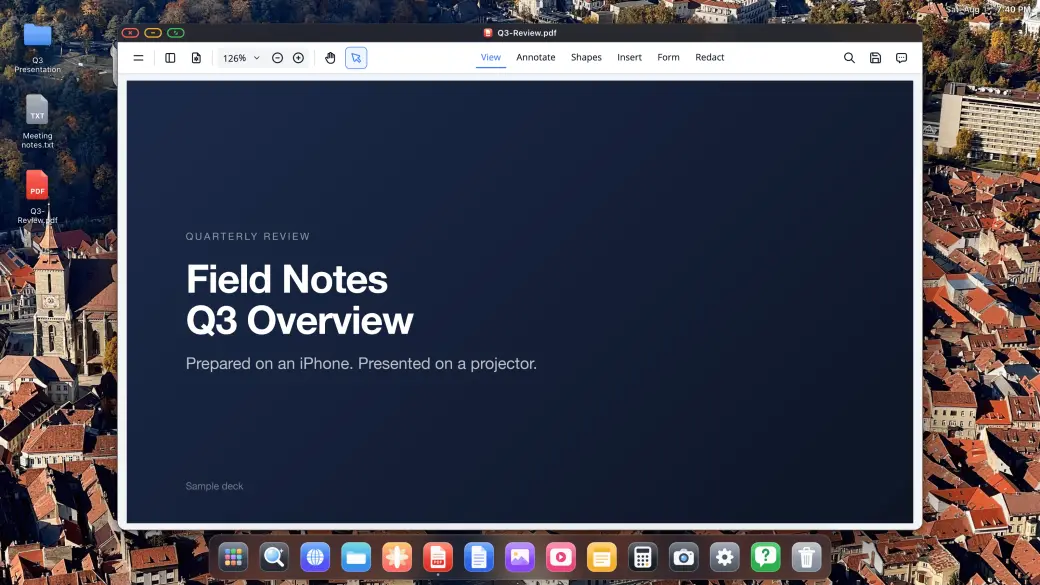
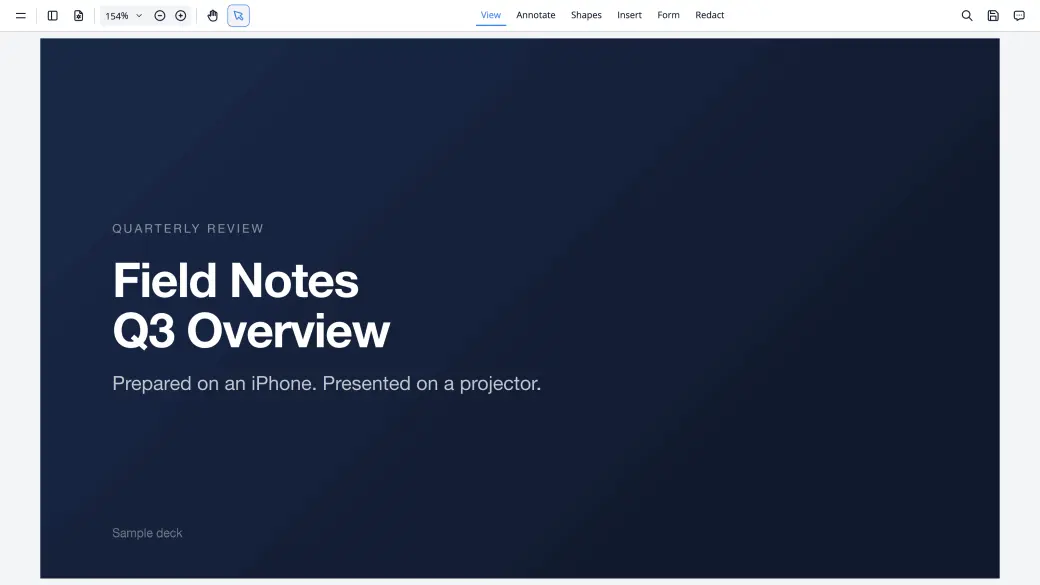
Anota y firma PDF, y preséntalos a pantalla completa
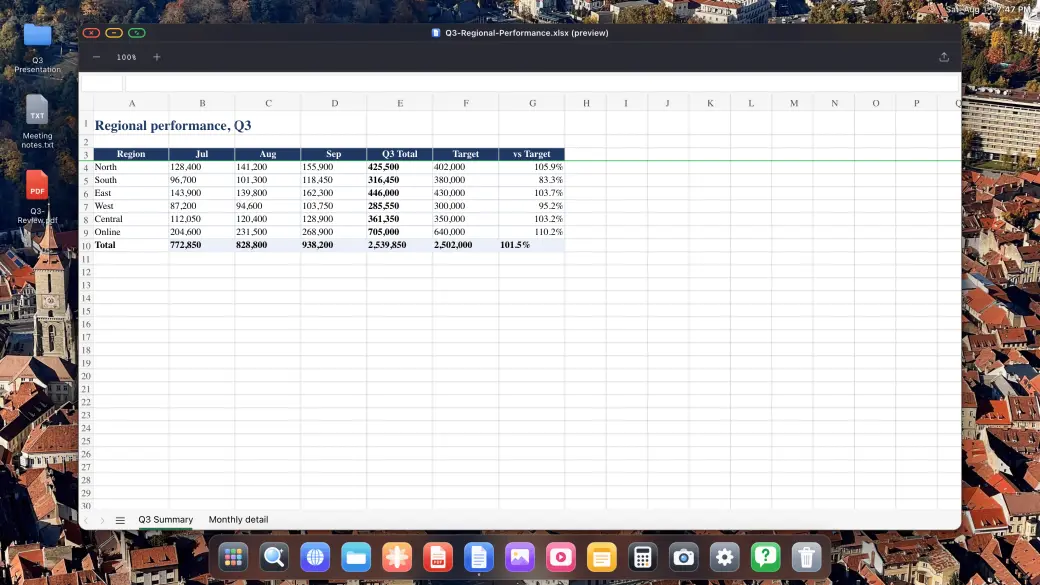
Previsualiza documentos de Word, Excel y PowerPoint
Descarga cualquier cosa que te ofrezca la web y ábrela ahí mismo: el visor de PDF permite anotar y firmar, y los archivos de Word, Excel y PowerPoint se previsualizan a tamaño de escritorio.
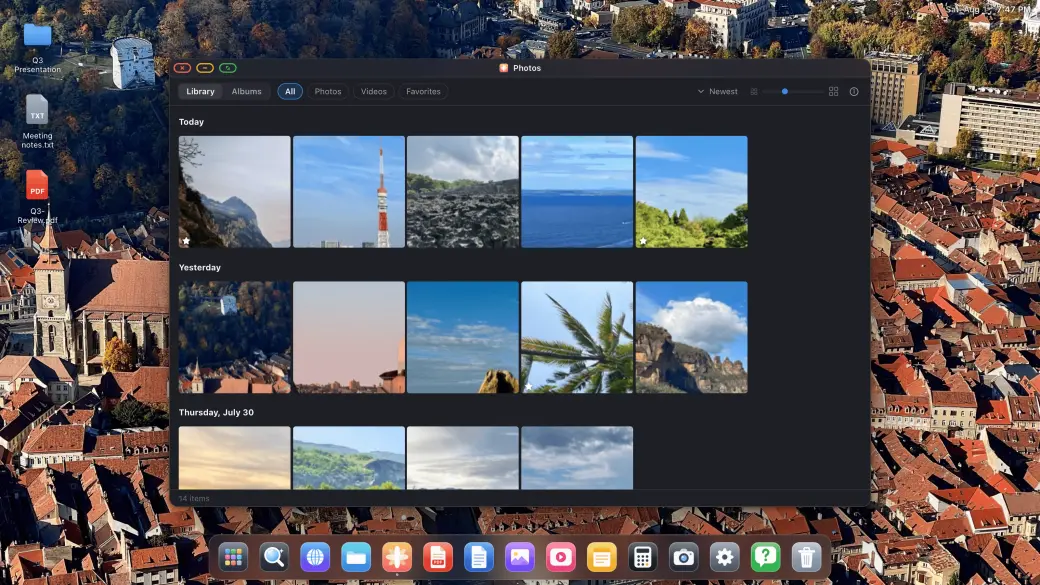
Fotos, pases de diapositivas y apps integradas
Fotos, pases de diapositivas y apps integradas
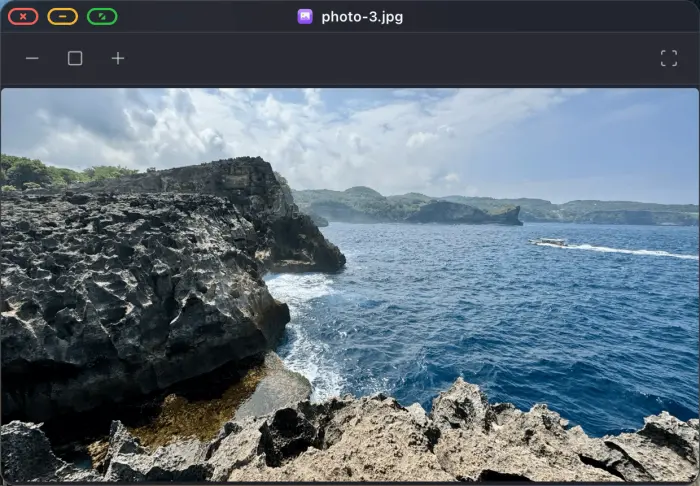
Toda tu fototeca, con pases a pantalla completa
Reproductores de imagen, vídeo y audio integrados
Notas, Calculadora y una app de Ajustes completa
Tu fototeca se abre en la pantalla externa, se reproduce como pase de diapositivas a pantalla completa en una tele, y los reproductores de imagen, vídeo y audio, Notas y Calculadora están ahí cuando los necesitas.
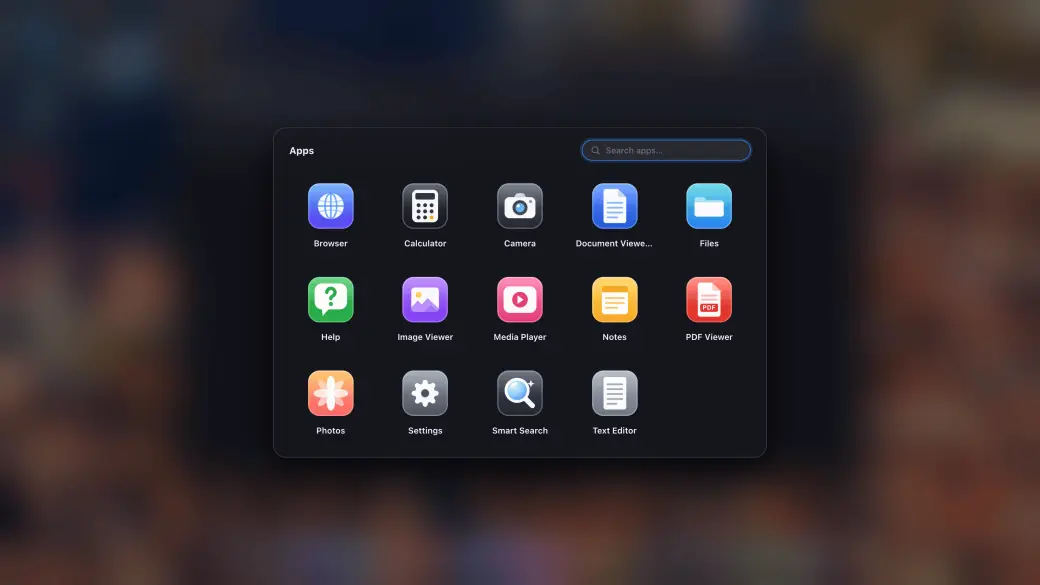
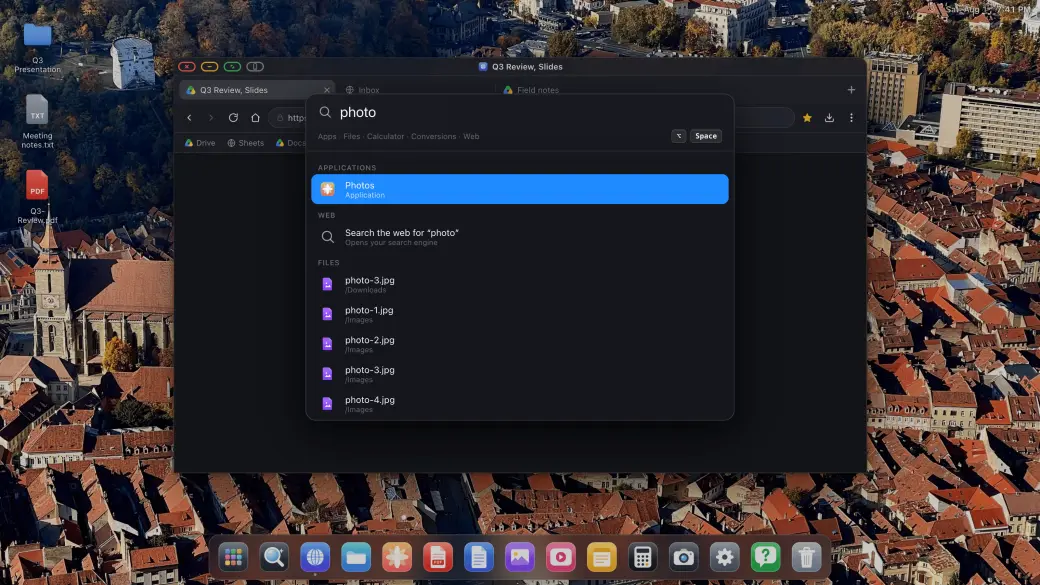
Cajón de apps y búsqueda instantánea
Cajón de apps y búsqueda instantánea
Cajón de apps con tus sitios instalados
Busca archivos, apps y en la web desde un solo campo
Ancla al dock todo lo que uses
El cajón de apps reúne todas las apps integradas y todos los sitios que hayas instalado como apps, y la búsqueda encuentra apps, archivos y respuestas al instante, sin levantar las manos del teclado.
La forma más fácil de conseguir una experiencia de nivel escritorio desde tu iPhone
Conecta tu iPhone a un monitor externo, un monitor portátil, una tele o un proyector y obtén al instante una experiencia de escritorio completa: sistema de archivos, apps y navegación a pantalla completa.
Paso 1
Conéctate a cualquier pantalla externa o portátil
Conecta tu iPhone o iPad a un monitor externo, un monitor portátil, una tele o un proyector con un adaptador de USB-C a HDMI o de USB-C a USB-C. XeOS: External Display Browser detecta la conexión automáticamente y llena cada píxel de la pantalla.
Paso 2
Añade un ratón y un teclado Bluetooth (opcional)
Empareja un ratón y un teclado Bluetooth para una experiencia de navegación completa en tu pantalla externa: la mejor alternativa a Samsung DeX que existe para iPhone. También funciona de maravilla con los controles en pantalla.
Paso 3
Disfruta de una experiencia de nivel escritorio
Gestiona archivos, anota PDF, previsualiza documentos de Office, reproduce contenido y navega a pantalla completa. Instala tus sitios favoritos como apps independientes. Sin bandas negras, nunca.
Todo lo que necesita una app de nivel escritorio
Creado específicamente para pantallas externas conectadas al iPhone, con un conjunto de apps y herramientas propias.
Instala sitios como apps y haz multitarea
Instala tus sitios web favoritos como apps independientes. Abre varias ventanas flotantes, arrástralas y redimensiónalas para tener a la vista todo lo que necesitas a la vez.
YouTube y vídeo, pantalla completa de verdad
Mira YouTube, Netflix, Twitch o cualquier vídeo en línea a pantalla completa en tu monitor externo. Sin barras laterales ni bandas negras: solo vídeo que llena toda la pantalla.
Reproductores multimedia y apps de productividad
Reproductores de foto, vídeo y audio integrados para tu contenido. Mantén la productividad con las apps de Notas y Calculadora.
Sistema de archivos y vista previa de documentos
Un sistema de archivos completo para gestionar tus descargas. Abre y anota PDF, y previsualiza documentos de Word, Excel y PowerPoint directamente en la pantalla grande.
Compatible con ratón y teclado
Empareja un ratón y un teclado Bluetooth con tu iPhone y consigue la experiencia de navegación de escritorio completa en tu monitor externo. Cursor, desplazamiento y atajos, todo compatible.
Cualquier monitor externo, pantalla portátil, tele o proyector
Se conecta por USB-C o HDMI a cualquier monitor externo, monitor portátil, tele o proyector. XeOS: External Display Browser se adapta automáticamente a la resolución nativa de la pantalla para una imagen nítida de esquina a esquina, tanto en un puesto fijo como con una pantalla portátil sobre la marcha.
Juegos en la nube
Juega con tu mando en toda la pantalla externa mediante servicios compatibles como Xbox Cloud Gaming, Amazon Luna, GeForce NOW y muchos más.
Compartir pantalla
Tu Mac en XeOSXeOS en cualquier navegador
Compartir pantalla
XeOS
Mac con XeLink
XeOS en el iPhone
Duplica tu Mac en XeOS
Instala XeLink en tu Mac y abre Compartir pantalla en XeOS. Cada ventana del Mac o una pantalla entera se convierte en una ventana de XeOS en la que puedes hacer clic, desplazarte y escribir.
Safari · Chrome · Edge
Firefox · Pantalla del coche
Muestra el escritorio de XeOS en cualquier navegador
Activa Duplicar XeOS en Compartir pantalla y abre su enlace en cualquier ordenador, tableta, teléfono o pantalla de coche de la misma Wi‑Fi. Mira el escritorio en directo y contrólalo desde allí.
Abrir el cliente webSafari, Chrome, Edge, Firefox o la pantalla del coche · sin instalar nada
Todo sobre cómo conseguir una experiencia de escritorio desde tu iPhone
Sin duda: XeOS: External Display Browser es sencillamente la mejor forma de usar tu iPhone o iPad en una pantalla externa. Nada más se le acerca. Es una experiencia totalmente inmersiva, con apps propias y un sistema de archivos, y su navegador es el más avanzado y completo de todas las apps parecidas. Es cierto que las restricciones de iOS y iPadOS traen algunas limitaciones menores que ninguna app puede saltarse, pero XeOS ofrece soluciones únicas también para esos casos. Puedes leer más en las respuestas siguientes.
No. La app tiene que cumplir las reglas de la App Store de Apple y las limitaciones del sistema iOS, así que hoy por hoy ninguna app puede mostrar apps nativas de iOS en la pantalla externa. Si Apple llegara a permitirlo, seremos los primeros en implementarlo para ti.
Puedes previsualizar documentos de Office como Word, Excel o PowerPoint, además de PDF, texto y otros archivos, pero no son editables salvo en algunos casos (por ejemplo, sí puedes anotar y resaltar archivos PDF). iOS lo pone técnicamente difícil, y licenciar la edición de Office añadiría unos costes que no encajan en una app tan asequible. Lo que sí puedes hacer es subir tus archivos a Google Drive, que tiene un soporte excelente, y editarlos allí.
Sí. Puedes montar carpetas locales de tu iPhone o iPad, tu carpeta de iCloud o cualquier unidad externa conectada desde la barra lateral izquierda de la app Archivos (en las ubicaciones del iPhone o iPad) y explorar su contenido. También puedes importar cualquier archivo del iPhone o iPad al sistema de archivos propio de la app, o descargar archivos directamente de la web, que igualmente se guardarán en el sistema de archivos interno. Una vez montadas las carpetas, tendrás un miniexplorador de archivos parecido al de cualquier sistema operativo que ya conozcas, con soporte de ZIP, carpetas, papelera para los archivos borrados y muchas funciones más.
Por cómo funciona iOS actualmente, lo que ves en la pantalla externa no es un entorno nativo, sino una "simulación" cuidadosamente construida de lo que serían un sistema operativo y un navegador de escritorio. La app implementa todas las funciones del sistema desde cero, con lo que parece casi un entorno real. Aun así, hay casos en los que empiezan a notarse las limitaciones, por restricciones de seguridad, por cómo funcionan los navegadores y por decisiones de ciertos sitios de bloquear el comportamiento simulado. Esos sitios clasifican este comportamiento como actividad de bots (que, en este caso, claramente no lo es) para protegerse a sí mismos y a sus ingresos. También hay casos en los que las limitaciones vienen de sitios que usan tecnologías antiguas (por ejemplo, iframes) que hacen casi imposible el comportamiento simulado. Para todos esos casos la app ofrece una salida para que puedas desatascarte: "Cambiar al diseño del iPhone" (el botón gris que está junto al botón verde de pantalla completa). Eso te pasa temporalmente a la duplicación nativa del iPhone para que puedas hacer lo que necesitas y volver después a la experiencia totalmente inmersiva.
El navegador interno de la app es uno de los más seguros que existen. Toda la actividad de navegación es completamente local y no hay absolutamente nada de telemetría. Todos tus datos están además cifrados según los estándares de seguridad más altos de Apple, y la app usa el Secure Enclave para los datos sensibles (como las contraseñas importadas), de forma que nadie puede leerlos, ni Apple ni otras apps de tu teléfono. Todas estas afirmaciones se pueden verificar con el Informe de privacidad de apps, y la app está además verificada y firmada por Apple. Así que puedes usar el navegador con total tranquilidad; de hecho, estás más seguro que usando Chrome o Firefox, que envían constantemente telemetría y otros datos a sus servidores. Si activas el bloqueador de anuncios, tu navegación será aún más segura, porque bloquea muchos scripts de rastreo conocidos.
Sí, la app incluye guías que te acompañan en el proceso, con instrucciones para los navegadores más habituales. Puedes hacerlo desde Ajustes > Navegador > Importar.
Las contraseñas importadas se guardan en el Secure Enclave, siguiendo los estándares de seguridad más altos de Apple. Una vez guardadas, nadie puede leerlas, ni Apple, ni terceros, ni otras apps. La única manera de recuperar una contraseña es ir tú mismo al sitio concreto y dejar que se autocompleten tu usuario o correo y tu contraseña.
Sí: mantén pulsada la tecla Comando unos segundos para ver todos los atajos disponibles. Algunos de los mejores son Cmd + flecha arriba para ver un resumen de las apps abiertas, Control + Espacio para abrir la búsqueda inteligente y Control + Tab para ir pasando por las apps abiertas, además de muchos otros a los que ya estás acostumbrado. Si echas en falta algún atajo habitual, dínoslo por soporte.
Sí, la app lo admite, aunque el proceso no es tan rápido como con las contraseñas importadas, por cómo funciona iOS. Para autocompletar una contraseña con un gestor (como 1Password, Chrome o Contraseñas de Apple), toca dentro de un campo de contraseña y el navegador te ofrecerá autocompletar desde un gestor. Toca la sugerencia y pasa luego a tu iPhone o iPad, donde podrás elegir tu gestor preferido y localizar la contraseña. Una vez seleccionada, se autocompletará en tu página de inicio de sesión.
YouTube funciona increíblemente bien en XeOS: External Display Browser. ¡Incluso puedes saltarte los anuncios, algo que ahora es totalmente posible! Es sinceramente la mejor experiencia de YouTube que vas a tener en una pantalla externa conectada a un iPhone.
La mayoría de las apps del iPhone, Safari incluido, están diseñadas para la proporción vertical del iPhone. Al mostrarse en un monitor externo panorámico se amplían y quedan bandas negras a los lados o arriba y abajo para rellenar el espacio sobrante. XeOS: External Display Browser está hecho específicamente para llenar toda la pantalla externa a resolución completa, de esquina a esquina y sin bandas negras.
Usa un adaptador de Lightning a HDMI (para iPhones antiguos) o de USB-C a HDMI (para iPhone 15 y posteriores) para conectar el iPhone a cualquier monitor, tele o proyector con entrada HDMI. Una vez conectado, abre XeOS: External Display Browser y llenará la pantalla a resolución completa.
¡Sí! XeOS: External Display Browser te permite ver YouTube y cualquier otra plataforma de vídeo (Netflix, Twitch, Vimeo, Dailymotion) a pantalla completa de verdad en tu monitor externo. Sin bandas negras ni encuadres: el vídeo llena toda la pantalla a resolución nativa.
Por supuesto. Empareja cualquier ratón y teclado Bluetooth con tu iPhone y XeOS: External Display Browser te dará cursor completo, atajos de teclado, rueda de desplazamiento y ratones de varios botones, con una experiencia de navegación de nivel escritorio en tu monitor externo.
Sí. XeOS: External Display Browser incluye compatibilidad completa con micrófono y cámara, así que puedes participar en Zoom, Google Meet, Microsoft Teams y cualquier otro servicio de reuniones por web desde la pantalla externa de tu iPhone. Tu cara se ve con calidad completa y el micrófono funciona igual que en un navegador de escritorio.
XeOS es un entorno de escritorio completo. Incluye un sistema de archivos completo, vista previa de documentos (Word, Excel, PowerPoint), visor de PDF con herramientas de anotación, reproductores de foto, vídeo y audio, Notas, Calculadora y una app de Ajustes. ¡También puedes instalar sitios web como apps independientes!
XeOS: External Display Browser funciona con todos los iPhones que admiten salida de vídeo: iPhone 5 y posteriores con adaptador de Lightning a HDMI, e iPhone 15 y posteriores con cable o hub de USB-C a HDMI o de USB-C a USB-C. Funciona con cualquier monitor, tele o proyector HDMI, sea cual sea su resolución.
Sí. XeOS: External Display Browser funciona con cualquier pantalla que acepte entrada HDMI: monitores de escritorio, televisores, monitores portátiles, proyectores, pantallas de salas de reuniones y más. El navegador se adapta automáticamente a la resolución nativa de la pantalla conectada para conseguir una experiencia perfecta a pantalla completa y sin bandas negras, tanto en un escritorio como con una pantalla portátil sobre la marcha.
La duplicación muestra una pantalla vertical de iPhone en un monitor horizontal, lo que deja bandas negras a ambos lados. XeOS: External Display Browser emite directamente a la pantalla externa en orientación horizontal y llena cada píxel. El iPhone actúa únicamente como mando mientras la experiencia completa del navegador aparece en la pantalla externa.
Sí, es la alternativa definitiva a Samsung DeX para iPhone. Conéctate a cualquier pantalla y obtén una experiencia de escritorio completa con gestión de archivos, apps nativas, multitarea con ventanas y compatibilidad total con ratón y teclado.
La mejor forma de llevar tu iPhone a una tele o a un monitor externo es XeOS: External Display Browser con un adaptador de USB-C a HDMI. Conecta el cable, abre la app e inmediatamente llenará toda la pantalla a resolución nativa, sin bandas negras ni encuadres. Añade un ratón y un teclado Bluetooth y tendrás un equipo completo a pantalla completa con solo tu iPhone y cualquier pantalla.
Escríbenos a contact@qod.ee con cualquier duda o comentario. Leemos y respondemos personalmente todos los mensajes.
Sobre External Display Browser
La mejor alternativa a Samsung DeX para iPhone y iPad, con una experiencia de escritorio que funciona de verdad.
Cómo elimina las bandas negras XeOS: External Display Browser
Cuando conectas un iPhone a un monitor externo o a una pantalla portátil, las apps normales rellenan el espacio sobrante con bandas negras, porque están diseñadas para la pantalla vertical del iPhone. XeOS: External Display Browser dibuja la interfaz del navegador para llenar toda la resolución horizontal de la pantalla conectada, sin bandas negras arriba, abajo ni a los lados. Se aprovecha cada píxel de tu monitor externo, pantalla portátil, tele o proyector.
Funciones del navegador a pantalla completa para monitor externo de iPhone
XeOS: External Display Browser trae todo lo que necesitas para una experiencia de navegación a pantalla completa en la pantalla externa de tu iPhone, todo lo que debería tener una alternativa a Samsung DeX para iPhone:
•Navegación a pantalla completa y sin bandas negras en cualquier monitor externo, tele o proyector, a resolución nativa
•YouTube, Netflix, Twitch y todas las plataformas de vídeo en línea a pantalla completa de verdad en la pantalla externa
•Zoom, Google Meet, Microsoft Teams y reuniones por web con compatibilidad total de cámara y micrófono
•Descarga cualquier archivo desde el navegador y abre PDF, documentos de Word, Excel y PowerPoint, e imágenes, vídeo y audio
•Compatibilidad total con ratón y teclado Bluetooth para un control de nivel escritorio del navegador en la pantalla externa del iPhone
•Detección automática de resolución: se adapta a la de cualquier monitor, tele o proyector HDMI
•Funciona con todos los modelos de iPhone que admiten salida de vídeo, mediante adaptadores de Lightning a HDMI, de USB-C a HDMI o de USB-C a USB-C
•XeOS: External Display Browser de esquina a esquina en el iPhone, sin bandas laterales, encuadres ni bandas negras
•Motor de navegación nativo de iOS: limpio, rápido, respetuoso con los estándares y privado
¿Listo para desbloquear la experiencia de escritorio de tu iPhone?
Descarga XeOS y convierte al instante cualquier monitor, tele o proyector en una potente estación de trabajo. La mejor alternativa a Samsung DeX para iOS.
Sistema de archivos • Apps de documentos y multimedia • Apps web instalables • Pantalla completa
App Privacy Policy
Last updated: August 13, 2026
1. Introduction
This Privacy Policy applies to XeOS (the "App"), an iPhone Desktop Mode app designed to deliver a full-screen, no-black-bars desktop experience on external monitors, TVs and projectors. The App is developed and operated by a solo independent developer. Your privacy is our top priority, the App is architected from the ground up to collect no personal data and to keep everything on your device.
2. Summary: Your Privacy at a Glance
XeOS: External Display Browser does not collect, store, transmit or share any personal information or data. There are no user accounts, no advertising SDKs, no crash-reporting services, and no third-party tracking of any kind embedded in the App.
No personal information collected
No browsing history recorded or transmitted
Nothing you do on your external display is tracked
No advertising identifiers used
No user accounts or sign-in required
All App preferences stored locally on your iPhone only
Anonymous, general app-usage data may be stored, in line with Apple's guidelines
Verifiable anytime via the App Privacy Report
3. Full-Screen Browsing & External Display
The core feature of the App is rendering a full-resolution browser on an external display connected via USB-C or HDMI. The App uses Apple's native WKWebView to render web content at the full resolution of the connected screen, corner to corner, with zero black bars. All web content is fetched directly by your device using your own internet connection (Wi-Fi or cellular). No browsing activity, visited URLs, page content or interaction data is recorded, logged or sent anywhere by the App.
4. Camera & Microphone (Meetings & Calls)
The App supports web-based video meetings (e.g. Zoom web, Google Meet, Microsoft Teams) on your external display. When you access a website that requests camera or microphone access, iOS will prompt you for permission as it does in any browser. Camera and microphone streams are handled entirely by the underlying web page and Apple's WebKit framework, the App itself never records, stores, processes or transmits any audio or video. Permissions can be revoked at any time in iOS Settings → Privacy & Security → Camera / Microphone.
5. File Downloads & PDF Viewing
XeOS lets you download files (PDFs, images, documents, etc.) from websites you visit. Downloaded files are saved securely and are accessible through the XeOS File System and the iOS Files app. The App does not transmit downloaded files to any external server, index their contents, or retain any record of your downloads. Files remain entirely under your control on your device.
6. Mouse & Keyboard Support
The App supports Bluetooth mouse and keyboard input to deliver a desktop-class browsing experience on your external monitor. Mouse movements, clicks, scroll events and keyboard input are processed locally on your device by Apple's UIKit/WebKit. No input is logged, recorded or transmitted by the App at any point.
7. Built-in Ad Blocker
The App includes a built-in ad blocker to enhance your browsing experience and protect your privacy while browsing on an external display. The ad blocker uses local content-blocking filter lists that are applied entirely on-device via Apple's iOS API. No browsing data is sent to any ad-blocking service or third party. The filter lists are bundled with the App and may be updated via normal App Store updates.
8. Local Storage & App Preferences
Any preferences you set within the App (such as display settings or browser preferences) are stored solely in local device storage (UserDefaults or equivalent). This data never leaves your iPhone and is not synced to any cloud service or external server by the App. Website data such as cookies and local storage from pages you visit are managed by Apple's WebKit on-device, consistent with standard iOS browser behavior.
9. Usage Data Shared with Apple
To help us understand how the App is performing and where it can be improved, basic usage information may be shared between the developer and Apple through Apple's own developer platforms. This exchange happens directly between the developer and Apple, no outside third party is involved, and the data is never sold or passed on to anyone else. By using the App, you agree to this usage data being shared with Apple in this way.
10. Anonymous Usage
In some cases, the App may store completely anonymous, general app-usage information, in line with Apple's own guidelines, for example how many people use the App, or where they might get stuck during setup, so we can keep improving the experience. This data cannot be linked back to you in any way and is limited strictly to how the App itself is used. Nothing you do on your external screen is tracked. And this can always be verified by anyone using Apple's App Privacy Report.
11. App Store & Purchases
The App is distributed through Apple's App Store. Any purchases or payment transactions are handled entirely by Apple. The developer does not receive or process your payment details. Apple's own Privacy Policy governs data collected during App Store transactions. Please refer to Apple's Privacy Policy for details.
12. Third-Party Websites
XeOS is a comprehensive Desktop Mode environment. When you navigate to any website or install a site as an app (YouTube, Netflix, Zoom, Google, etc.), that website's own privacy policy and data practices apply. The App developer has no control over and takes no responsibility for the content or privacy practices of third-party websites you choose to visit. The App itself adds no tracking layer on top of your usage.
13. Children's Privacy
The App does not collect any personal information from users of any age, including children under 13. Since no data is collected, the App complies with COPPA and equivalent regulations by design.
14. Changes to This Policy
If this Privacy Policy is updated, the new version will be posted on this page with a revised "Last updated" date. Continued use of the App after any changes constitutes acceptance of the updated policy. Significant changes will be communicated via App Store release notes.
15. Contact
Questions about this privacy policy or how the App handles data? , we personally read and respond to every message.











 XeOS