 External Display BrowseriPhone Duo6 min read
Does iPhone Duo Support Desktop Mode? What Changed, and What Didn't
Short version: no. The iPhone Duo brought Split View to the iPhone for the first time, so you can have two apps open side by side on the inner screen. That's it for multitasking. Plug it into a monitor and you still get a mirror of the phone, two windows at most, scaled up and surrounded by black space. Below is what the Duo actually adds, what happens on an external display, and how the XeOS app finally gives you a real multi-screen desktop mode.
What the iPhone Duo added
The Duo is Apple's first foldable iPhone, and iOS 27 was reworked around its larger inner display. The headline multitasking feature is Split View, borrowed from the iPad: two apps side by side, a divider you can drag, the option to open two windows of the same app, and saved app pairs you can come back to later.
It's a real improvement on a phone that has only ever shown one app at a time. It is also deliberately simple. There are no floating windows, no overlapping windows, no third app, and no Stage Manager. Two panes, sharing one screen, is the whole model.
What happens when you connect a monitor
The Duo outputs video over USB-C like the iPhones before it, and what it sends is a mirror of the phone's screen. Apple's announcement mentions video mirroring and video output, and says nothing about an extended desktop.
In practice that means three things:
- It doesn't use the whole display. The unfolded inner screen is much closer to square than a 16:9 monitor or TV, so the mirrored image sits in the middle with black space on either side.
- Everything is phone-sized, only bigger. Split View on the monitor is the same two panes you see on the phone, blown up. Text, buttons and spacing are all scaled for a hand, not for a desk.
- Two windows is still the ceiling, across both screens. The monitor and the phone show the same thing. You don't get a second workspace, just a larger copy of the same two apps.
Some apps take over the external display themselves, video players and presentation apps mostly, and Apple has given developers new ways to put extra content on a second screen. That's per-app behaviour, though. There's no system-level desktop that appears when you plug in a cable.
So is Split View a desktop mode?
| Feature | iPhone Duo on an external display | A desktop mode |
|---|---|---|
| Uses the full display at its own resolution | No, a mirror of the phone | Yes |
| Windows open at once | Two, side by side | As many as you need |
| Move, resize and overlap windows | No, only the divider moves | Yes |
| Layout sized for a monitor | No, the phone layout scaled up | Yes |
| Phone and monitor as two separate screens | No, both show the same image | Yes |
| Dock, launcher, file manager on screen | No | Yes |
Split View makes the Duo a better phone. It doesn't turn it into a computer when it's attached to a screen, and it isn't Apple's answer to Samsung DeX. That answer still hasn't shipped. The longer story of the desktop mode rumours is here.
Using the Duo and a monitor as two screens
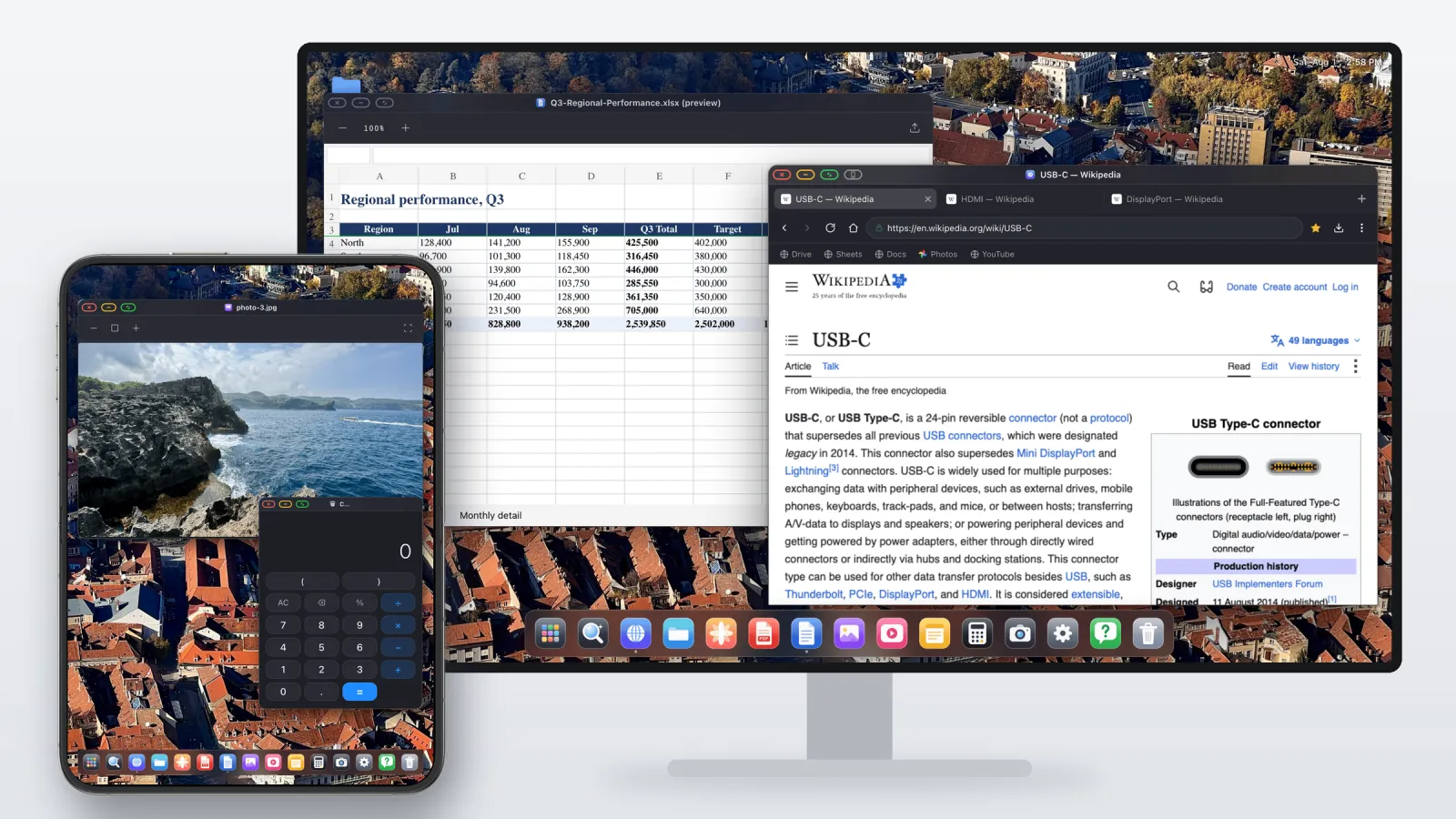
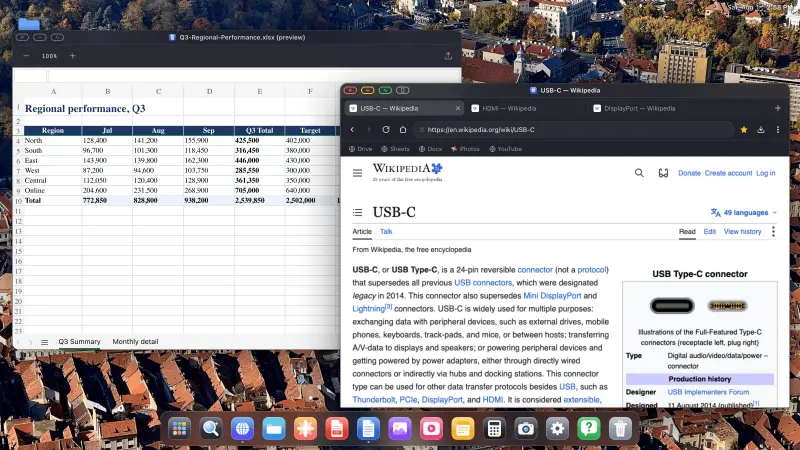
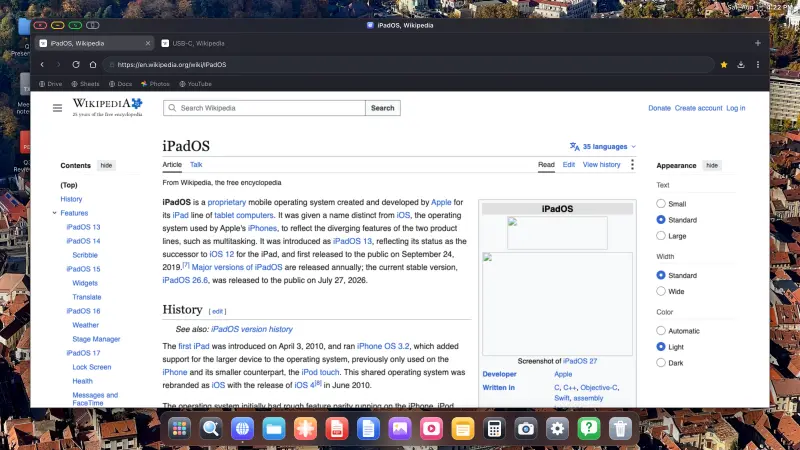
Because iOS won't draw a desktop for the monitor, the only way to get one is an app that takes over the external display and draws its own. XeOS: External Display Browser does that. It renders a full desktop at the display's native resolution, edge to edge.
On the Duo, the inner display doesn't have to sit idle while that happens. XeOS can use it as a second screen with its own workspace, next to the monitor rather than as a copy of it. You end up with two desktops side by side: the monitor for the main work, the Duo's 7.6-inch screen for whatever you want to keep in view, and windows that move between the two.
- Drag a window from the monitor onto the phone and it carries on there, and back again when you need it on the big screen.
- Each screen keeps its own windows. A spreadsheet and a browser on the monitor, a document, a chat or a calculator on the Duo.
- One cursor across both screens. With a mouse paired, the pointer moves seamlessly from the monitor onto the Duo's screen and back, the way it does between two monitors on a computer.
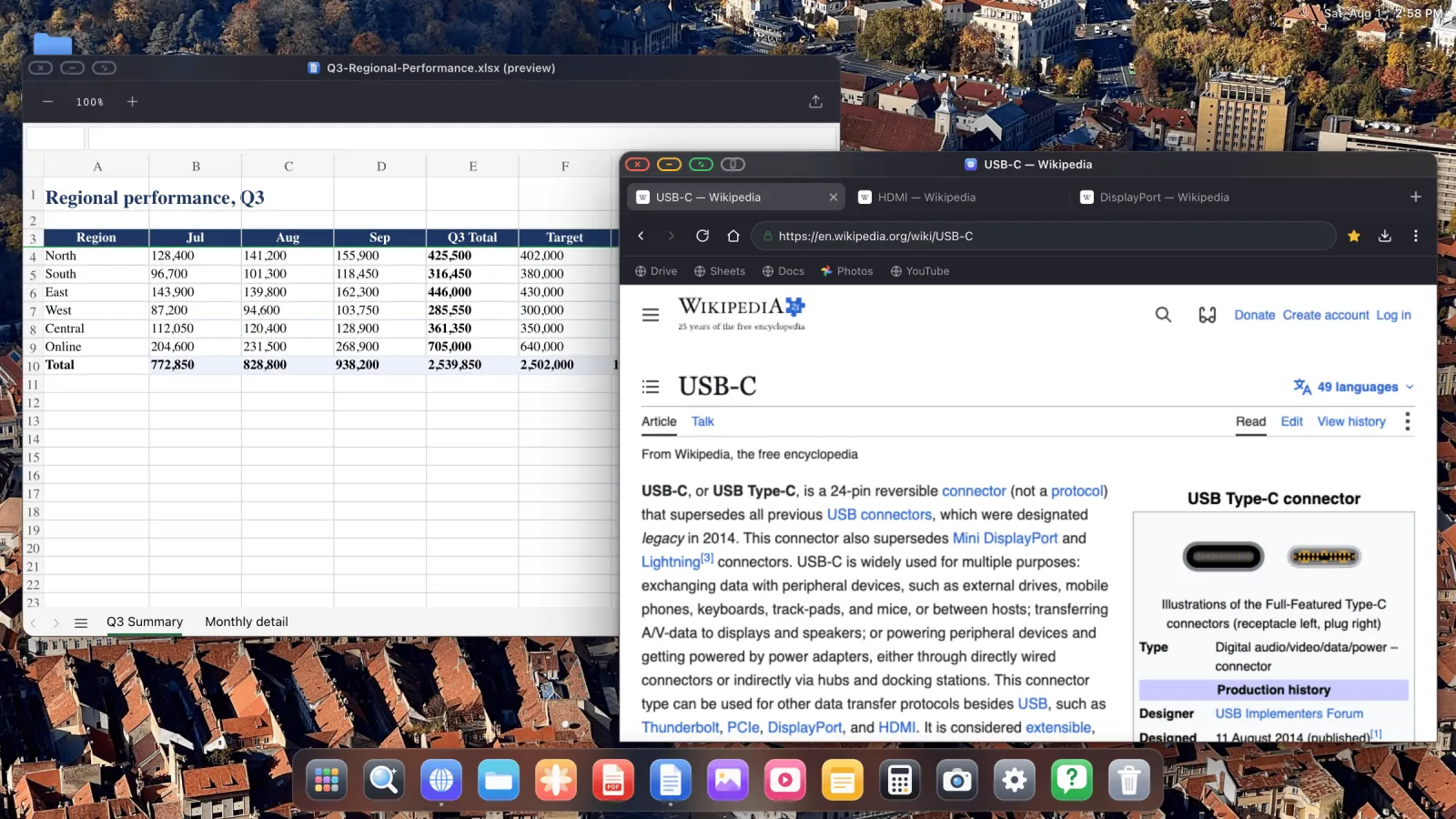
Where Split View stops at two panes, XeOS has ordinary windows. You can open several, move them, resize them, overlap them, snap them, send one full screen, and switch between them with the keyboard.
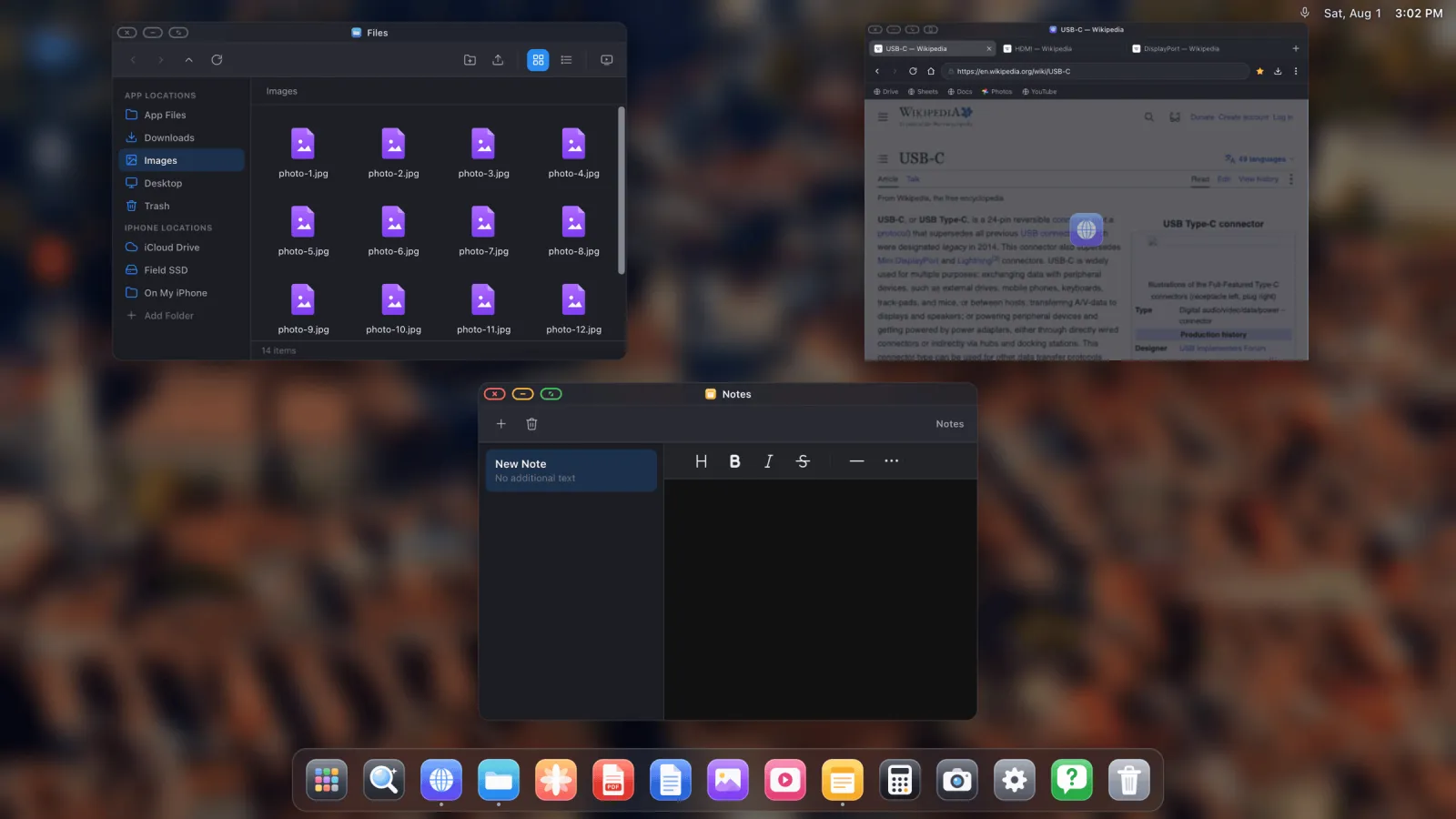
What comes with it:
- A desktop browser with tabs, a bookmarks bar, downloads, saved passwords, reader mode and a built-in ad blocker.
- A file manager that can mount iCloud Drive, folders on the phone and USB drives.
- A PDF viewer with annotation, and preview for Word, Excel and PowerPoint files.
- Photos, Notes, Calculator and a media player, plus any website installed as its own app in the dock.
- A great media experience, with YouTube, Netflix, Disney+ and more playing edge to edge on the big screen.
- Full-screen cloud gaming on the big screen, with Xbox Cloud Gaming, GeForce NOW or Amazon Luna and a controller.
- Mouse, keyboard and shortcuts, covered in the input guide.
The desktop on the monitor works with any other iPhone or iPad that can output video too, so it doesn't depend on a foldable or on a future iOS release. The Duo's larger inner screen is simply what makes the two-screen setup worth using on a phone.
What it doesn't do
Your other iPhone apps stay in iOS. iOS doesn't allow one app to host another, so XeOS is its own environment plus the web, on both screens. For browsing, documents, email and video that covers most of what people do at a desk. It doesn't put Instagram or your banking app in a window.
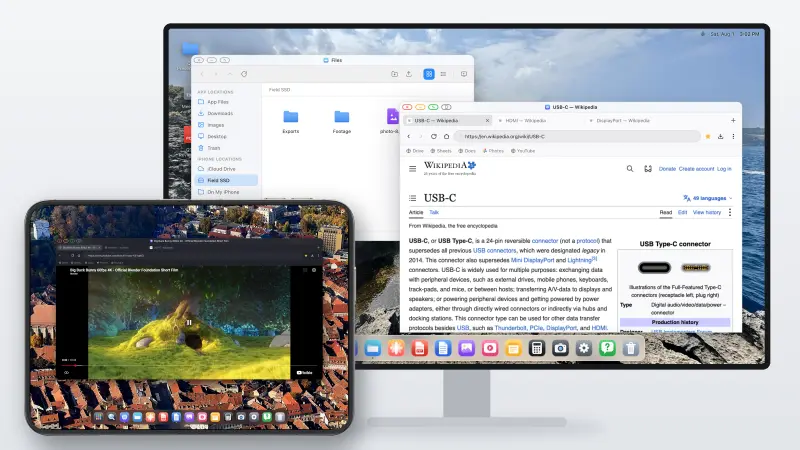
XeOS: External Display Browser turns an iPhone or iPad into a full desktop on any monitor, TV or projector, and on the iPhone Duo it can use the inner display as a second screen.
Frequently asked
Does the iPhone Duo have a desktop mode?
No. It has Split View, which shows two apps side by side. On an external display it mirrors the phone.
How can I still use Desktop Mode on the Duo?
With XeOS: External Display Browser. It puts a full desktop on the monitor, with resizable windows, a dock, a desktop browser and a file manager, and uses the Duo's inner display as a second screen, with one cursor moving between the two.
How many apps can the iPhone Duo show at once?
Two, in Split View. That includes two windows of the same app, such as two Safari windows.
Does Split View fill a monitor or TV?
No. The mirrored image keeps the phone's shape, so it doesn't cover the full width of a 16:9 display, and the layout is the phone's layout scaled up.
Can I use the Duo's screen and a monitor as two separate displays?
Not with iOS on its own, which mirrors. With XeOS, yes: the monitor and the Duo's inner display each get their own workspace, and windows and the cursor move freely between them.
Does the iPhone Duo have Stage Manager?
No. Stage Manager on an external display is still limited to iPads with M-series chips.
What cable do I need?
A USB-C to HDMI cable or adapter. AirPlay works too, though a cable has lower latency and can charge the phone at the same time.
More from the blog

Try XeOS: External Display Browser
Full screen on any external monitor, TV or portable display. No black bars. Download on the App Store.