






 XeOS
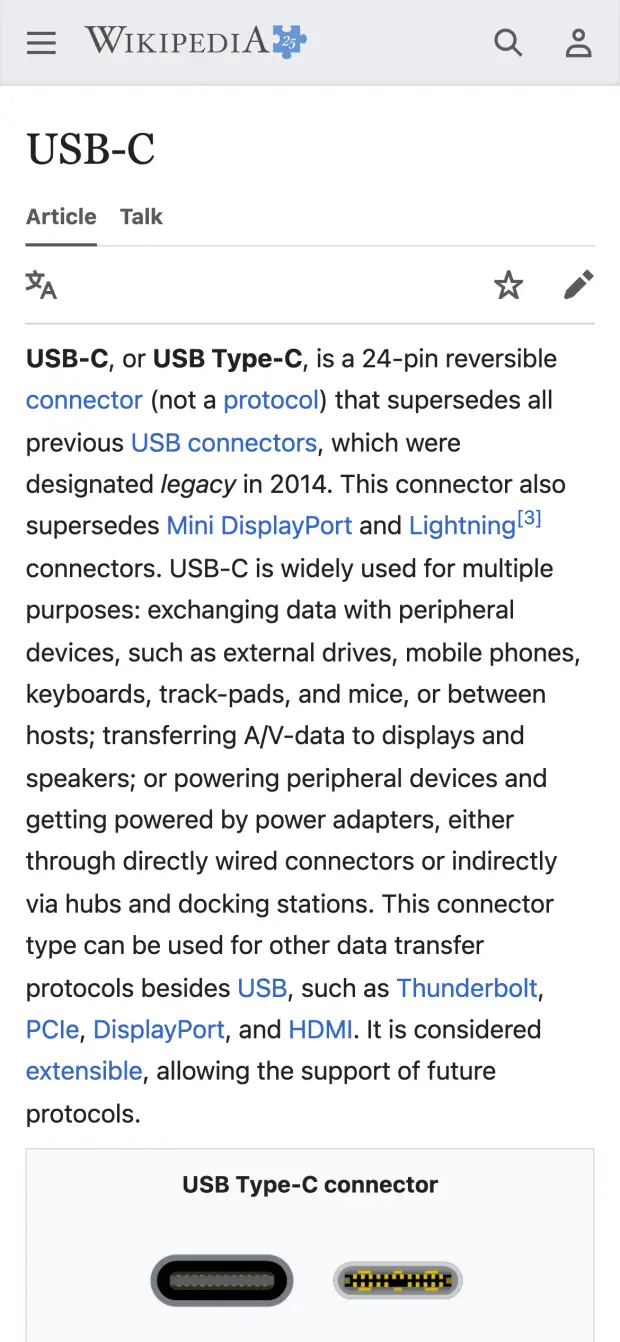
装有 XeLink 的 Mac
iPhone 上的 XeOS
在 XeOS 中镜像你的 Mac
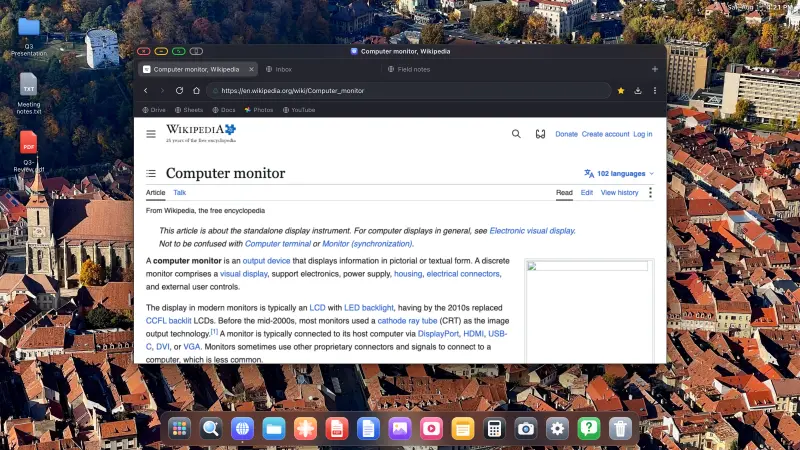
在 Mac 上安装 XeLink,然后在 XeOS 中打开屏幕共享。每个 Mac 窗口或整个显示器都会成为一个可以点按、滚动和输入的 XeOS 窗口。
下载 Mac 版 XeLinkmacOS 14 或更高版本 · 已通过 Apple 公证
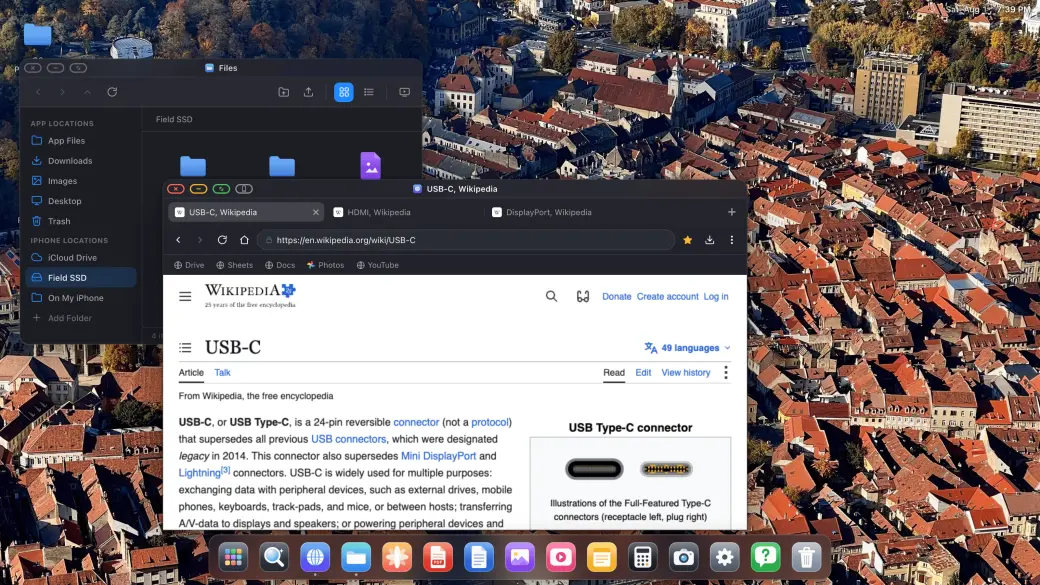
将 iPhone 或 iPad 连接到显示器、电视或投影仪。 XeOS 铺满整个外接屏幕,不留黑边。


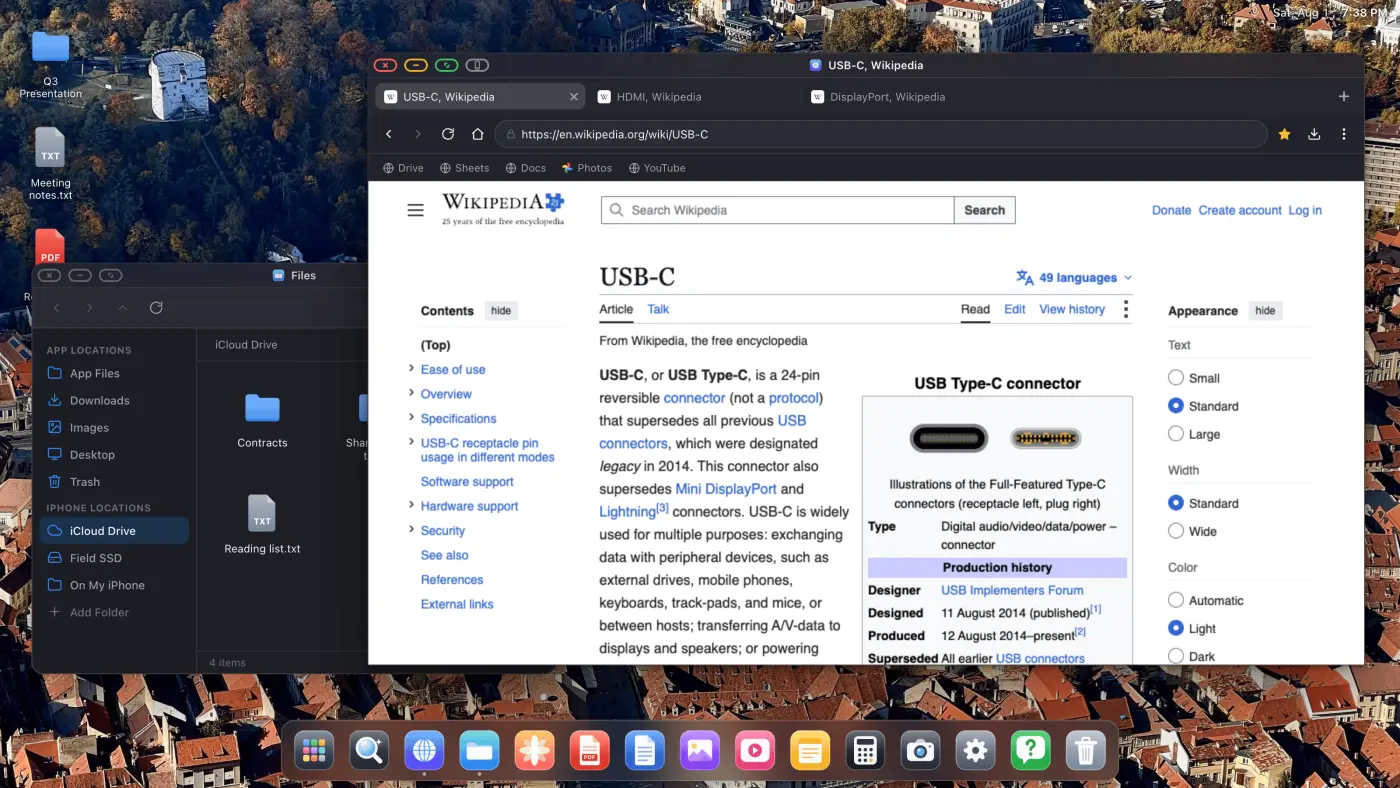
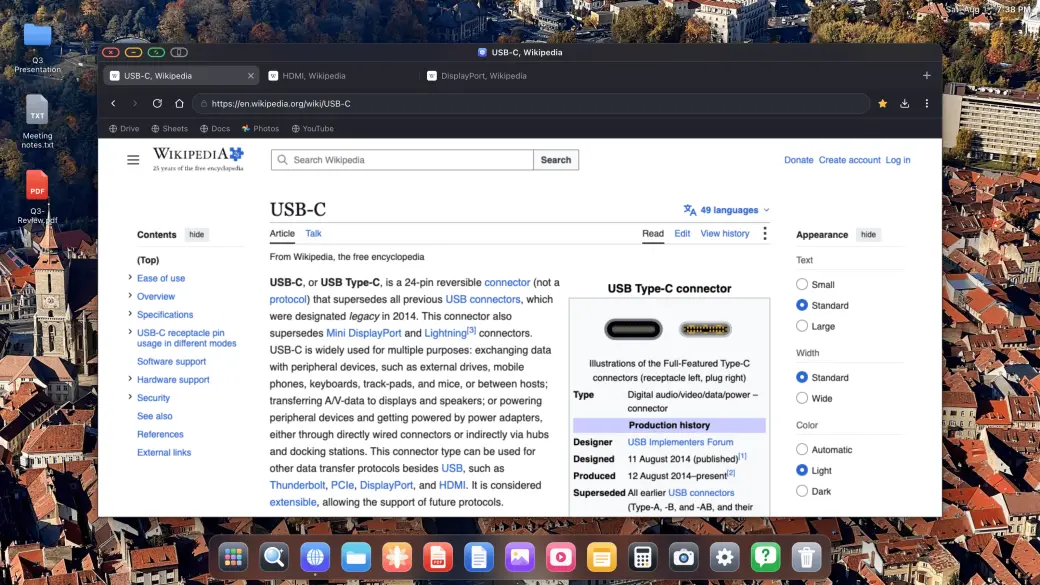
XeOS 把桌面操作系统的体验带到外接屏幕上的 iPhone/iPad,画面铺满每一个角落。
在大尺寸外接显示器或便携屏幕上出现黑边,确实很烦人。XeOS: External Display Browser 让画面铺满整个屏幕,YouTube、Twitch、Vimeo,统统如此。
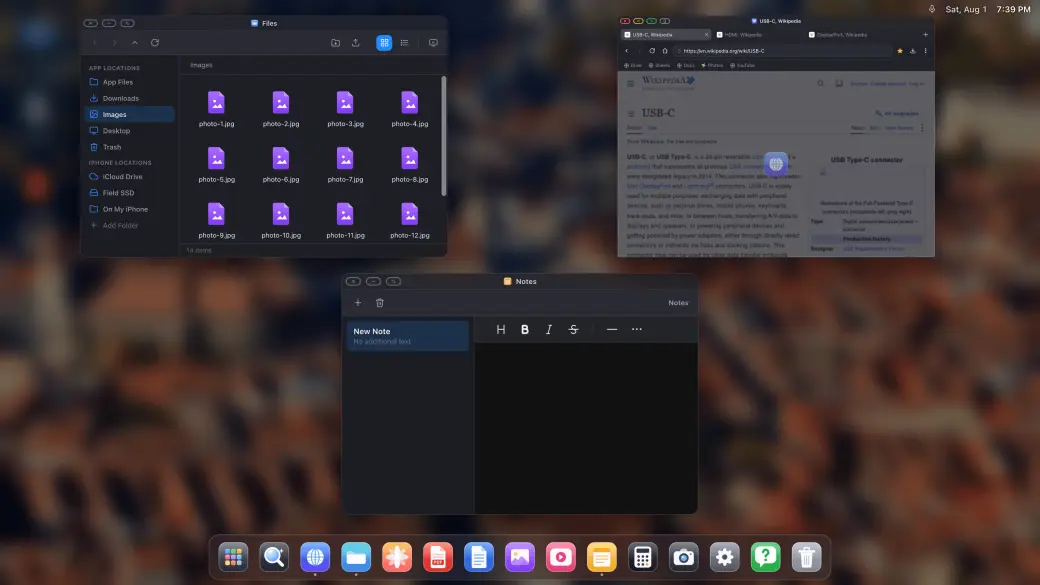
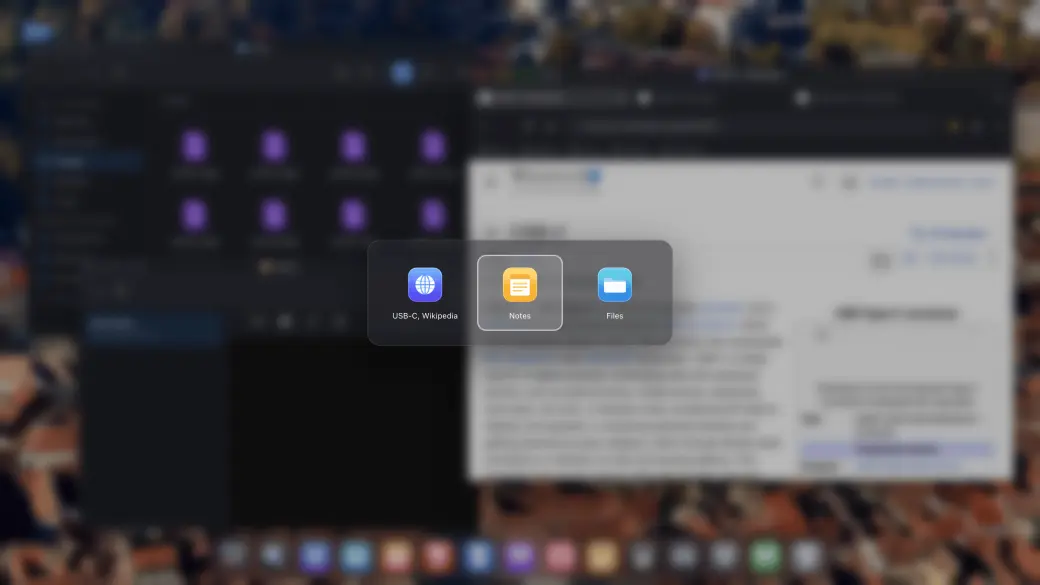
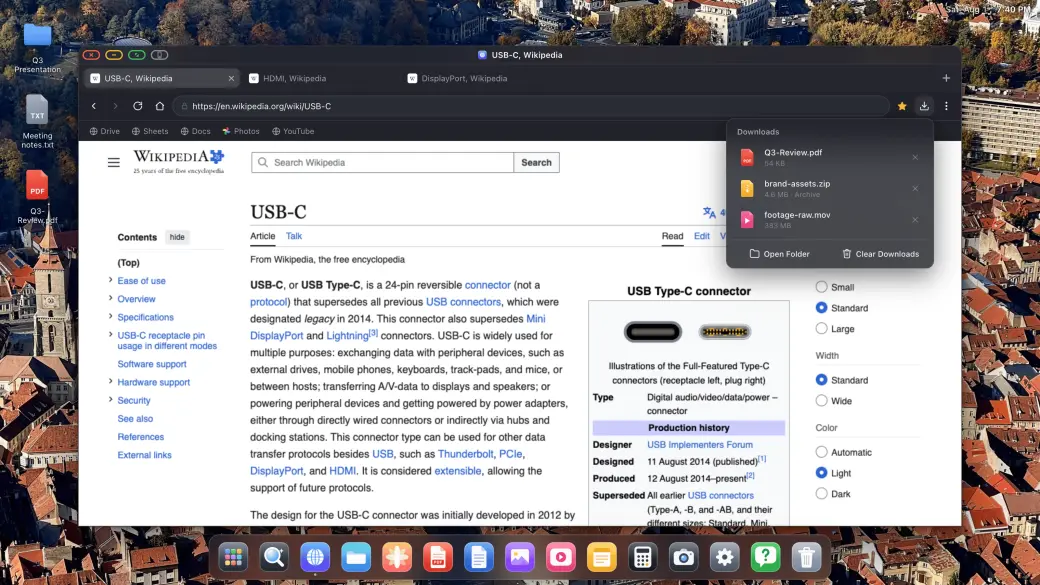
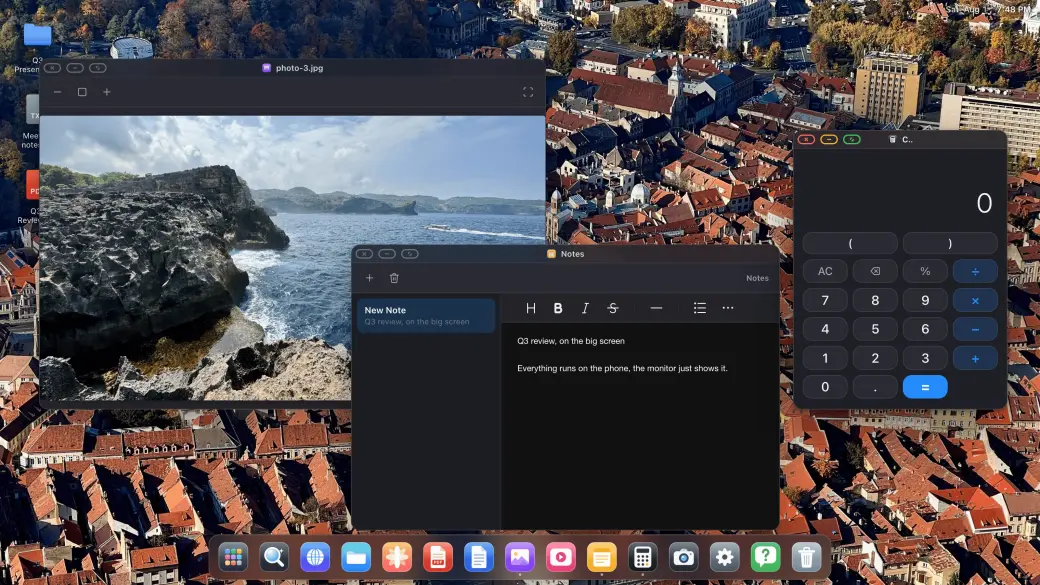
按需打开任意数量的窗口,像在桌面上一样自由排列:拖动、缩放、层叠、全屏,还有类似 Mission Control 的全窗口总览。
在 XeOS 中打开受支持的云游戏服务,使用已配对的手柄在整个外接屏幕上畅玩。
配对蓝牙鼠标和键盘即可即插即用:光标、滚动、快捷键,样样具备。这是 iPhone 有史以来最接近 Samsung DeX 的体验。
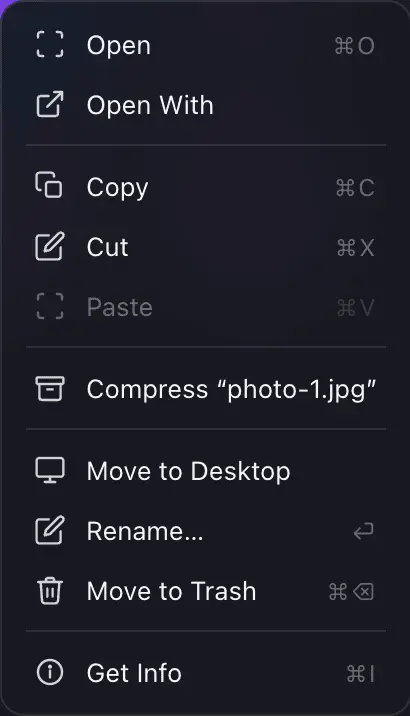
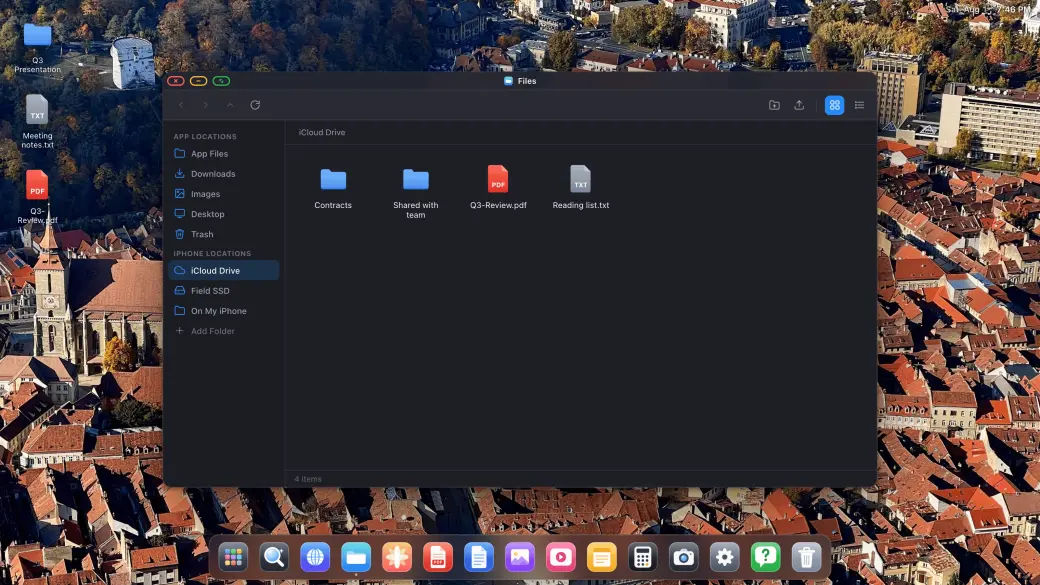
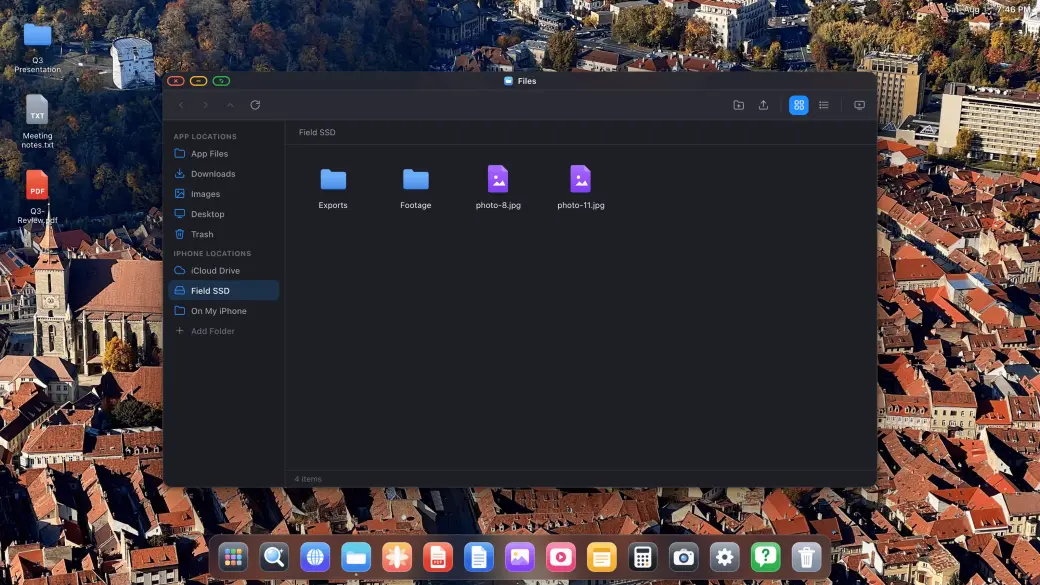
「文件」是一款正经的文件管理器:挂载 iCloud 云盘、USB-C SSD,或 iPhone 本机上的文件夹,在大屏幕上跨设备复制、移动、压缩并打开任意文件。
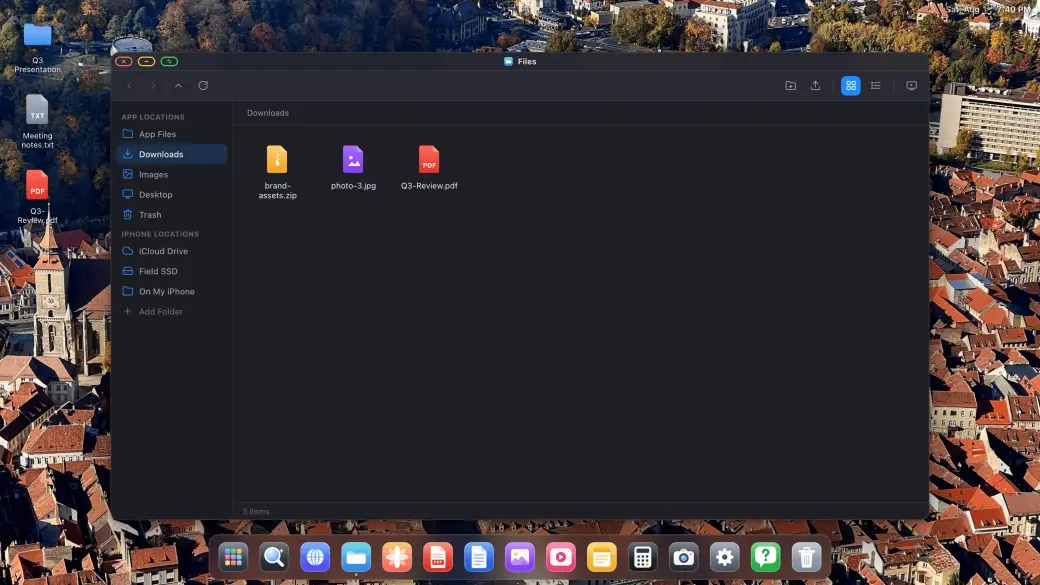
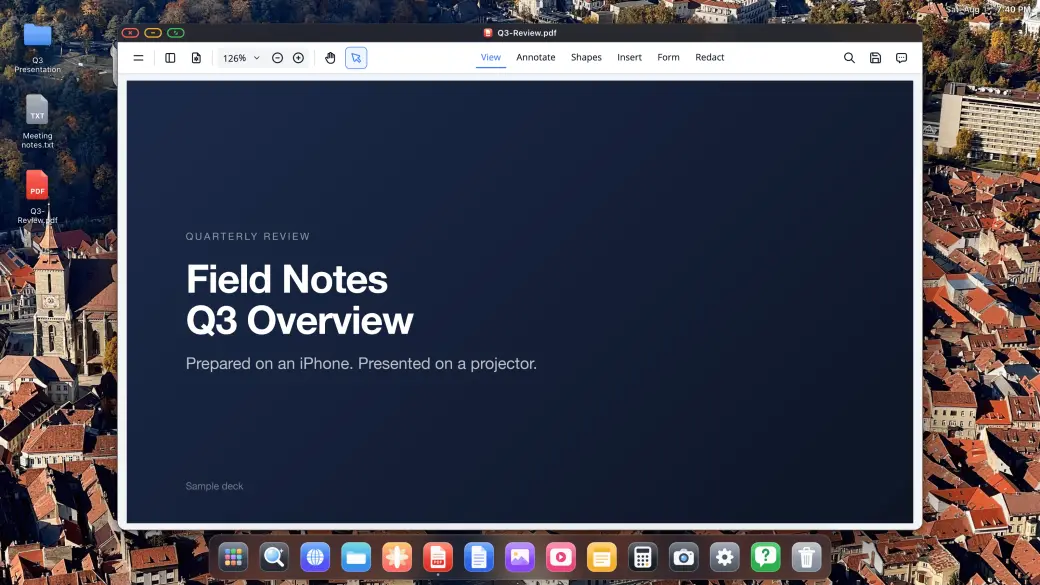
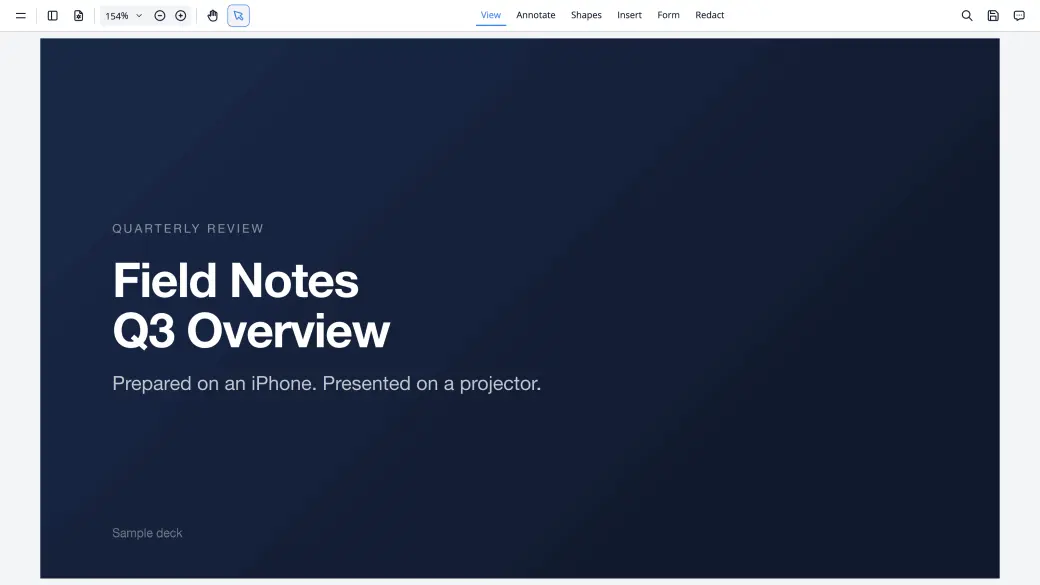
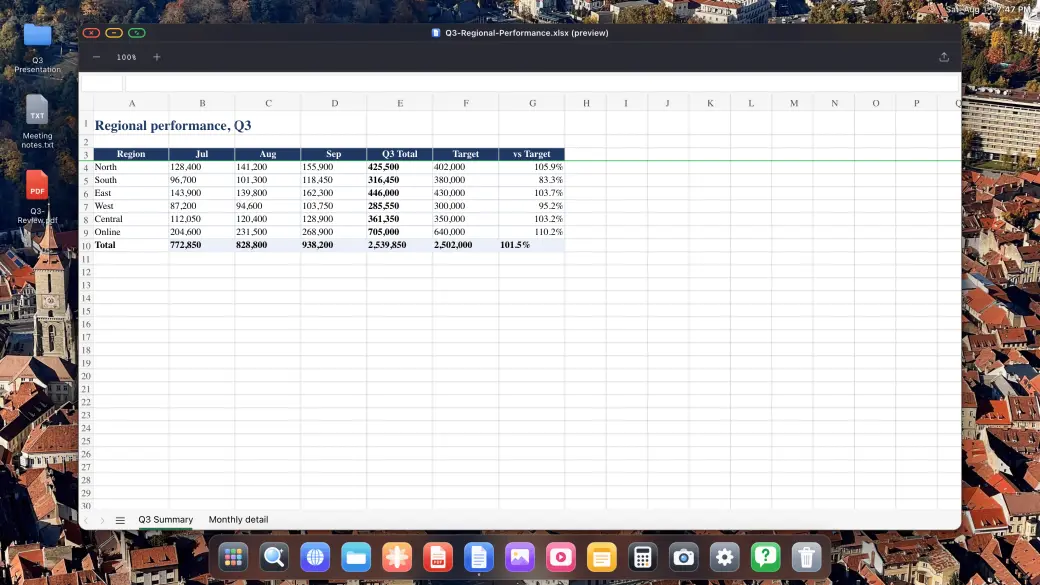
下载网页上的任意内容,就地打开:PDF 阅读器支持批注和签名,Word、Excel、PowerPoint 文件则以桌面级尺寸预览。
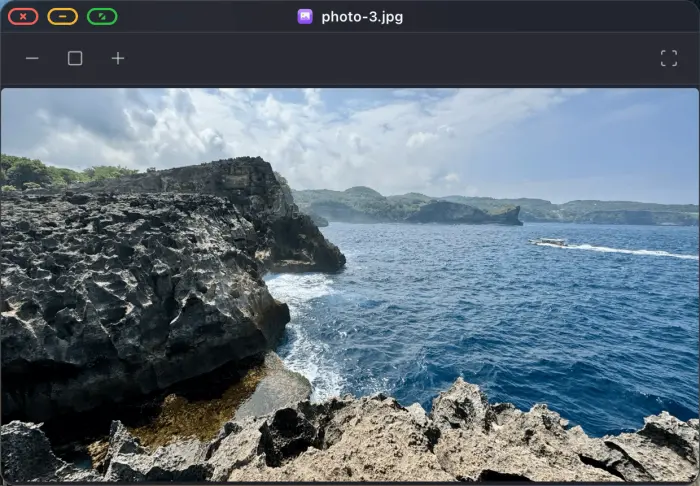
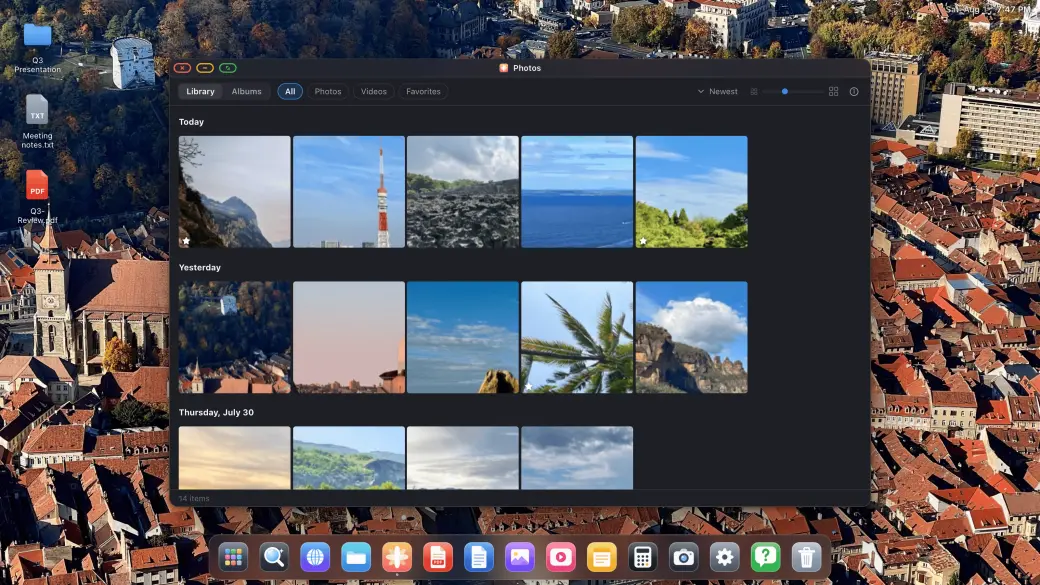
照片图库可在外接显示器上打开,在电视上以全屏幻灯片形式播放,内置的图片、视频和音频播放器,以及备忘录和计算器,随时待命。
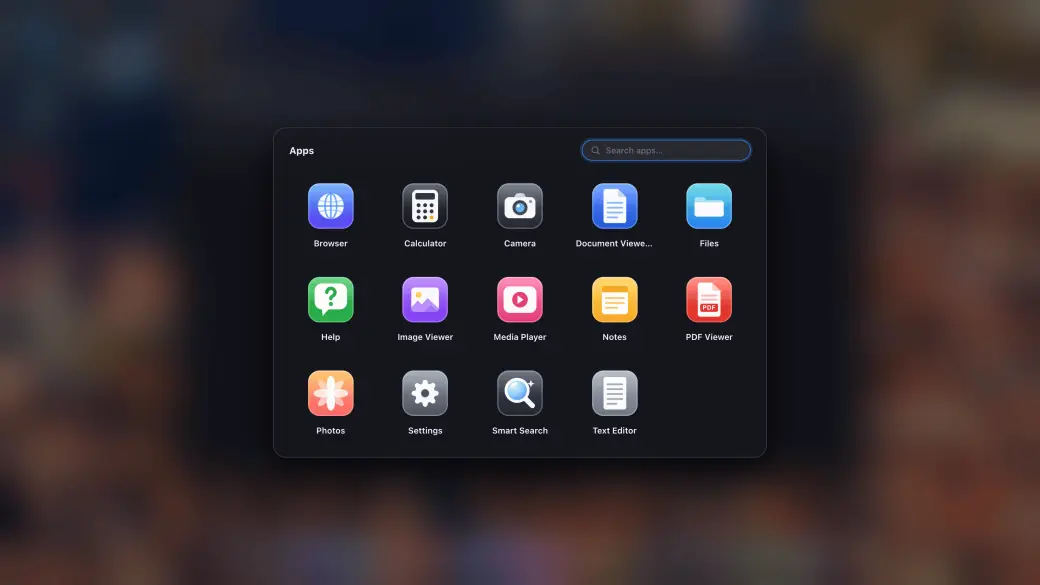
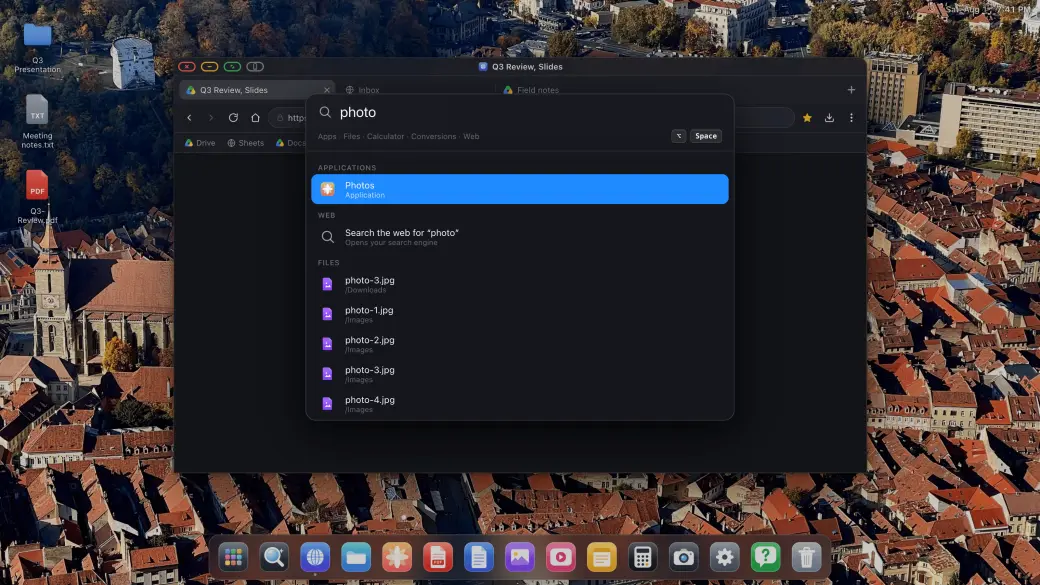
应用抽屉汇集所有内置应用和已安装为应用的网站,搜索面板能即时找到应用、文件与答案,双手无需离开键盘。
将 iPhone 连接到外接显示器、便携显示器、电视或投影仪,即刻获得完整桌面体验:文件系统、应用与全屏浏览。
通过 USB-C 转 HDMI 或 USB-C 转 USB-C 转接器,把 iPhone 或 iPad 接入外接显示器、便携显示器、电视或投影仪。XeOS: External Display Browser 会自动检测连接,并铺满屏幕的每一个像素。
配对蓝牙鼠标和键盘,在外接显示器上获得完整的浏览体验,这是 iPhone 上最好用的 Samsung DeX 替代方案。当然,仅使用屏幕控件也同样顺畅。
管理文件、批注 PDF、预览 Office 文档、播放媒体、全屏浏览网页,还能把喜欢的网站安装为独立应用。从此告别黑边。
专为 iPhone 外接显示器打造,提供一整套原生应用与工具。
把喜欢的网站安装为独立应用。同时打开多个浮动窗口,随意拖动和缩放,把需要的内容都放在眼前。
在外接显示器上完整全屏观看 YouTube、Netflix、Twitch 或任意在线视频。没有侧边栏,没有黑边,纯粹的全屏视频铺满整个屏幕。
内置照片、视频和音频播放器,满足你的媒体需求。集成的备忘录和计算器应用让你保持高效。
完整的文件系统,轻松管理下载内容。直接在大屏幕上打开并批注 PDF,预览 Word、Excel 和 PowerPoint 文档。
为 iPhone 配对蓝牙鼠标和键盘,在外接显示器上获得完整的桌面浏览体验。光标、滚动、快捷键,全部支持。
通过 USB-C 或 HDMI 连接任意外接显示器、便携显示器、电视或投影仪。XeOS: External Display Browser 会自动适配屏幕的原生分辨率,无论是固定的桌面配置还是随身携带的便携屏幕,都能呈现铺满全屏的清晰画面。
连接手柄,在整个外接屏幕上畅玩 Xbox Cloud Gaming、Amazon Luna、GeForce NOW 等受支持的服务。
XeOS装有 XeLink 的 Mac
iPhone 上的 XeOS
在 Mac 上安装 XeLink,然后在 XeOS 中打开屏幕共享。每个 Mac 窗口或整个显示器都会成为一个可以点按、滚动和输入的 XeOS 窗口。
 XeOS
iPhone 上的 XeOS
Safari · Chrome · Edge Firefox · 车载显示屏
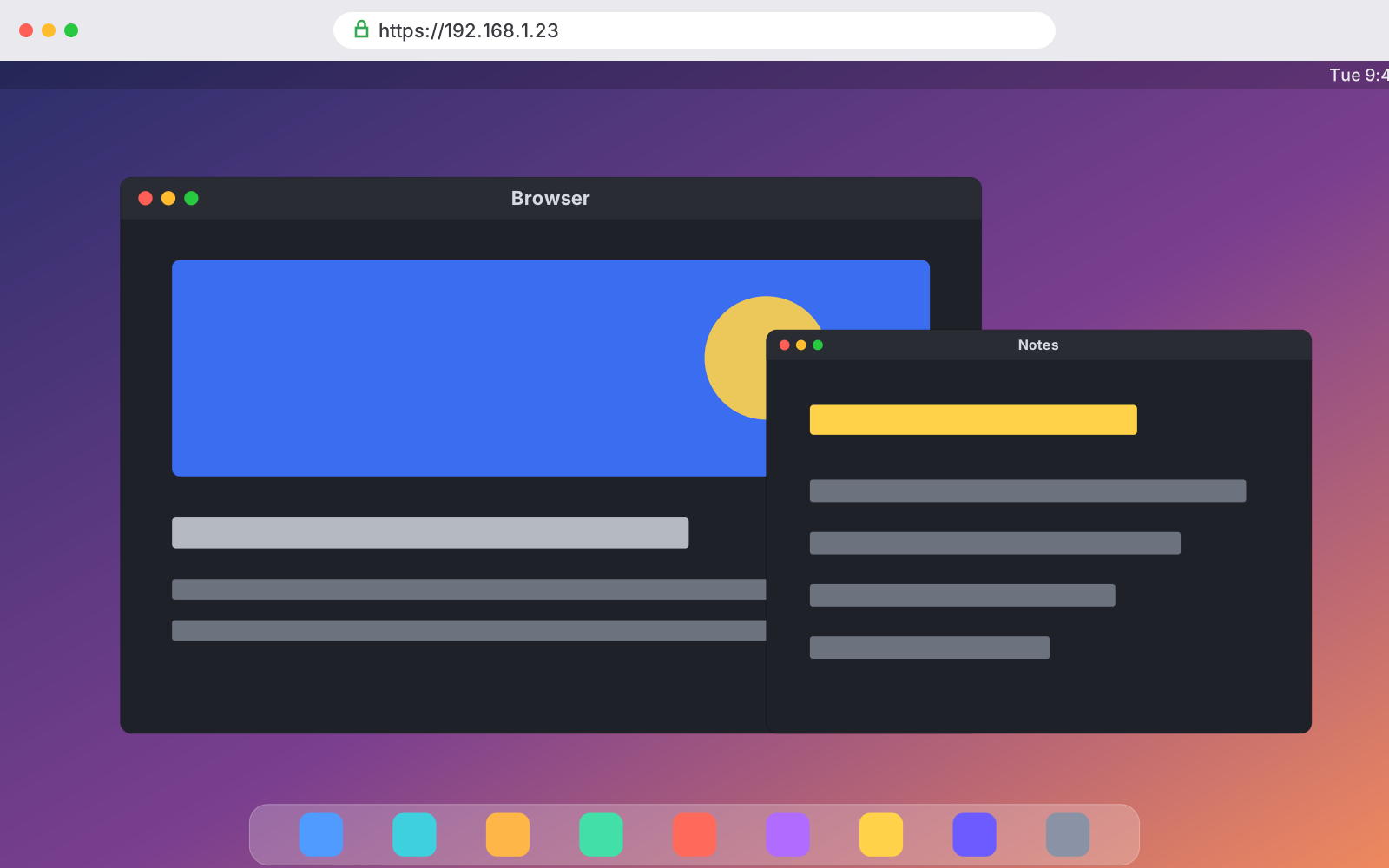
在屏幕共享中打开“镜像 XeOS”,然后在同一 Wi‑Fi 下的任何电脑、平板、手机或车载显示屏上打开它的链接。实时观看桌面,并直接在那里操作。
使用方法
把 iPhone 接上电视很简单,难的是从中得到一块真正好用的屏幕。原生 iOS 只会镜像你的手机画面,因此 16:9 的显示器上会出现一块竖长的、手机形状的画面,悬浮在两条黑边之间。XeOS 用一套能利用屏幕每一个像素的桌面系统,取代了这种镜像方式。只需在这篇文章里完成一次设置,后续所有指南都会假定你已经完成了这一步。
阅读完整指南
你有一台电视、一部 iPhone 和一根线缆,你想要的是视频铺满整个屏幕,而不是挤在屏幕中间一个手机形状的方块里。用 XeOS 大约五分钟就能做到:登录账户、进入全屏,剩下的交给内置广告拦截器处理即可。
阅读完整指南
Holiday photos on the living room TV, or a looping display in a shop window. Either way you don't need a computer, a media player or a smart TV app. An iPhone, a cable and XeOS will fill any screen with your photos. There are two routes, your own photo library or a Google Photos album in the browser, and they suit different jobs.
阅读完整指南来自博客
关于在外接显示器上使用 iPhone,你需要了解的一切。
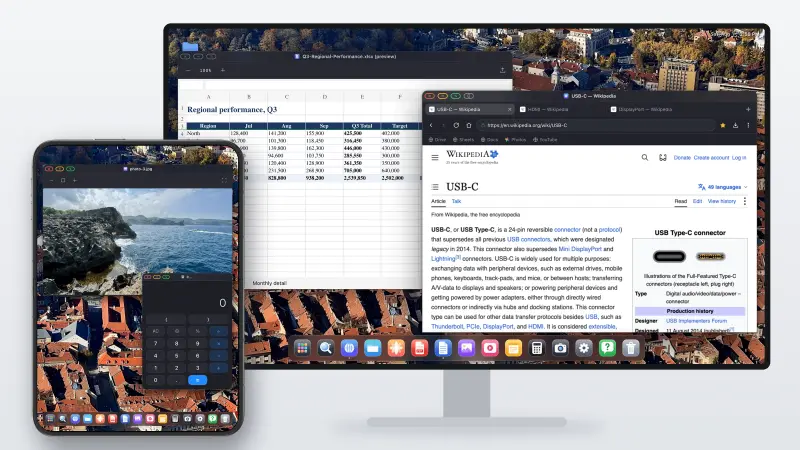
Short version: no. The iPhone Duo brought Split View to the iPhone for the first time, so you can have two apps open side by side on the inner screen. That's it for multitasking. Plug it into a monitor and you still get a mirror of the phone, two windows at most, scaled up and surrounded by black space. Below is what the Duo actually adds, what happens on an external display, and how the XeOS app finally gives you a real multi-screen desktop mode.
阅读文章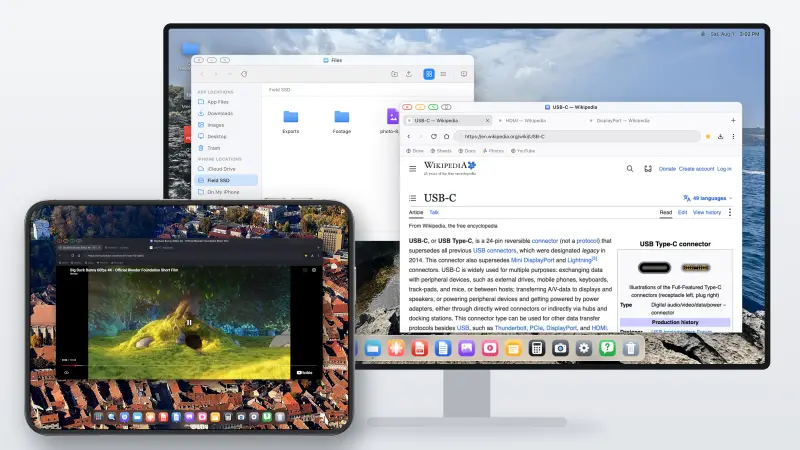
The iPhone Duo finally lets an iPhone show two apps at once. What it still doesn't do is what Samsung DeX has done since 2017: turn the phone into a desktop when you plug it into a monitor. Here's where the Duo stops, and how to get a DeX-style desktop on an external display with it today, with the Duo's own screen working as a second display alongside.
阅读文章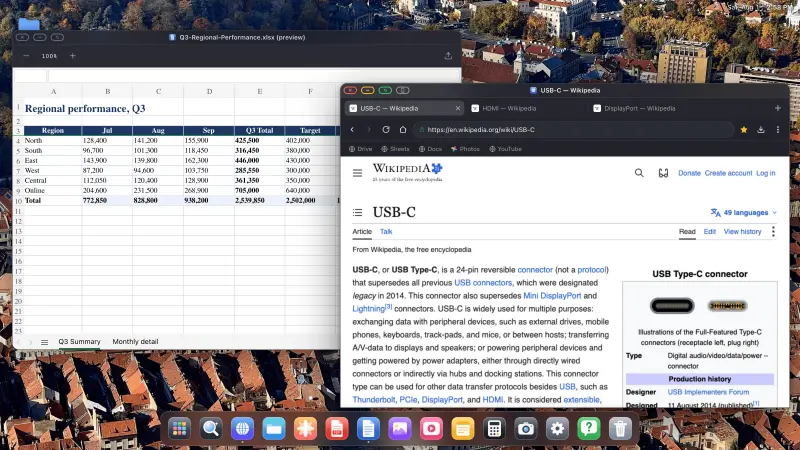
Short version: no. iOS 27 did add a few multitasking features, but only for the iPhone Duo, and nothing for any other iPhone. Plug a regular iPhone into a monitor with iOS 27 and you still get a mirror, phone-shaped, floating between two black bars. Below is what iOS 27 actually changed, what it didn't, and how to get a desktop on a big screen without waiting for Apple.
阅读文章关于让 iPhone 获得桌面体验的一切
iPhone 和 iPad 上最出色的 Samsung DeX 替代方案,带来真正好用的桌面体验!
当 iPhone 连接外接显示器或便携屏幕时,普通应用会用黑边填满多余空间,因为它们是为 iPhone 竖屏设计的。XeOS: External Display Browser 会渲染浏览器界面,铺满所连接显示屏的完整横向分辨率,上下左右都没有黑边。你的外接显示器、便携屏幕、电视或投影仪,每一个像素都被充分利用。
XeOS: External Display Browser 集齐了在 iPhone 外接显示器上获得全屏浏览体验所需的一切,也是 iPhone 版 Samsung DeX 替代方案应有的全部功能:
下载 XeOS,瞬间把任意显示器、电视或投影仪变成强大的工作站,iOS 上最出色的 Samsung DeX 替代方案。
文件系统 • 文档与媒体应用 • 可安装网页应用 • 全屏显示
Last updated: August 13, 2026
This Privacy Policy applies to XeOS (the "App"), an iPhone Desktop Mode app designed to deliver a full-screen, no-black-bars desktop experience on external monitors, TVs and projectors. The App is developed and operated by a solo independent developer. Your privacy is our top priority, the App is architected from the ground up to collect no personal data and to keep everything on your device.
XeOS: External Display Browser does not collect, store, transmit or share any personal information or data. There are no user accounts, no advertising SDKs, no crash-reporting services, and no third-party tracking of any kind embedded in the App.
The core feature of the App is rendering a full-resolution browser on an external display connected via USB-C or HDMI. The App uses Apple's native WKWebView to render web content at the full resolution of the connected screen, corner to corner, with zero black bars. All web content is fetched directly by your device using your own internet connection (Wi-Fi or cellular). No browsing activity, visited URLs, page content or interaction data is recorded, logged or sent anywhere by the App.
The App supports web-based video meetings (e.g. Zoom web, Google Meet, Microsoft Teams) on your external display. When you access a website that requests camera or microphone access, iOS will prompt you for permission as it does in any browser. Camera and microphone streams are handled entirely by the underlying web page and Apple's WebKit framework, the App itself never records, stores, processes or transmits any audio or video. Permissions can be revoked at any time in iOS Settings → Privacy & Security → Camera / Microphone.
XeOS lets you download files (PDFs, images, documents, etc.) from websites you visit. Downloaded files are saved securely and are accessible through the XeOS File System and the iOS Files app. The App does not transmit downloaded files to any external server, index their contents, or retain any record of your downloads. Files remain entirely under your control on your device.
The App supports Bluetooth mouse and keyboard input to deliver a desktop-class browsing experience on your external monitor. Mouse movements, clicks, scroll events and keyboard input are processed locally on your device by Apple's UIKit/WebKit. No input is logged, recorded or transmitted by the App at any point.
The App includes a built-in ad blocker to enhance your browsing experience and protect your privacy while browsing on an external display. The ad blocker uses local content-blocking filter lists that are applied entirely on-device via Apple's iOS API. No browsing data is sent to any ad-blocking service or third party. The filter lists are bundled with the App and may be updated via normal App Store updates.
Any preferences you set within the App (such as display settings or browser preferences) are stored solely in local device storage (UserDefaults or equivalent). This data never leaves your iPhone and is not synced to any cloud service or external server by the App. Website data such as cookies and local storage from pages you visit are managed by Apple's WebKit on-device, consistent with standard iOS browser behavior.
To help us understand how the App is performing and where it can be improved, basic usage information may be shared between the developer and Apple through Apple's own developer platforms. This exchange happens directly between the developer and Apple, no outside third party is involved, and the data is never sold or passed on to anyone else. By using the App, you agree to this usage data being shared with Apple in this way.
In some cases, the App may store completely anonymous, general app-usage information, in line with Apple's own guidelines, for example how many people use the App, or where they might get stuck during setup, so we can keep improving the experience. This data cannot be linked back to you in any way and is limited strictly to how the App itself is used. Nothing you do on your external screen is tracked. And this can always be verified by anyone using Apple's App Privacy Report.
The App is distributed through Apple's App Store. Any purchases or payment transactions are handled entirely by Apple. The developer does not receive or process your payment details. Apple's own Privacy Policy governs data collected during App Store transactions. Please refer to Apple's Privacy Policy for details.
XeOS is a comprehensive Desktop Mode environment. When you navigate to any website or install a site as an app (YouTube, Netflix, Zoom, Google, etc.), that website's own privacy policy and data practices apply. The App developer has no control over and takes no responsibility for the content or privacy practices of third-party websites you choose to visit. The App itself adds no tracking layer on top of your usage.
The App does not collect any personal information from users of any age, including children under 13. Since no data is collected, the App complies with COPPA and equivalent regulations by design.
If this Privacy Policy is updated, the new version will be posted on this page with a revised "Last updated" date. Continued use of the App after any changes constitutes acceptance of the updated policy. Significant changes will be communicated via App Store release notes.
Questions about this privacy policy or how the App handles data? , we personally read and respond to every message.