XeOS: pur și simplu cea mai bună experiență pe ecran extern pentru iPhone/iPad
Mod desktoppentru iPhone*sau iPad
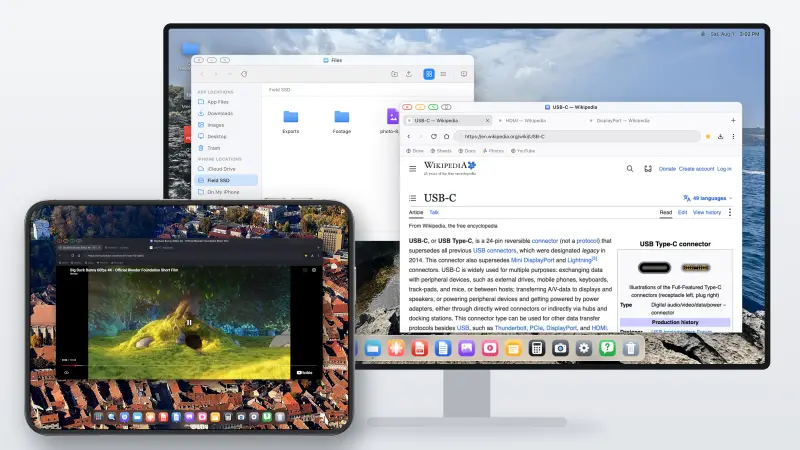
Conectează iPhone-ul sau iPad-ul la un monitor, televizor ori proiector.
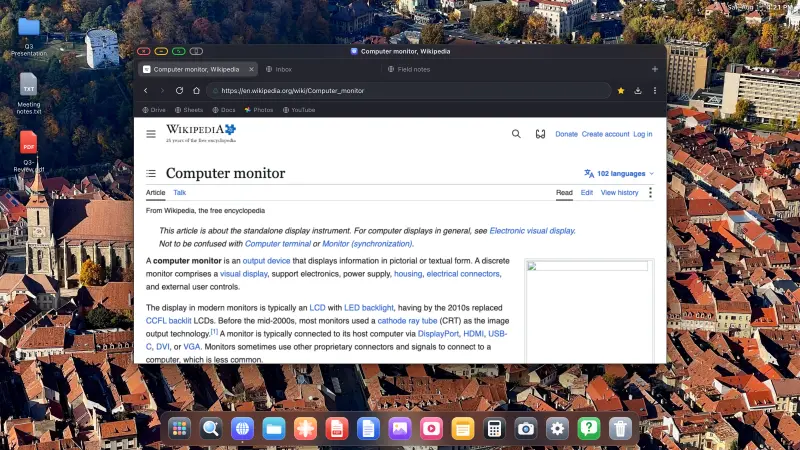
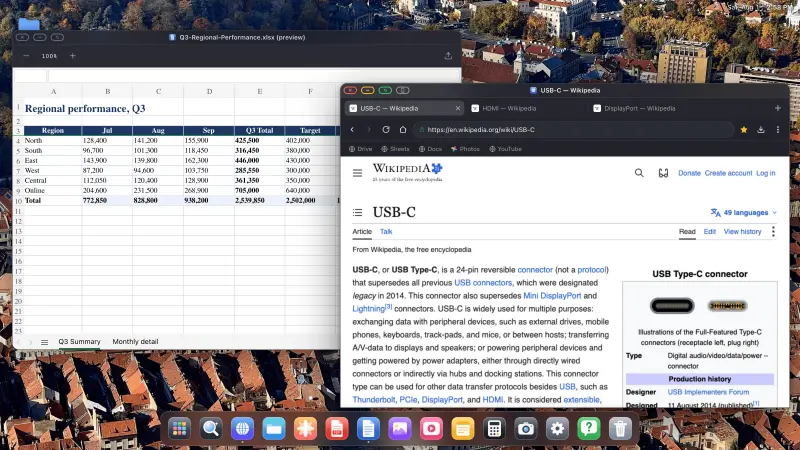
XeOS umple întregul ecran extern, fără benzi negre.
••••••
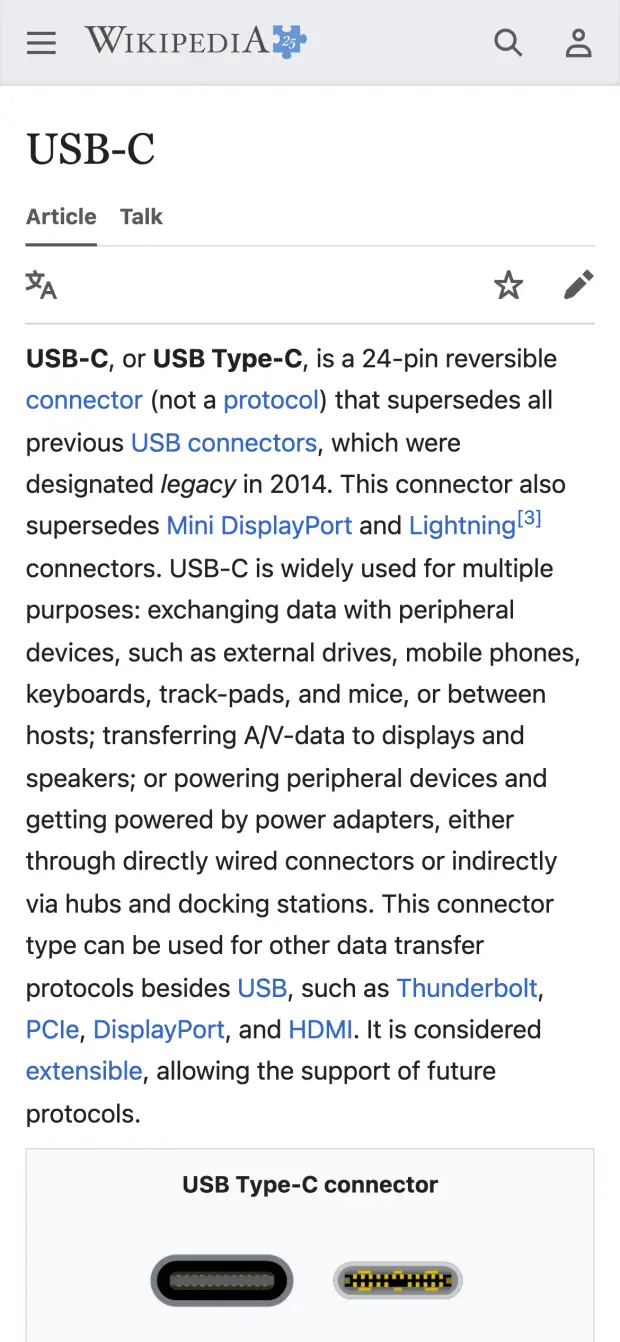
iPhone→Monitor extern
iPhone
Monitor extern
Uită de benzile negre. Ai parte de o experiență desktop reală, cu multitasking adevărat.
XeOS aduce experiența unui sistem de operare desktop pe iPhone/iPad, pe ecranul tău extern, din colț în colț.
YouTube și video, pe tot ecranul
YouTube și video, pe tot ecranul
YouTube umple tot ecranul, fără benzi negre
Orice site de streaming: Twitch, Vimeo etc.
Video în pagină și comutare pe tot ecranul, ambele funcționează
Benzile negre pe un monitor extern mare sau pe un display portabil sunt cu adevărat enervante. XeOS: External Display Browser umple tot ecranul, de la un capăt la altul, YouTube, Twitch, Vimeo, orice.
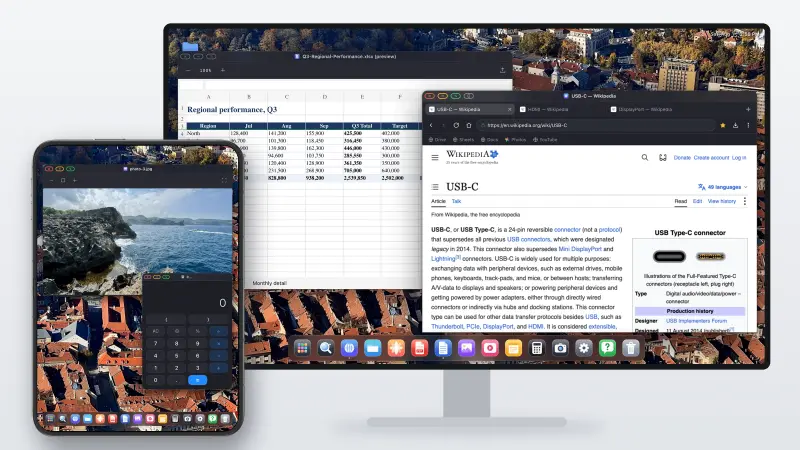
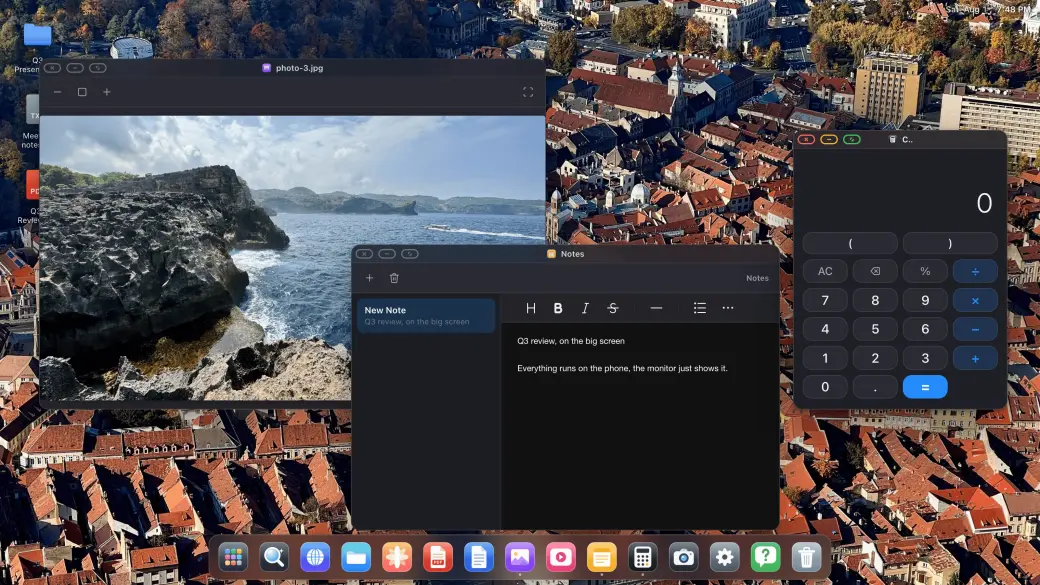
Ferestre reale, multitasking real
Ferestre reale, multitasking real
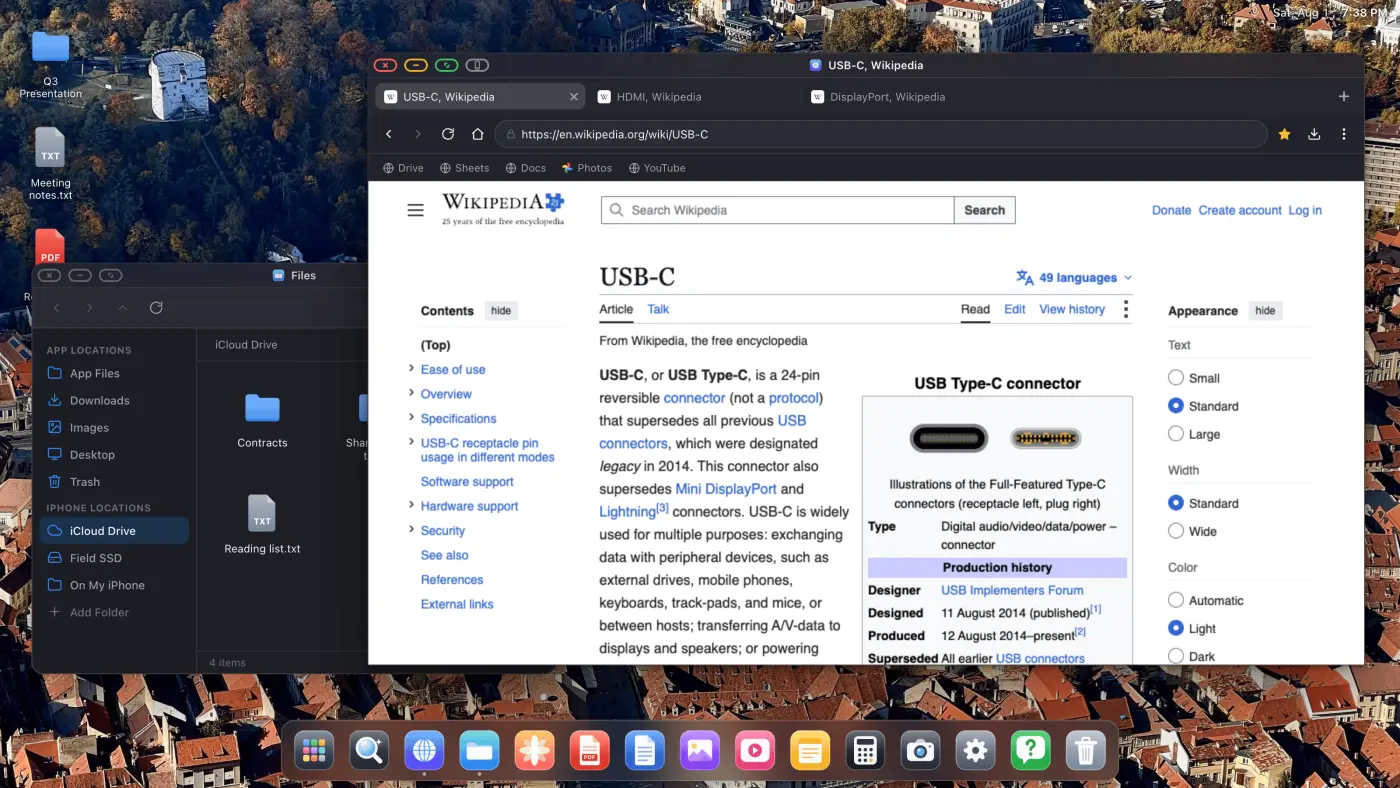
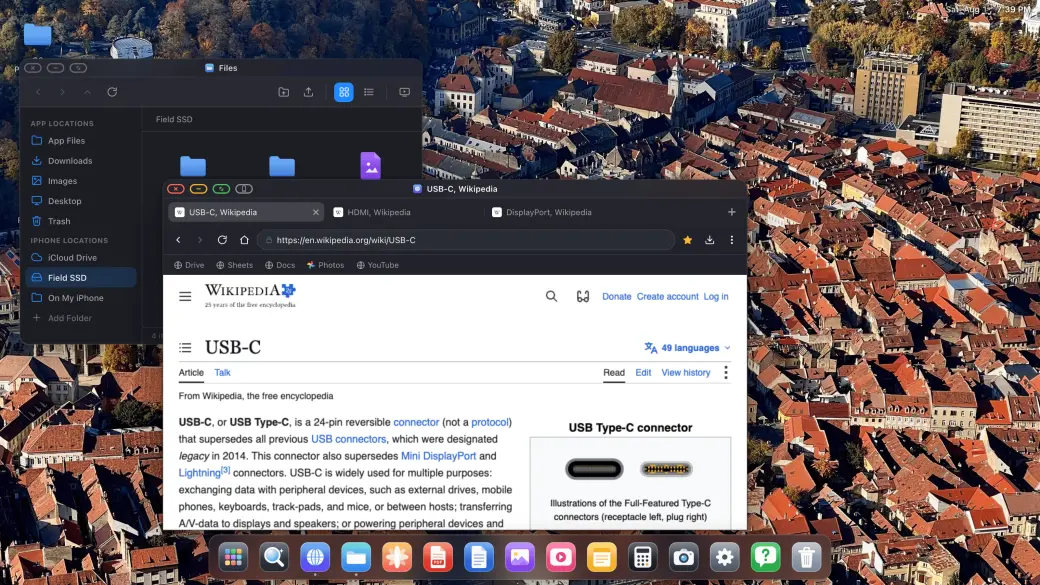
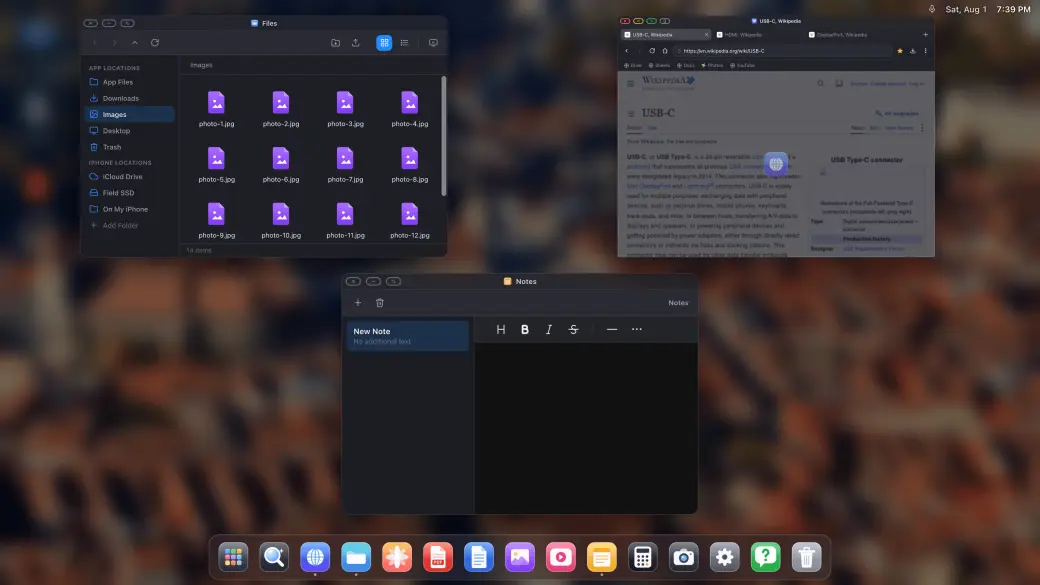
Trage, redimensionează și suprapune ferestre reale
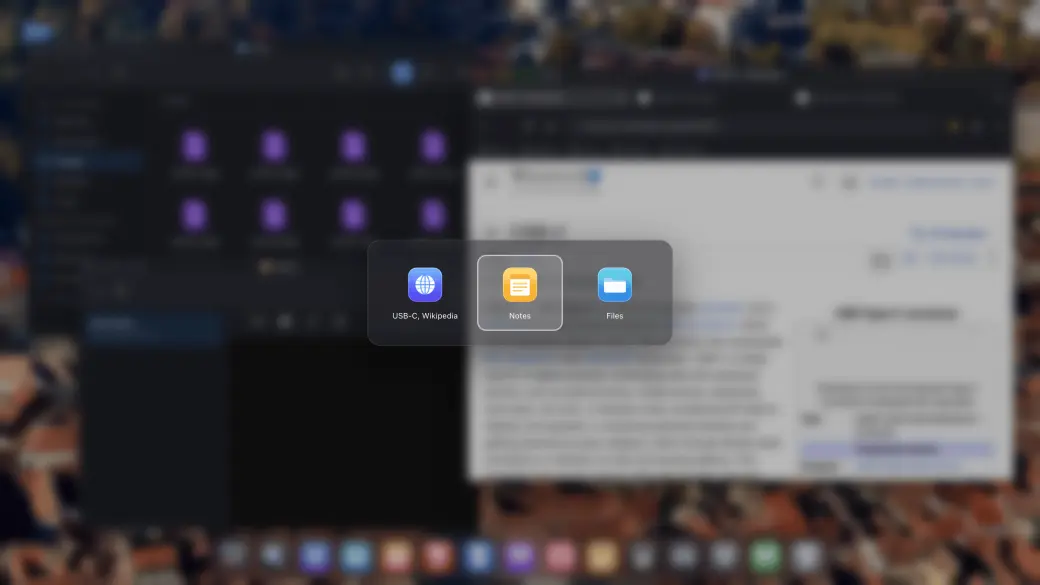
Comutator de ferestre și o vedere de ansamblu a tuturor ferestrelor
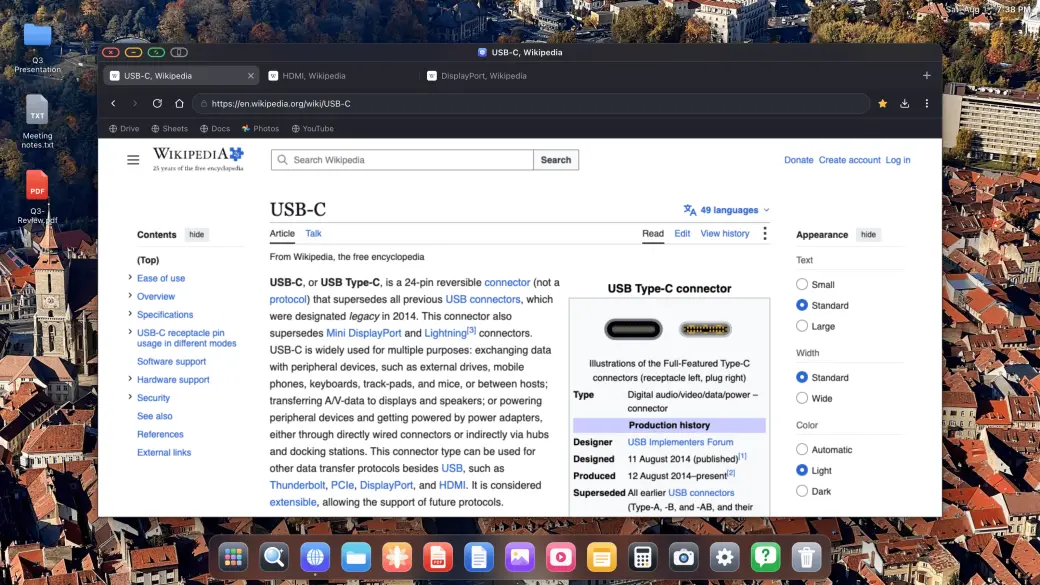
Instalează orice site web ca propria sa aplicație
Deschide câte ferestre ai nevoie și aranjează-le așa cum ai face-o pe un desktop: trage, redimensionează, suprapune, ecran complet și o prezentare de ansamblu, în stilul Mission Control, a tot ce este deschis.
Cloud gaming pe ecranul mare
Cloud gaming pe ecranul mare
Xbox Cloud Gaming, Amazon Luna, GeForce NOW și altele
Joc pe tot ecranul extern, fără benzi negre
Asociază un controller compatibil și începe să joci
Deschide în XeOS servicii compatibile de cloud gaming și joacă pe întregul ecran extern cu un controller asociat.
Suport pentru mouse și tastatură
⌘
C
↵
Suport pentru mouse și tastatură
Cursor de mouse complet pe display-ul extern sau portabil
Comenzi rapide, copiere/lipire, scriere
Roata de derulare și butoanele suplimentare ale mouse-ului funcționează și ele
Asociază un mouse și o tastatură Bluetooth și pur și simplu funcționează: cursor, derulare, comenzi rapide. Este ce se apropie cel mai mult de Samsung DeX pe care l-a avut vreodată un iPhone.
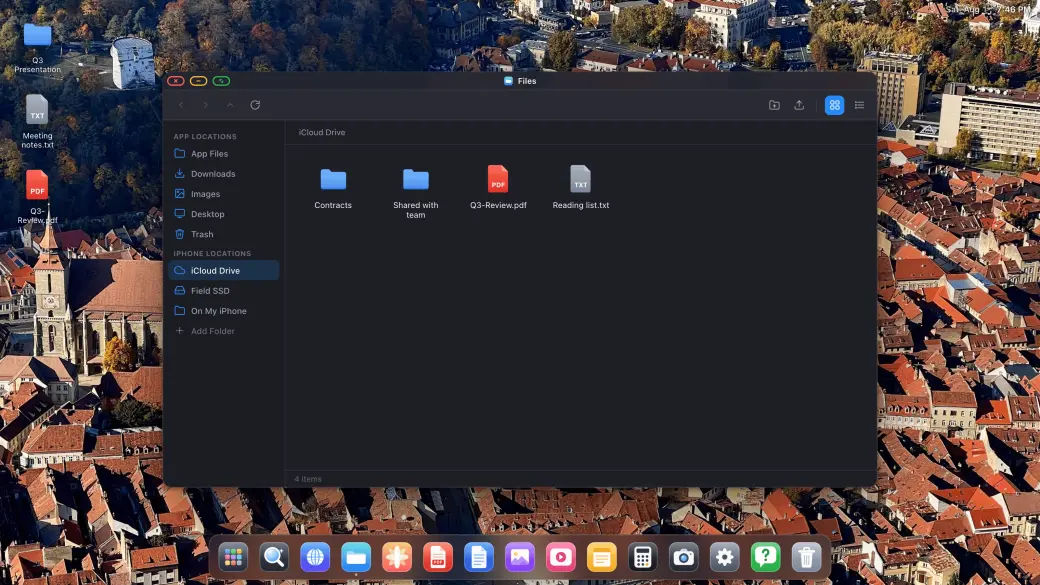
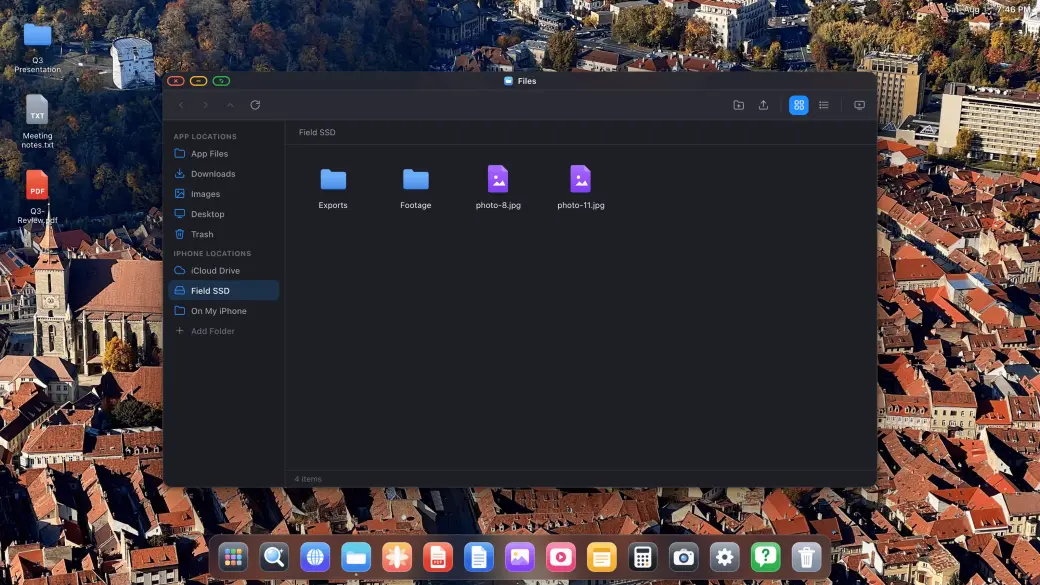
Fișierele, unitățile și iCloud-ul tău
Fișierele, unitățile și iCloud-ul tău
Montează iCloud Drive, SSD-uri externe și foldere locale
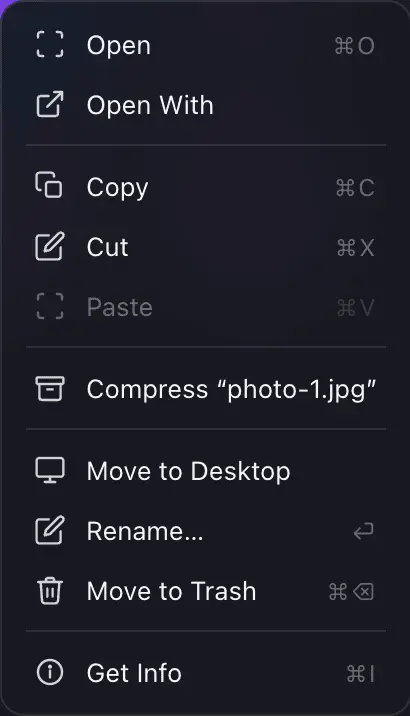
Copiază, mută, redenumește, comprimă și dezarhivează
Deschide orice fișier în vizualizatoarele integrate
Files este un manager de fișiere adevărat: montează iCloud Drive, un SSD USB-C sau un folder de pe iPhone și copiază, mută, comprimă și deschide orice, pe toate, pe ecranul mare.
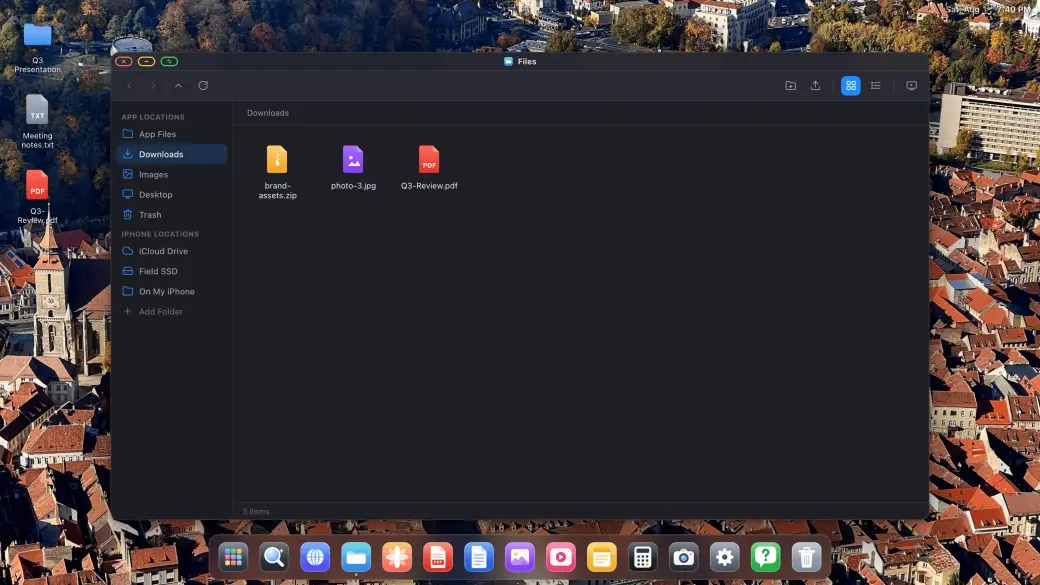
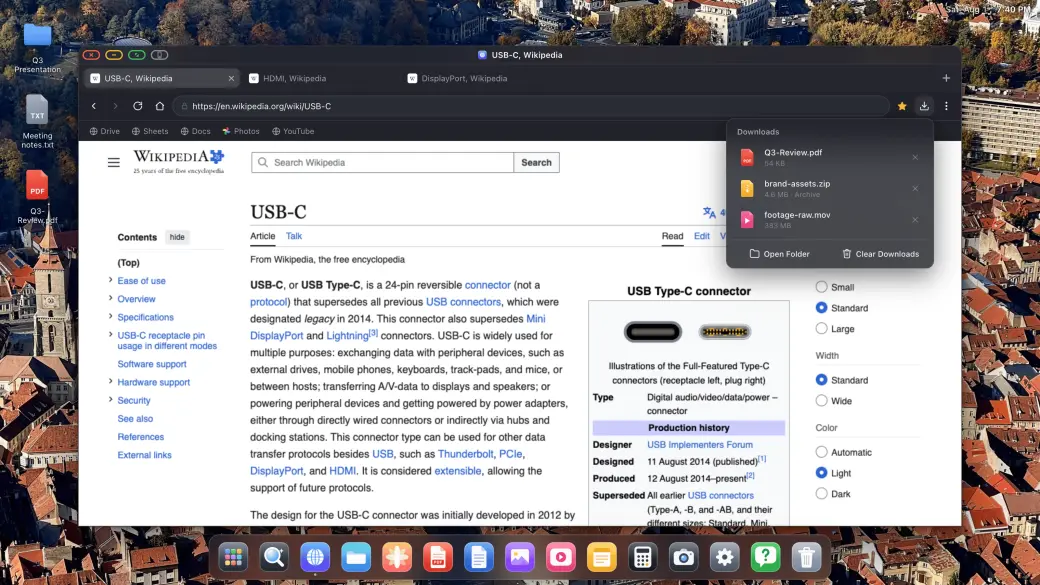
Descărcări, PDF-uri și fișiere Office
Descărcări, PDF-uri și fișiere Office
Descărcări reale, cu progres, direct în sistemul de fișiere
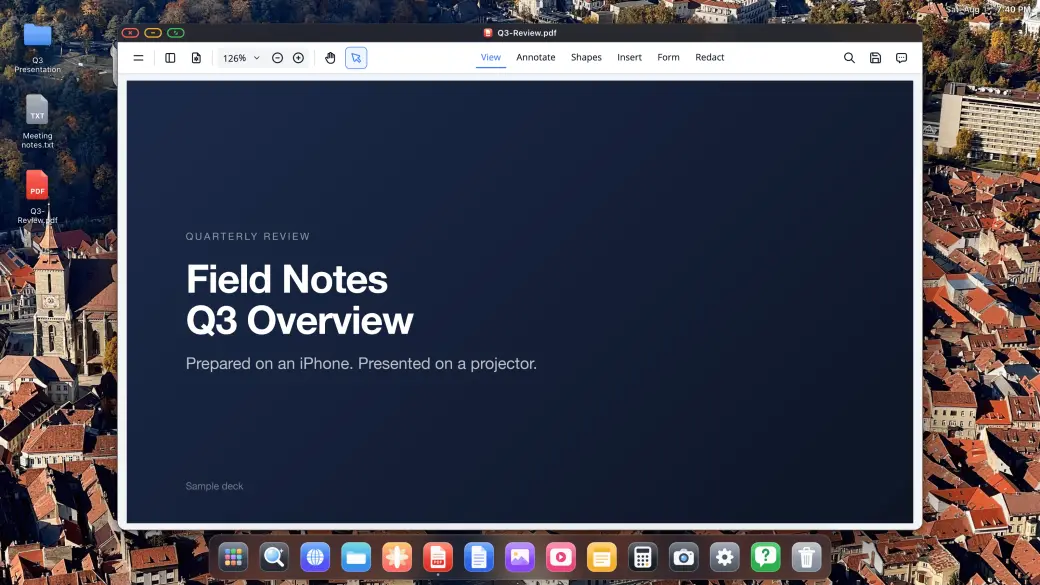
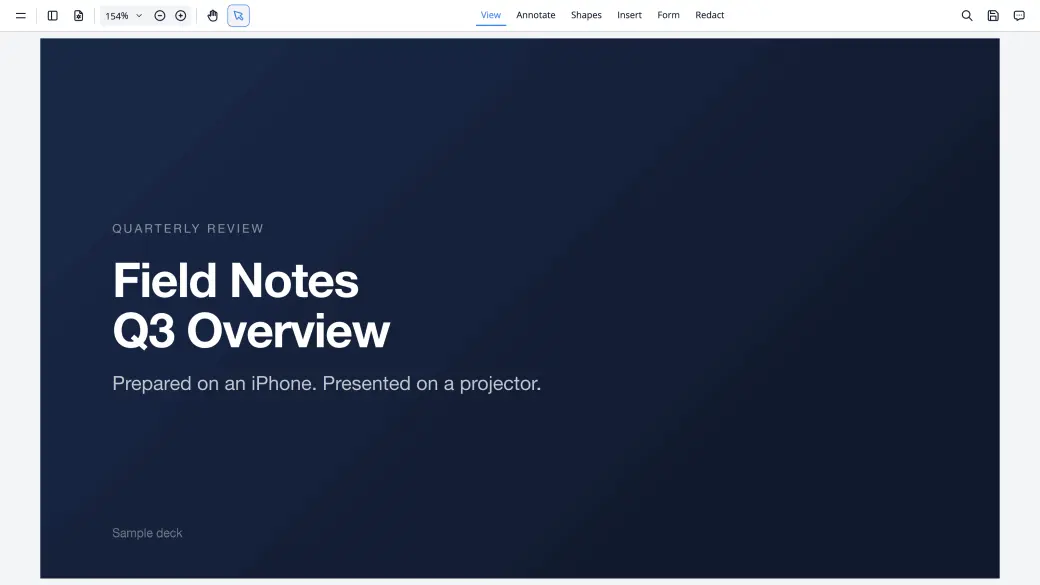
Adnotează și semnează PDF-uri, prezintă-le pe tot ecranul
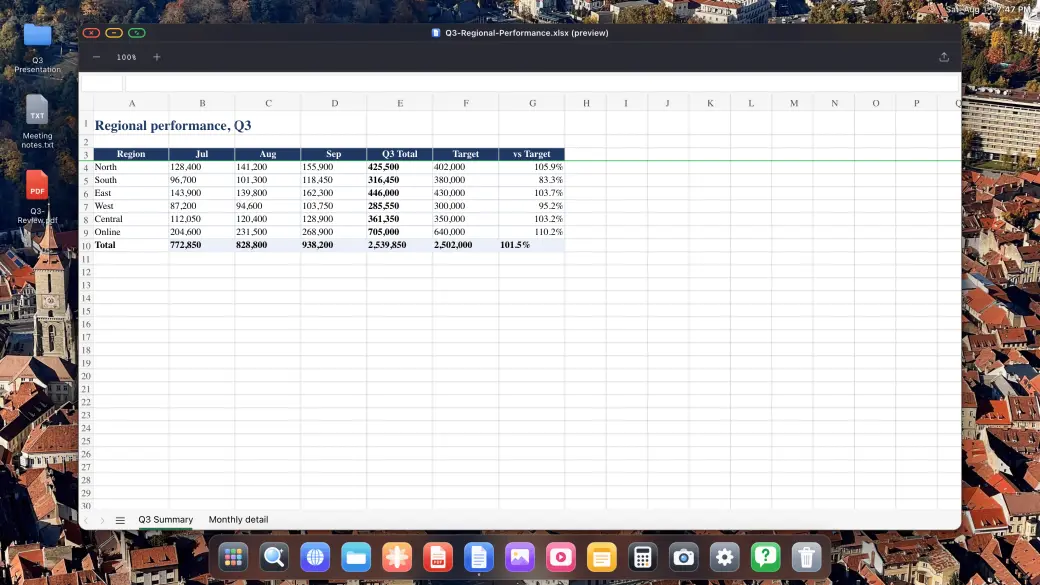
Previzualizează documente Word, Excel și PowerPoint
Descarcă orice îți oferă web-ul și deschide-l pe loc: vizualizatorul de PDF-uri adnotează și semnează, iar fișierele Word, Excel și PowerPoint se previzualizează la dimensiune completă de desktop.
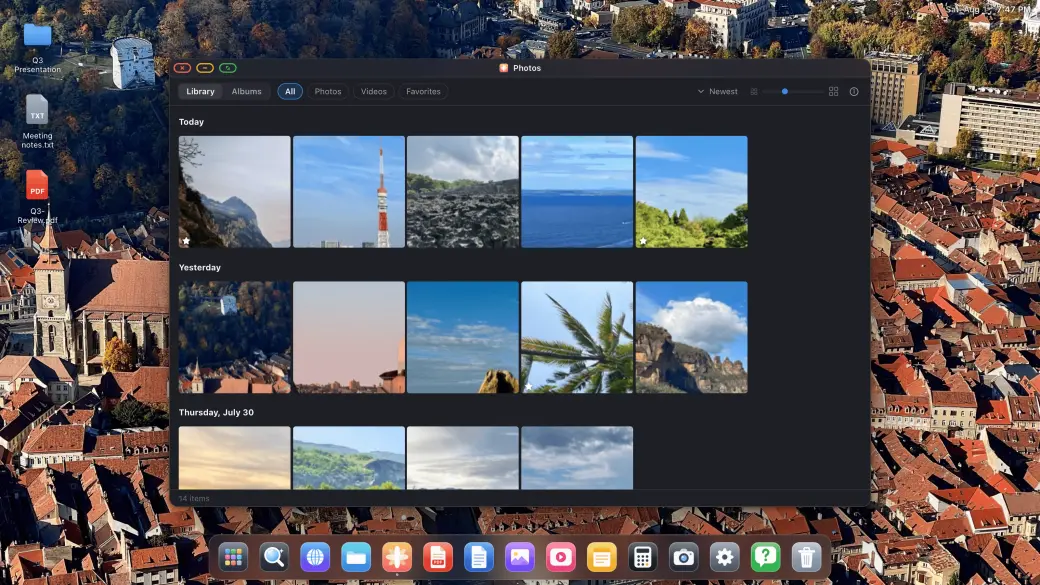
Fotografii, diaporame și aplicații integrate
Fotografii, diaporame și aplicații integrate
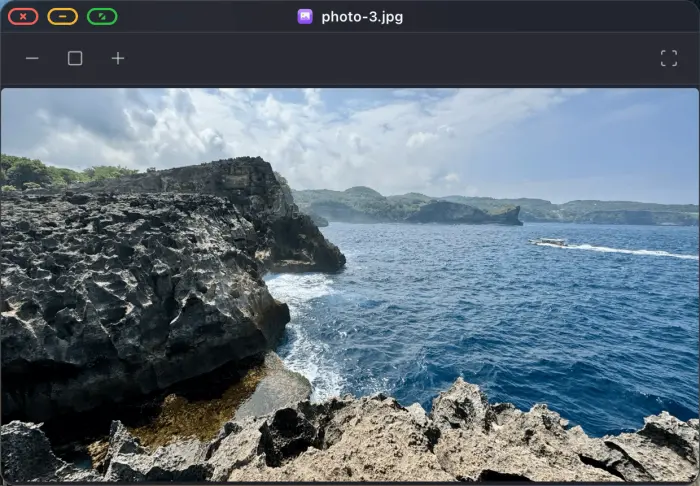
Întreaga ta bibliotecă foto, diaporame pe tot ecranul
Playere pentru imagini, video și audio, integrate
Notițe, Calculator și o aplicație Setări completă
Biblioteca ta foto se deschide pe display-ul extern, rulează ca diaporamă pe tot ecranul pe un TV, iar playerele integrate pentru imagini, video și audio, Notițele și Calculatorul sunt mereu la îndemână.
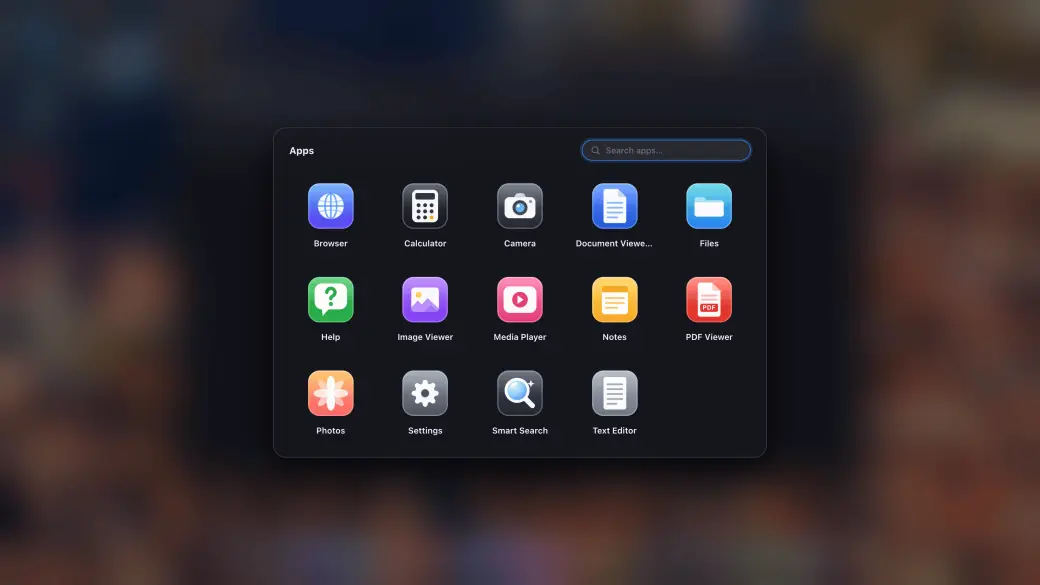
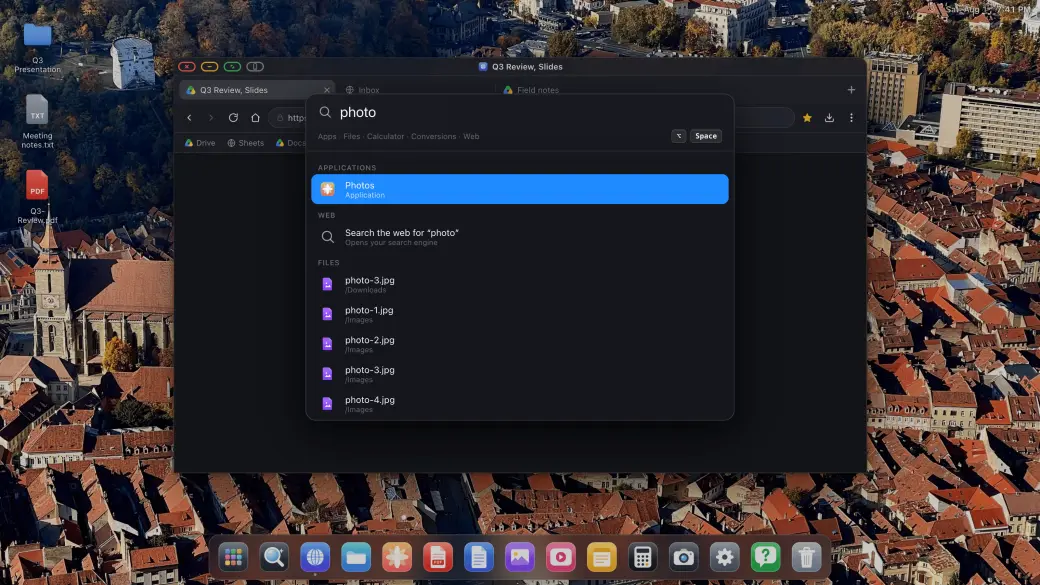
Sertar de aplicații și căutare instantă
Sertar de aplicații și căutare instantă
Sertar de aplicații cu site-urile tale instalate
Caută fișiere, aplicații și web dintr-un singur câmp
Fixează în dock orice folosești
Sertarul de aplicații conține fiecare aplicație integrată și fiecare site instalat ca aplicație, iar suprapunerea de căutare găsește instant aplicații, fișiere și răspunsuri, fără să iei mâinile de pe tastatură.
Cel mai simplu mod de a obține o experiență de nivel desktop de pe iPhone-ul tău
Conectează-ți iPhone-ul la un monitor extern, monitor portabil, TV sau proiector și ai instant o experiență desktop completă: sistem de fișiere, aplicații și navigare pe tot ecranul.
Pasul 1
Conectează-te la orice display extern sau portabil
Conectează-ți iPhone-ul sau iPad-ul la un monitor extern, monitor portabil, TV sau proiector folosind un adaptor USB-C la HDMI sau USB-C la USB-C. XeOS: External Display Browser detectează automat conexiunea și umple fiecare pixel al ecranului.
Pasul 2
Adaugă un mouse și o tastatură Bluetooth (opțional)
Asociază un mouse și o tastatură Bluetooth pentru o experiență completă de browser pe display-ul tău extern, cea mai bună alternativă Samsung DeX pentru iPhone. Funcționează excelent și cu comenzile de pe ecran.
Pasul 3
Bucură-te de o experiență de nivel desktop
Gestionează fișiere, adnotează PDF-uri, previzualizează documente Office, redă conținut media și navighează pe web pe tot ecranul. Instalează site-urile tale preferate ca aplicații independente. Fără benzi negre, niciodată.
Tot ce are nevoie o aplicație de nivel desktop
Construită special pentru display-uri externe conectate la iPhone, cu o suită completă de aplicații și unelte native.
Instalează site-uri ca aplicații și fă multitasking
Instalează site-urile tale web preferate ca aplicații independente. Mută mai multe ferestre plutitoare, trage-le și redimensionează-le pentru a avea tot ce-ți trebuie vizibil în același timp.
YouTube și video, ecran complet real
Urmărește YouTube, Netflix, Twitch sau orice videoclip online pe tot ecranul, pe monitorul tău extern. Fără bare laterale, fără benzi negre, doar video pe ecran complet care umple întregul display.
Playere media și aplicații de productivitate
Playere native pentru fotografii, video și audio pentru conținutul tău media. Rămâi productiv cu aplicațiile integrate Notițe și Calculator.
Sistem de fișiere și previzualizare documente
Un sistem de fișiere complet pentru gestionarea descărcărilor. Deschide și adnotează PDF-uri, previzualizează documente Word, Excel și PowerPoint direct pe ecranul mare.
Suport pentru mouse și tastatură
Asociază un mouse și o tastatură Bluetooth cu iPhone-ul tău și obține experiența completă de navigare desktop pe monitorul extern. Cursor, derulare, comenzi rapide, totul complet suportat.
Orice monitor extern, display portabil, TV sau proiector
Se conectează prin USB-C sau HDMI la orice monitor extern, monitor portabil, TV sau proiector. XeOS: External Display Browser se adaptează automat la rezoluția nativă a ecranului pentru o afișare clară, din colț în colț, fie că este vorba de un birou fix sau de un display portabil în deplasare.
Cloud gaming
Joacă pe întregul ecran extern, cu un controller, folosind servicii compatibile precum Xbox Cloud Gaming, Amazon Luna, GeForce NOW și altele.
Partajarea ecranului
Mac-ul tău în XeOSXeOS în orice browser
Partajarea ecranului
XeOS
Mac cu XeLink
XeOS pe iPhone
Oglindește-ți Mac-ul în XeOS
Instalează XeLink pe Mac, apoi deschide Partajarea ecranului în XeOS. Fiecare fereastră a Mac-ului sau un ecran întreg devine o fereastră XeOS în care poți da clic, derula și scrie.
Activează Oglindește XeOS în Partajarea ecranului și deschide linkul pe orice computer, tabletă, telefon sau ecran de mașină din aceeași rețea Wi‑Fi. Urmărește desktopul în direct și controlează-l de acolo.
Deschide clientul webSafari, Chrome, Edge, Firefox sau ecranul mașinii · nimic de instalat
Tot ce trebuie să știi despre experiența desktop de pe iPhone-ul tău
Absolut, XeOS: External Display Browser este pur și simplu cel mai bun mod de a-ți folosi iPhone-ul/iPad-ul pe un display extern. Nimic altceva nu se apropie măcar. Este o experiență complet imersivă, cu aplicații personalizate și un sistem de fișiere, iar browserul web este cel mai avansat și mai bogat în funcționalități dintre toate aplicațiile similare. Este adevărat că restricțiile iOS/iPadOS aduc câteva limitări minore pe care nicio aplicație nu le poate ocoli, dar XeOS oferă metode unice de a le depăși și pe acestea. Poți citi mai multe în răspunsurile de mai jos.
Nu, aplicația trebuie să respecte regulile Apple App Store și limitările sistemului iOS, așa că nicio aplicație nu poate afișa în prezent aplicații iOS native pe display-ul extern. Dacă Apple va permite vreodată acest lucru, vom fi primii care îl vor implementa pentru tine.
Poți previzualiza documente Office precum Word, Excel, PowerPoint, PDF-uri, text și alte fișiere, dar nu sunt editabile, cu excepția câtorva cazuri (de exemplu, poți adnota/evidenția fișiere PDF). iOS face acest lucru dificil din punct de vedere tehnic, iar licențierea editării documentelor Office ar adăuga taxe care pur și simplu nu se potrivesc cu o aplicație atât de accesibilă. Poți, totuși, să-ți încarci fișierele pe Google Drive, care are un suport excelent, și să le editezi acolo.
Da. Poți monta folderele locale de pe iPhone/iPad, folderul iCloud sau orice unitate externă conectată, din bara laterală stângă a aplicației Files (sub locațiile iPhone/iPad), și le poți naviga conținutul. De asemenea, poți importa orice fișier de pe iPhone/iPad în sistemul propriu de fișiere al aplicației, sau poți descărca fișiere direct de pe web, care vor fi stocate tot în sistemul de fișiere intern al aplicației. Odată montate folderele, ai la dispoziție un mini explorator de fișiere similar cu orice sistem de operare cu care ești obișnuit. Are suport ZIP, foldere, coș de gunoi pentru fișierele șterse și multe alte funcționalități.
Din cauza modului în care funcționează în prezent iOS, ceea ce vezi pe ecranul extern nu este un mediu nativ, ci o "simulare" construită cu atenție a ceea ce ar fi un sistem de operare desktop și un browser. Aplicația implementează toate funcțiile de sistem de operare de la zero, făcând-o să pară aproape un mediu real. Totuși, există cazuri în care apar limitări. Acest lucru se datorează limitărilor de securitate, modului în care funcționează browserele și deciziilor luate de anumite site-uri de a bloca acest comportament simulat. Aceste site-uri clasifică acest comportament simulat drept activitate de tip bot (ceea ce, în acest caz, clar nu este) pentru a se proteja pe ele și veniturile lor. Există și cazuri în care limitările apar din cauza site-urilor care folosesc tehnologii mai vechi (de exemplu, iframe-uri), care fac comportamentul simulat aproape imposibil. Pentru toate aceste cazuri, aplicația oferă o soluție ca să te deblochezi: "Comută la modul iPhone" (butonul gri de lângă butonul verde de ecran complet). Acesta te comută temporar la oglindirea nativă a iPhone-ului, astfel încât să poți efectua acțiunea dorită, apoi te poți întoarce la experiența complet imersivă odată ce ai terminat.
Browserul intern al aplicației este unul dintre cele mai sigure browsere care există. Toată activitatea de navigare este complet locală și nu există absolut deloc telemetrie. Toate datele tale sunt de asemenea criptate conform celor mai înalte standarde de securitate Apple, iar aplicația folosește Secure Enclave pentru date sensibile (cum ar fi parolele importate), astfel încât nimeni, nici măcar Apple sau alte aplicații de pe telefonul tău, nu le poate citi. Toate aceste afirmații pot fi verificate cu App Privacy Report, iar aplicația este verificată și semnată de Apple. Deci ești complet în siguranță folosind browserul; de fapt, ești mai în siguranță decât folosind Chrome sau Firefox, care trimit constant telemetrie și alte date către serverele lor. Dacă activezi AdBlock, acest lucru va face experiența de navigare și mai sigură, deoarece blochează multe scripturi cunoscute de urmărire a site-urilor.
Da, aplicația include ghiduri care te ajută în acest proces, cu instrucțiuni pentru browserele populare. Poți face acest lucru navigând la Settings > Browser > Import.
Parolele importate sunt stocate în Secure Enclave, respectând cele mai înalte standarde de securitate Apple. Odată stocate, nu pot fi citite de nimeni, nici măcar de Apple, terți sau alte aplicații. Singurul mod de a recupera o parolă este să navighezi tu însuți la site-ul respectiv și să ai numele de utilizator/emailul și parola completate automat.
Da, ține apăsată tasta Command câteva secunde pentru a vedea toate comenzile rapide suportate. Câteva dintre cele mai utile sunt: CMD + săgeată sus pentru a afișa o prezentare generală a aplicațiilor deschise, Control + Space pentru a deschide căutarea inteligentă, Control + Tab pentru a comuta între aplicațiile deschise și, desigur, multe alte comenzi rapide cu care ești obișnuit. Dacă simți că o comandă rapidă comună nu este implementată, anunță-ne la asistență.
Da, acest lucru este suportat de aplicație, deși procesul nu este la fel de rapid ca folosirea parolelor importate, din cauza modului în care funcționează iOS. Pentru a completa automat o parolă folosind un manager de parole (precum 1Password, Chrome sau Apple Passwords), atinge pur și simplu în interiorul unui câmp de parolă, iar browserul îți va sugera completarea automată dintr-un manager de parole. Atinge sugestia, apoi treci pe iPhone/iPad, unde vei putea selecta managerul de parole dorit și găsi parola. Odată selectată, aceasta va fi completată automat pe pagina de autentificare.
YouTube are un suport incredibil pe XeOS: External Display Browser. Poți chiar sări peste reclame, ceea ce este acum complet posibil! Este pur și simplu cea mai bună experiență YouTube pe care o poți avea pe un display extern de iPhone.
Majoritatea aplicațiilor pentru iPhone, inclusiv Safari, sunt concepute pentru raportul de aspect portret al iPhone-ului. Când sunt afișate pe un monitor extern widescreen, sunt mărite cu benzi negre pe laterale sau sus/jos pentru a umple spațiul neutilizat. XeOS: External Display Browser este construit special pentru a umple întregul ecran extern la rezoluție completă, din colț în colț, fără benzi negre.
Folosește un adaptor Lightning la HDMI (pentru iPhone-urile mai vechi) sau un adaptor USB-C la HDMI (pentru iPhone 15 și modelele ulterioare) pentru a conecta iPhone-ul la orice monitor, TV sau proiector cu intrare HDMI. Odată conectat, deschide XeOS: External Display Browser și acesta va umple ecranul la rezoluție completă.
Da! XeOS: External Display Browser îți permite să urmărești YouTube și orice altă platformă video, Netflix, Twitch, Vimeo, Dailymotion, pe tot ecranul real al monitorului extern. Fără benzi negre, fără letterboxing, videoclipul umple întregul display la rezoluție nativă.
Absolut. Asociază orice mouse și tastatură Bluetooth cu iPhone-ul tău, iar XeOS: External Display Browser îți oferă suport complet pentru cursor, comenzi rapide de tastatură, roată de derulare și funcționalitate mouse cu mai multe butoane, oferind o experiență reală de navigare de nivel desktop pe monitorul tău extern.
Da. XeOS: External Display Browser include suport complet pentru microfon și cameră, așa că poți participa la Zoom, Google Meet, Microsoft Teams și orice alt serviciu de întâlniri bazat pe web, de pe display-ul extern al iPhone-ului. Chipul tău apare la calitate completă, iar microfonul funcționează exact ca pe un browser desktop.
XeOS este un mediu desktop complet. Include un Sistem de fișiere complet, Previzualizare documente (Word, Excel, PowerPoint), Vizualizator PDF cu unelte de adnotare, Playere Foto/Video/Audio, Notițe, Calculator și o aplicație Setări. Poți instala și site-uri web ca aplicații independente!
XeOS: External Display Browser funcționează cu toate modelele de iPhone care suportă ieșire video: iPhone 5 și ulterior, prin adaptor Lightning-la-HDMI, și iPhone 15 și ulterior, prin cablu sau hub USB-C la HDMI sau USB-C la USB-C. Funcționează cu orice monitor, TV sau proiector HDMI, indiferent de rezoluție.
Da. XeOS: External Display Browser funcționează cu orice display care acceptă intrare HDMI: monitoare de birou, televizoare, monitoare portabile, proiectoare, display-uri de sală de conferințe și altele. Browserul se adaptează automat la rezoluția nativă a ecranului conectat pentru o experiență perfectă pe tot ecranul, fără benzi negre, fie că ești la birou, fie că folosești un display portabil în deplasare.
Oglindirea ecranului afișează ecranul portret al iPhone-ului pe un monitor landscape, rezultând benzi negre pe ambele laterale. XeOS: External Display Browser trimite conținutul direct către display-ul extern în orientare landscape și umple fiecare pixel. iPhone-ul acționează pur ca un controler, în timp ce experiența completă de browser apare pe ecranul extern.
Da, este cea mai bună alternativă Samsung DeX pentru iPhone. Conectează-te la orice display și obții o experiență desktop completă, cu gestionare de fișiere, aplicații native, multitasking cu ferestre și suport complet pentru mouse și tastatură.
Cel mai bun mod de a-ți extinde iPhone-ul pe un TV sau monitor extern este XeOS: External Display Browser, cu un adaptor USB-C la HDMI. Conectează cablul, deschide aplicația, iar aceasta umple imediat întregul ecran la rezoluție nativă, fără benzi negre, fără letterboxing. Adaugă un mouse și o tastatură Bluetooth și ai o configurație completă pe tot ecranul, doar cu iPhone-ul tău și orice display.
Contactează-ne la contact@qod.ee cu orice întrebări sau sugestii. Citim și răspundem personal la fiecare mesaj.
Despre External Display Browser
Cea mai bună alternativă Samsung DeX pentru iPhone și iPad, care aduce o experiență desktop ce chiar funcționează!
Cum elimină XeOS: External Display Browser benzile negre
Când conectezi un iPhone la un monitor extern sau la un display portabil, aplicațiile standard umplu spațiul neutilizat cu benzi negre, pentru că sunt concepute pentru ecranul portret al iPhone-ului. XeOS: External Display Browser randează interfața browserului astfel încât să umple întreaga rezoluție landscape a display-ului conectat, fără benzi negre sus, jos sau pe laterale. Fiecare pixel al monitorului extern, display-ului portabil, TV-ului sau proiectorului tău este folosit.
Funcționalități ale browserului pe tot ecranul pentru monitorul extern al iPhone-ului
XeOS: External Display Browser este plin de tot ce ai nevoie pentru o experiență de browser pe tot ecranul pe display-ul extern al iPhone-ului, tot ce ar trebui să ofere o alternativă Samsung DeX pentru iPhone:
•Navigare pe tot ecranul, fără benzi negre, pe orice monitor extern, TV sau proiector, la rezoluție nativă
•YouTube, Netflix, Twitch și toate platformele video online, pe tot ecranul real, pe display-ul extern
•Zoom, Google Meet, Microsoft Teams și întâlniri web cu suport complet pentru cameră și microfon
•Descarcă orice fișier din browser și deschide PDF-uri, documente Word/Excel/PowerPoint și imagini/video/audio
•Suport complet pentru mouse și tastatură Bluetooth, pentru control de nivel desktop al browserului pe display-ul extern al iPhone-ului
•Detectare automată a rezoluției, se adaptează la orice rezoluție de monitor HDMI, TV sau proiector
•Funcționează cu toate modelele de iPhone care suportă ieșire video, prin adaptoare Lightning-la-HDMI sau USB-C-la-HDMI sau USB-C-la-USB-C
•XeOS: External Display Browser pentru iPhone, din colț în colț, fără pillarboxing, letterboxing sau benzi negre
•Motor de browser iOS nativ, curat, rapid, conform standardelor, privat
Ești gata să deblochezi experiența desktop a iPhone-ului tău?
Descarcă XeOS și transformă instant orice monitor, TV sau proiector într-un post de lucru puternic. Cea mai bună alternativă Samsung DeX pentru iOS.
Sistem de fișiere • Aplicații pentru documente și media • Aplicații web instalabile • Ecran complet
App Privacy Policy
Last updated: August 13, 2026
1. Introduction
This Privacy Policy applies to XeOS (the "App"), an iPhone Desktop Mode app designed to deliver a full-screen, no-black-bars desktop experience on external monitors, TVs and projectors. The App is developed and operated by a solo independent developer. Your privacy is our top priority, the App is architected from the ground up to collect no personal data and to keep everything on your device.
2. Summary: Your Privacy at a Glance
XeOS: External Display Browser does not collect, store, transmit or share any personal information or data. There are no user accounts, no advertising SDKs, no crash-reporting services, and no third-party tracking of any kind embedded in the App.
No personal information collected
No browsing history recorded or transmitted
Nothing you do on your external display is tracked
No advertising identifiers used
No user accounts or sign-in required
All App preferences stored locally on your iPhone only
Anonymous, general app-usage data may be stored, in line with Apple's guidelines
Verifiable anytime via the App Privacy Report
3. Full-Screen Browsing & External Display
The core feature of the App is rendering a full-resolution browser on an external display connected via USB-C or HDMI. The App uses Apple's native WKWebView to render web content at the full resolution of the connected screen, corner to corner, with zero black bars. All web content is fetched directly by your device using your own internet connection (Wi-Fi or cellular). No browsing activity, visited URLs, page content or interaction data is recorded, logged or sent anywhere by the App.
4. Camera & Microphone (Meetings & Calls)
The App supports web-based video meetings (e.g. Zoom web, Google Meet, Microsoft Teams) on your external display. When you access a website that requests camera or microphone access, iOS will prompt you for permission as it does in any browser. Camera and microphone streams are handled entirely by the underlying web page and Apple's WebKit framework, the App itself never records, stores, processes or transmits any audio or video. Permissions can be revoked at any time in iOS Settings → Privacy & Security → Camera / Microphone.
5. File Downloads & PDF Viewing
XeOS lets you download files (PDFs, images, documents, etc.) from websites you visit. Downloaded files are saved securely and are accessible through the XeOS File System and the iOS Files app. The App does not transmit downloaded files to any external server, index their contents, or retain any record of your downloads. Files remain entirely under your control on your device.
6. Mouse & Keyboard Support
The App supports Bluetooth mouse and keyboard input to deliver a desktop-class browsing experience on your external monitor. Mouse movements, clicks, scroll events and keyboard input are processed locally on your device by Apple's UIKit/WebKit. No input is logged, recorded or transmitted by the App at any point.
7. Built-in Ad Blocker
The App includes a built-in ad blocker to enhance your browsing experience and protect your privacy while browsing on an external display. The ad blocker uses local content-blocking filter lists that are applied entirely on-device via Apple's iOS API. No browsing data is sent to any ad-blocking service or third party. The filter lists are bundled with the App and may be updated via normal App Store updates.
8. Local Storage & App Preferences
Any preferences you set within the App (such as display settings or browser preferences) are stored solely in local device storage (UserDefaults or equivalent). This data never leaves your iPhone and is not synced to any cloud service or external server by the App. Website data such as cookies and local storage from pages you visit are managed by Apple's WebKit on-device, consistent with standard iOS browser behavior.
9. Usage Data Shared with Apple
To help us understand how the App is performing and where it can be improved, basic usage information may be shared between the developer and Apple through Apple's own developer platforms. This exchange happens directly between the developer and Apple, no outside third party is involved, and the data is never sold or passed on to anyone else. By using the App, you agree to this usage data being shared with Apple in this way.
10. Anonymous Usage
In some cases, the App may store completely anonymous, general app-usage information, in line with Apple's own guidelines, for example how many people use the App, or where they might get stuck during setup, so we can keep improving the experience. This data cannot be linked back to you in any way and is limited strictly to how the App itself is used. Nothing you do on your external screen is tracked. And this can always be verified by anyone using Apple's App Privacy Report.
11. App Store & Purchases
The App is distributed through Apple's App Store. Any purchases or payment transactions are handled entirely by Apple. The developer does not receive or process your payment details. Apple's own Privacy Policy governs data collected during App Store transactions. Please refer to Apple's Privacy Policy for details.
12. Third-Party Websites
XeOS is a comprehensive Desktop Mode environment. When you navigate to any website or install a site as an app (YouTube, Netflix, Zoom, Google, etc.), that website's own privacy policy and data practices apply. The App developer has no control over and takes no responsibility for the content or privacy practices of third-party websites you choose to visit. The App itself adds no tracking layer on top of your usage.
13. Children's Privacy
The App does not collect any personal information from users of any age, including children under 13. Since no data is collected, the App complies with COPPA and equivalent regulations by design.
14. Changes to This Policy
If this Privacy Policy is updated, the new version will be posted on this page with a revised "Last updated" date. Continued use of the App after any changes constitutes acceptance of the updated policy. Significant changes will be communicated via App Store release notes.
15. Contact
Questions about this privacy policy or how the App handles data? , we personally read and respond to every message.











 XeOS