






 XeOS
XeLink가 있는 Mac
iPhone의 XeOS
XeOS에서 Mac 미러링
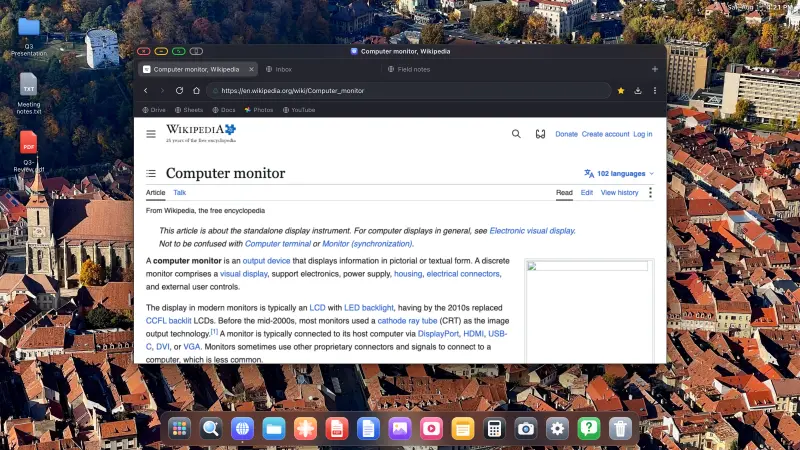
Mac에 XeLink를 설치하고 XeOS에서 화면 공유를 여십시오. Mac 윈도우나 디스플레이 전체가 클릭하고 스크롤하고 입력할 수 있는 XeOS 윈도우가 됩니다.
Mac용 XeLink 다운로드macOS 14 이상 · Apple 공증 완료
iPhone 또는 iPad를 모니터, TV, 프로젝터에 연결하세요. XeOS가 검은 여백 없이 외부 화면 전체를 채워줍니다.


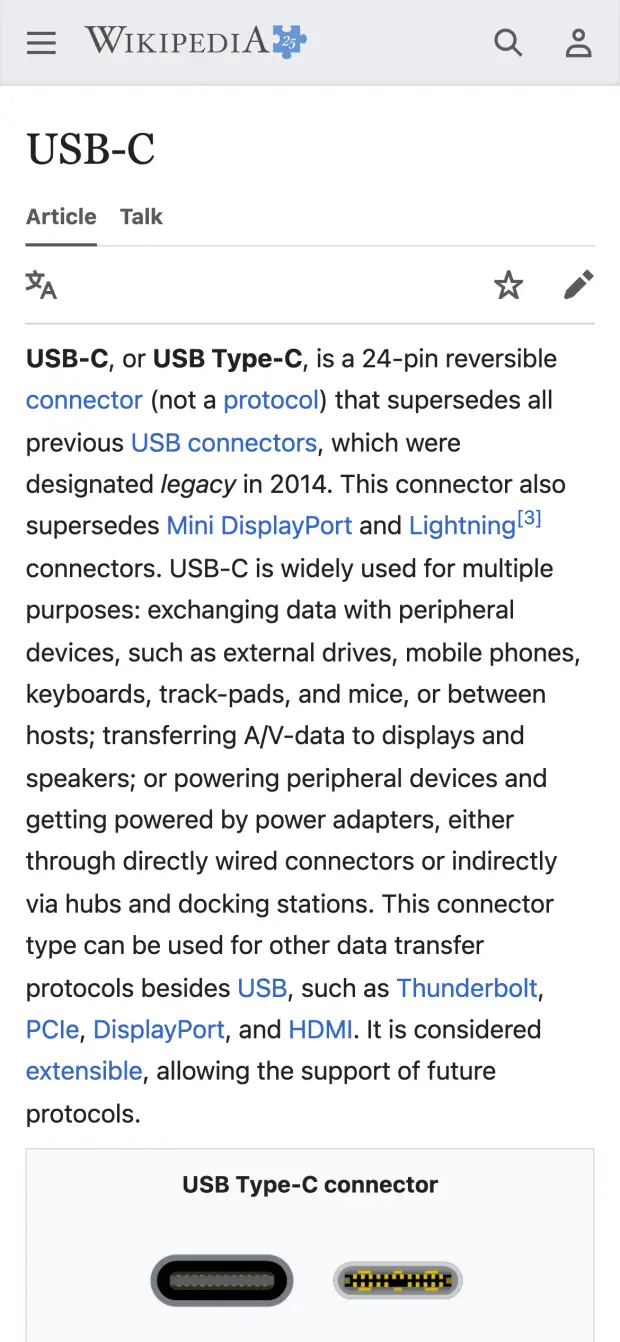
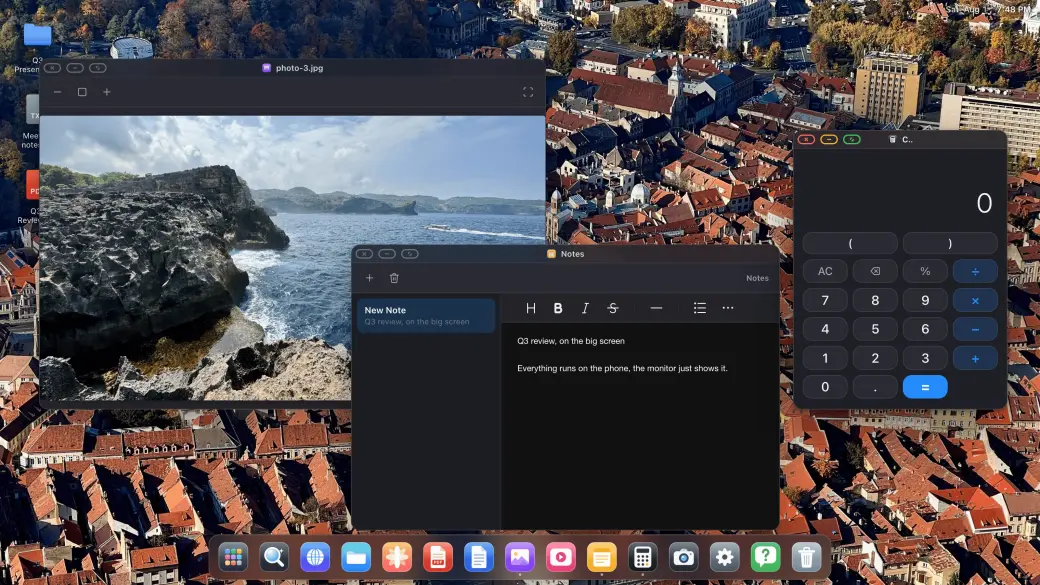
XeOS는 외부 화면에서 iPhone/iPad에 데스크톱 운영체제급 경험을 구석구석까지 그대로 가져다줍니다.
크고 외부 모니터나 휴대용 디스플레이에서 검은 여백은 정말 거슬립니다. XeOS: External Display Browser는 YouTube, Twitch, Vimeo 등 모든 것을 화면 가장자리까지 꽉 채웁니다.
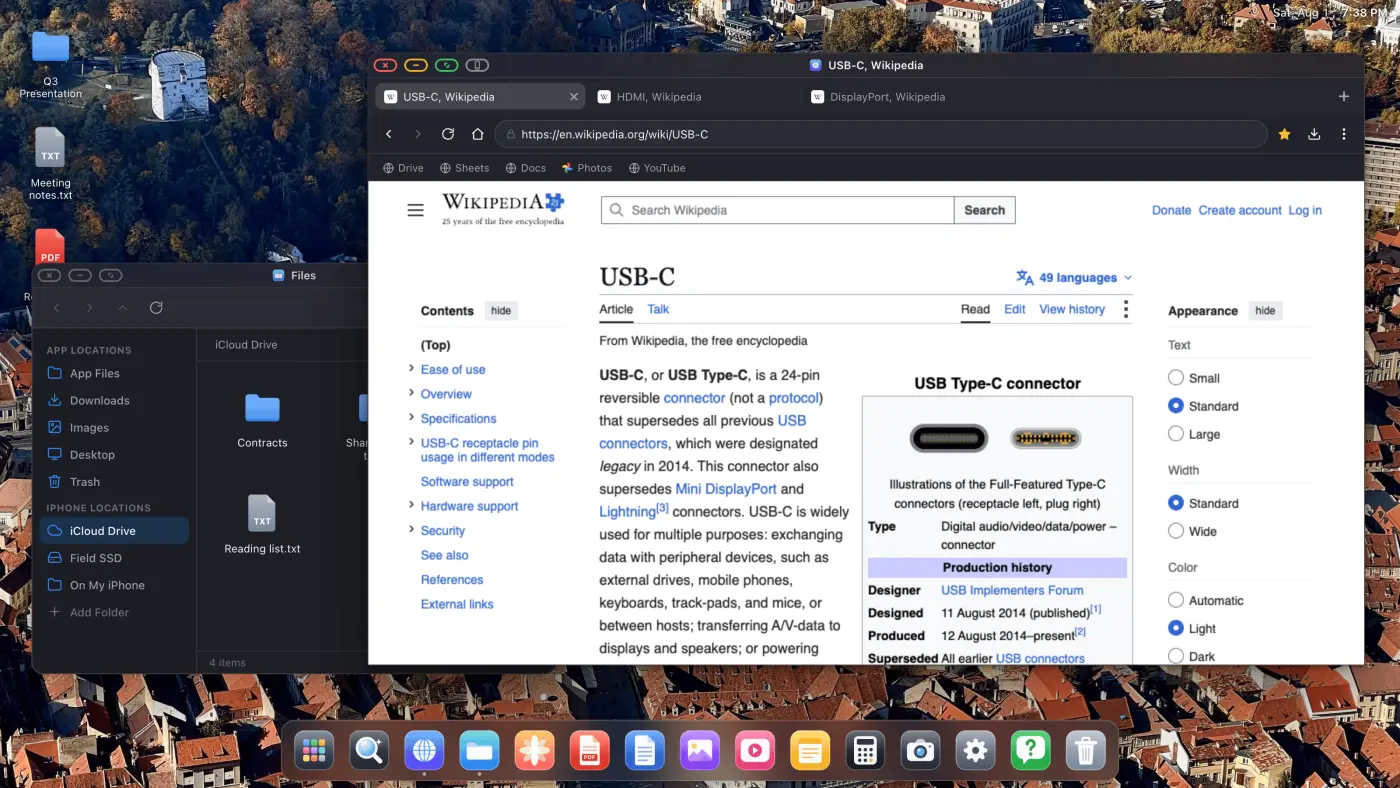
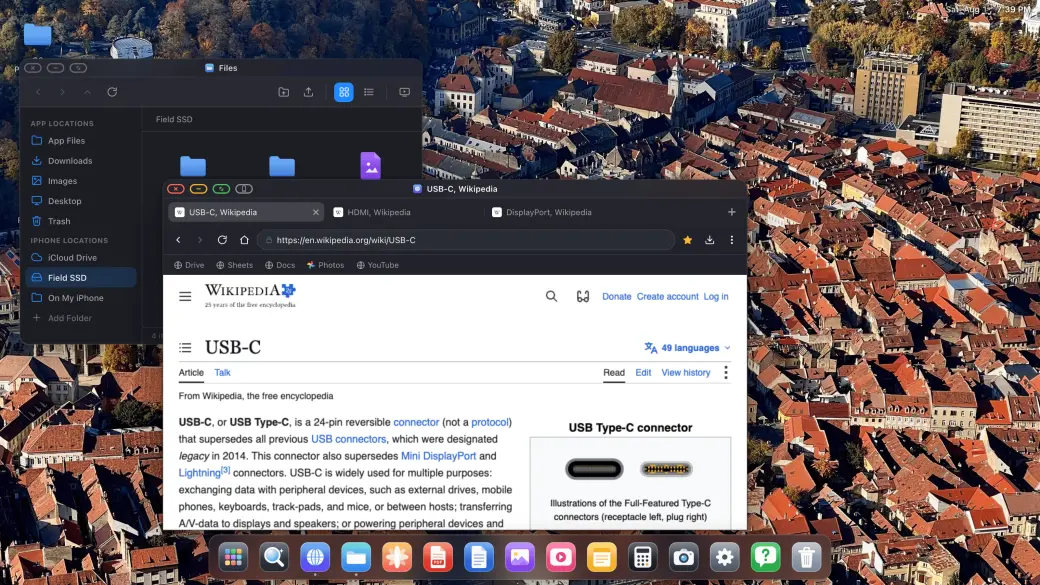
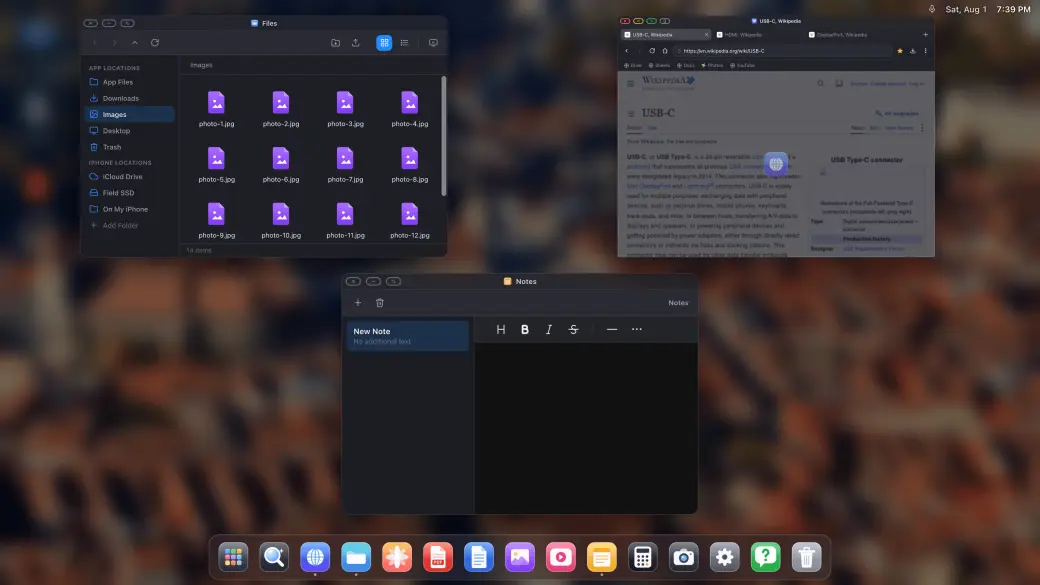
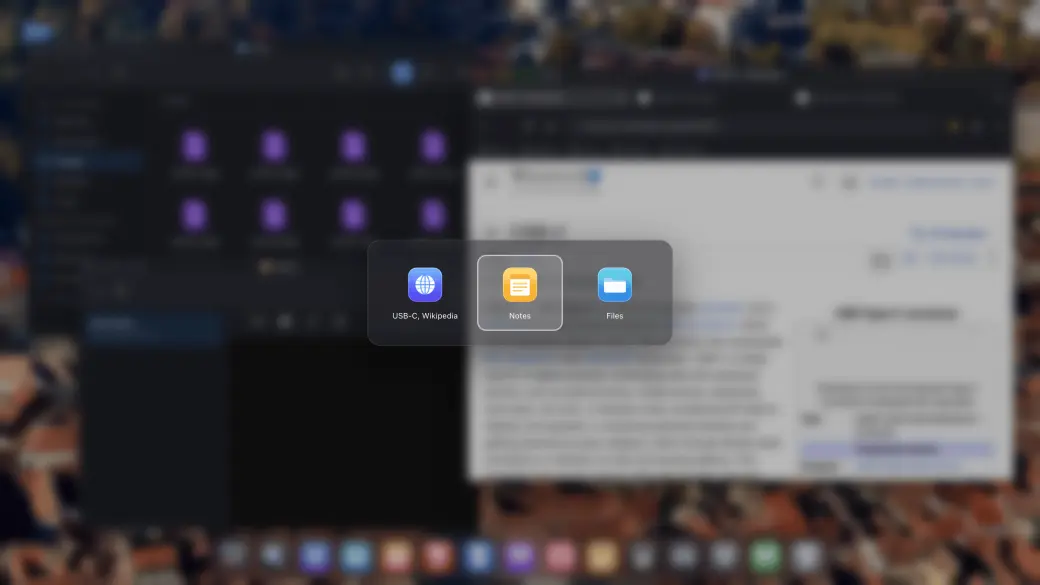
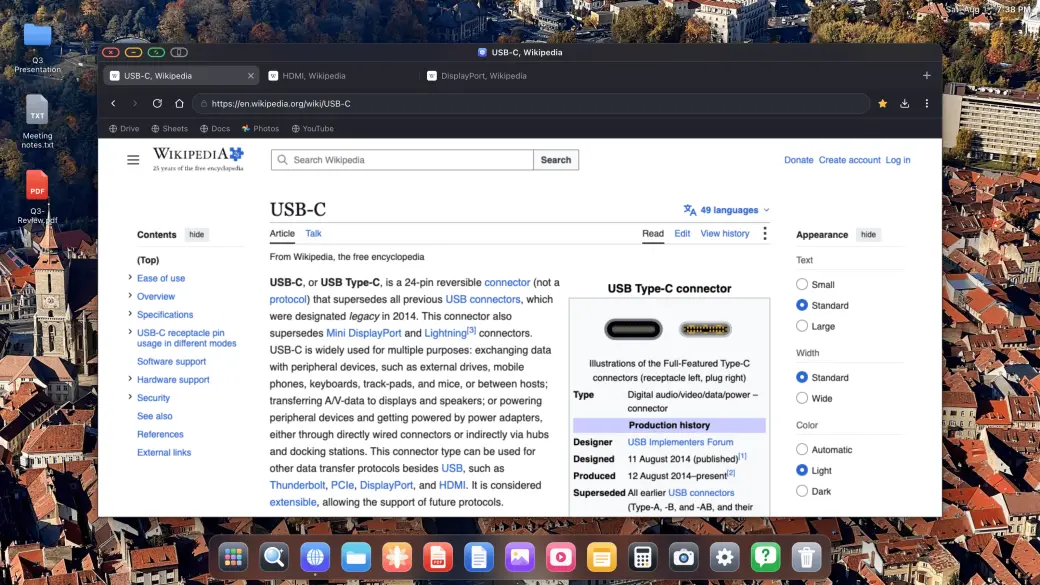
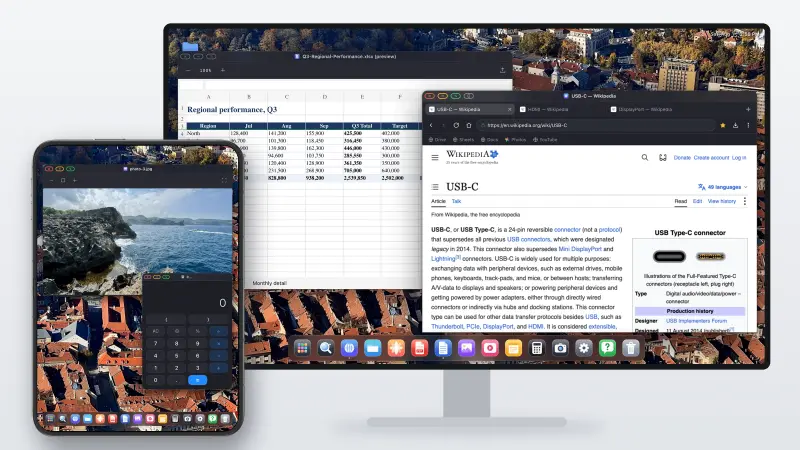
필요한 만큼 창을 열고 데스크톱에서처럼 배치하세요. 드래그, 크기 조절, 쌓기, 전체 화면, 그리고 열려 있는 모든 것을 한눈에 보여주는 미션 컨트롤 스타일 개요까지.
XeOS에서 지원되는 클라우드 게임 서비스를 열고 페어링한 컨트롤러로 외부 화면 전체에서 플레이하세요.
블루투스 마우스와 키보드를 페어링하면 바로 작동합니다. 커서, 스크롤, 단축키까지. iPhone이 지금까지 가졌던 삼성 DeX에 가장 가까운 경험입니다.
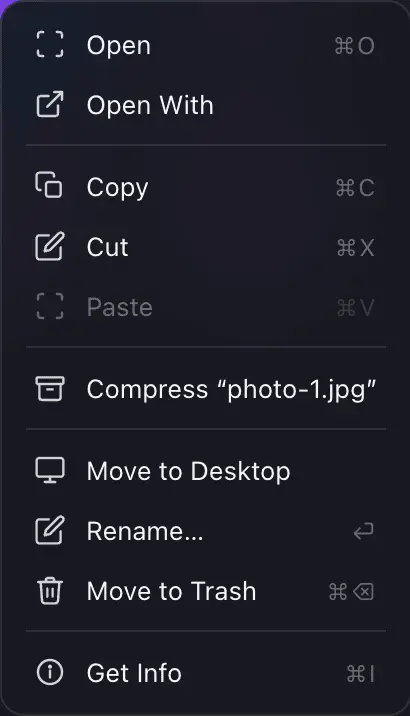
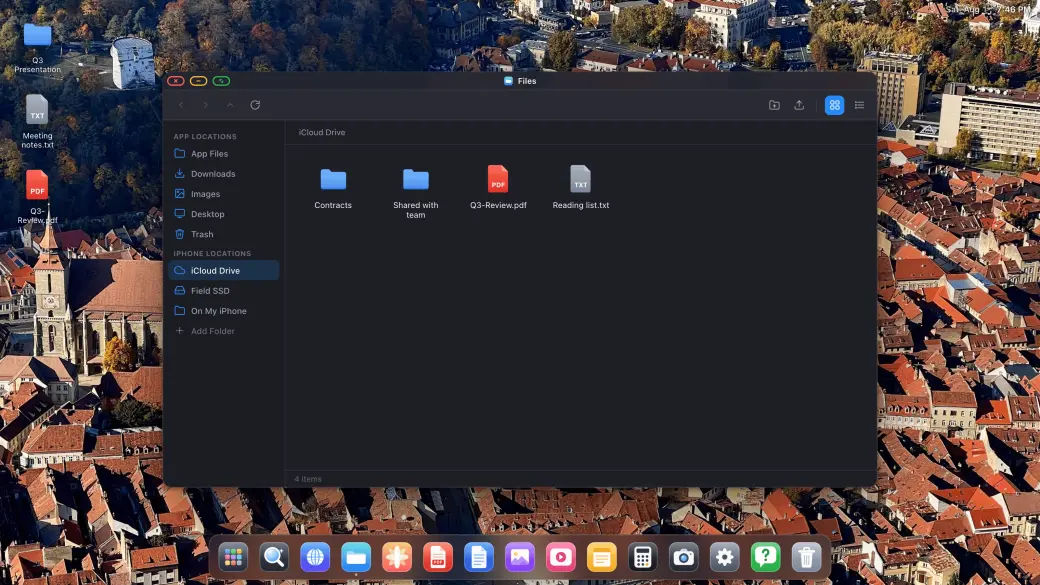
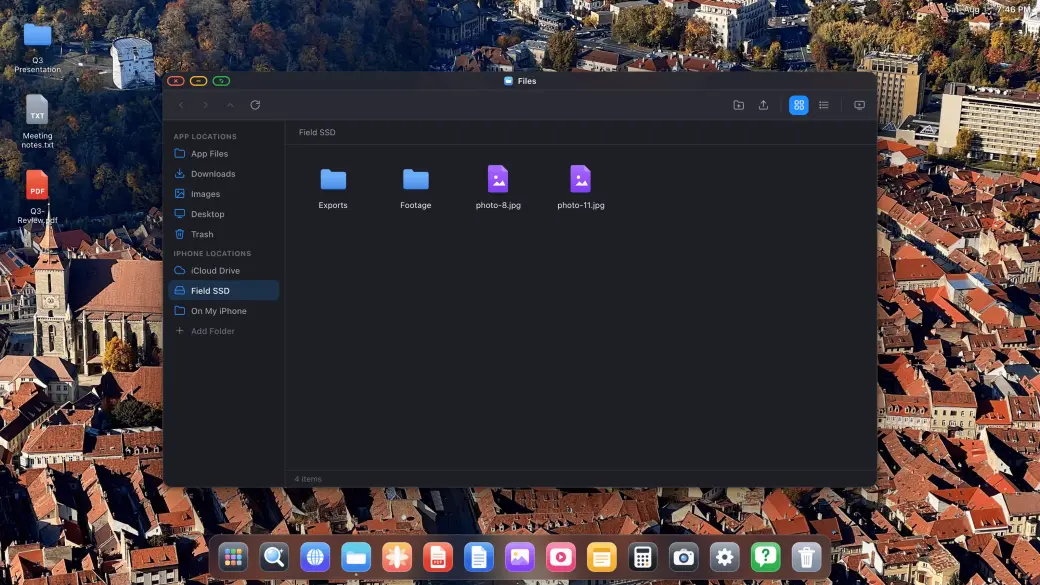
파일 앱은 제대로 된 파일 관리자입니다. iCloud Drive, USB-C SSD, 또는 iPhone 자체의 폴더를 마운트하고 큰 화면에서 모든 것을 복사, 이동, 압축, 열기 할 수 있습니다.
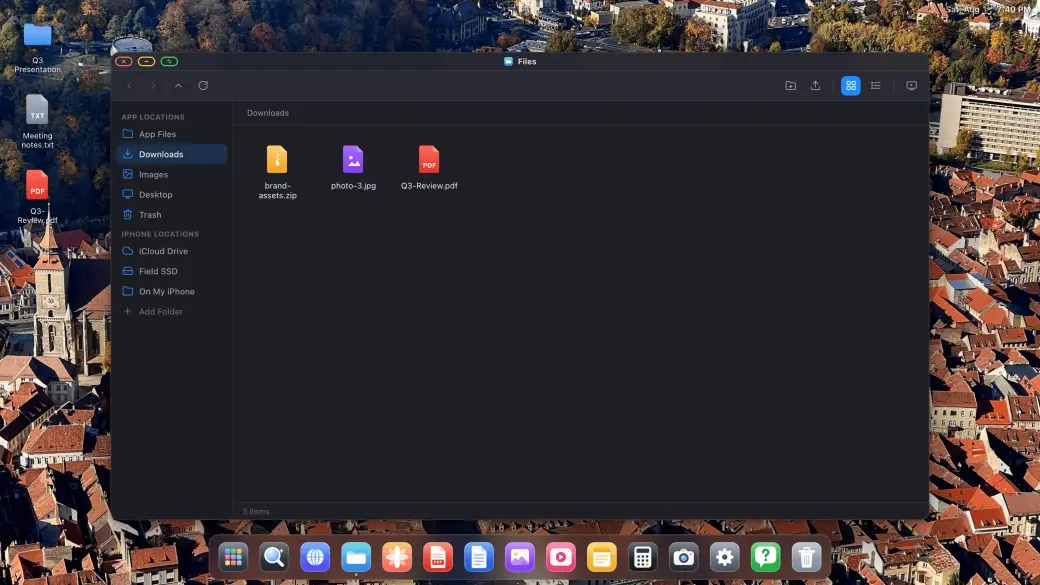
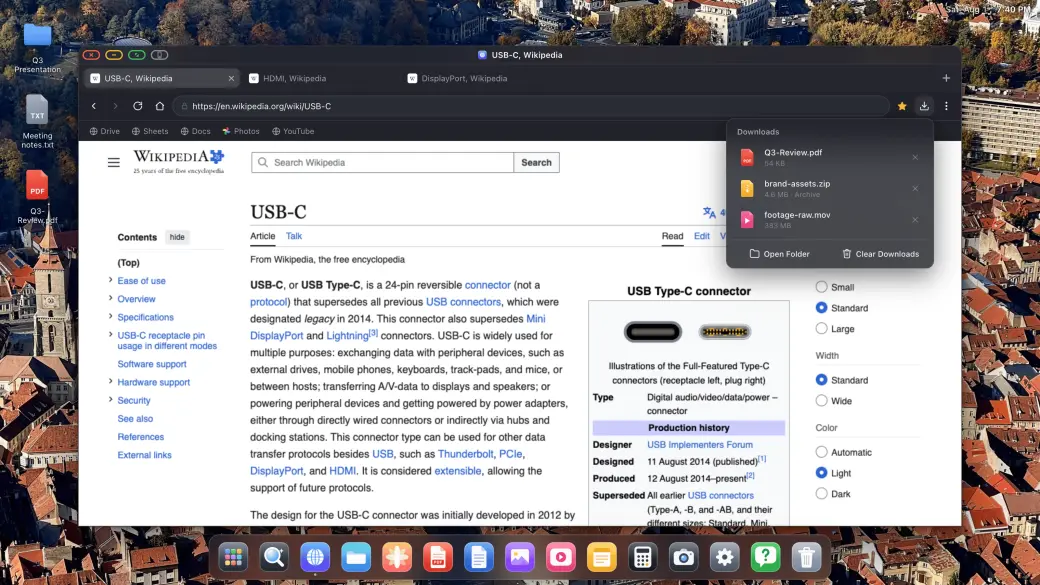
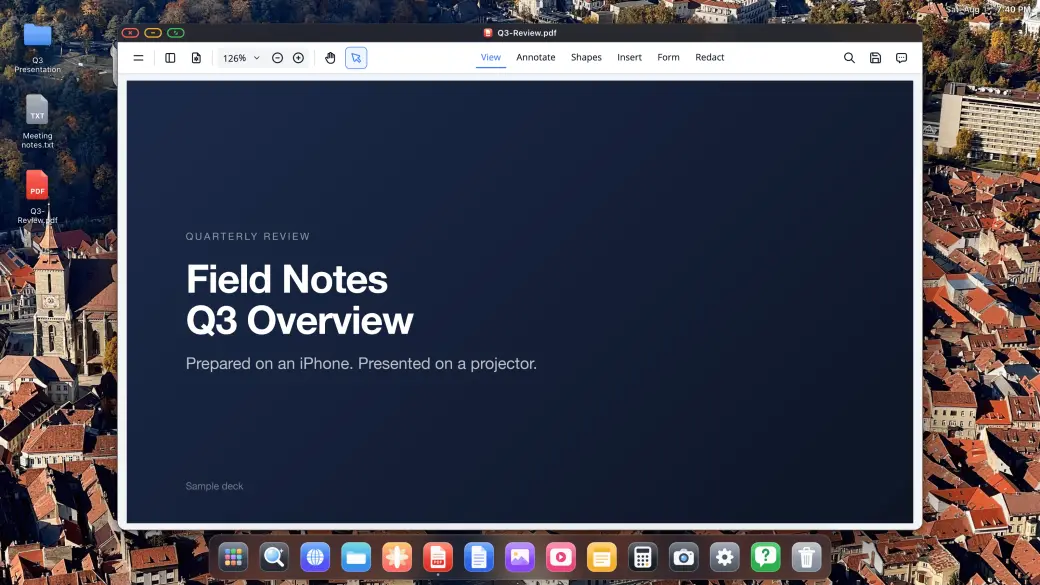
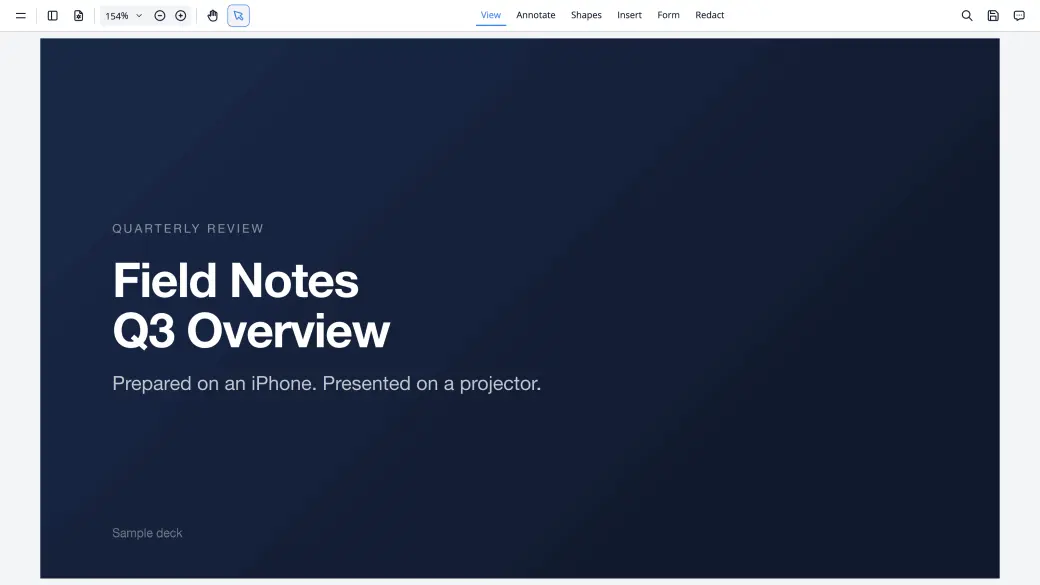
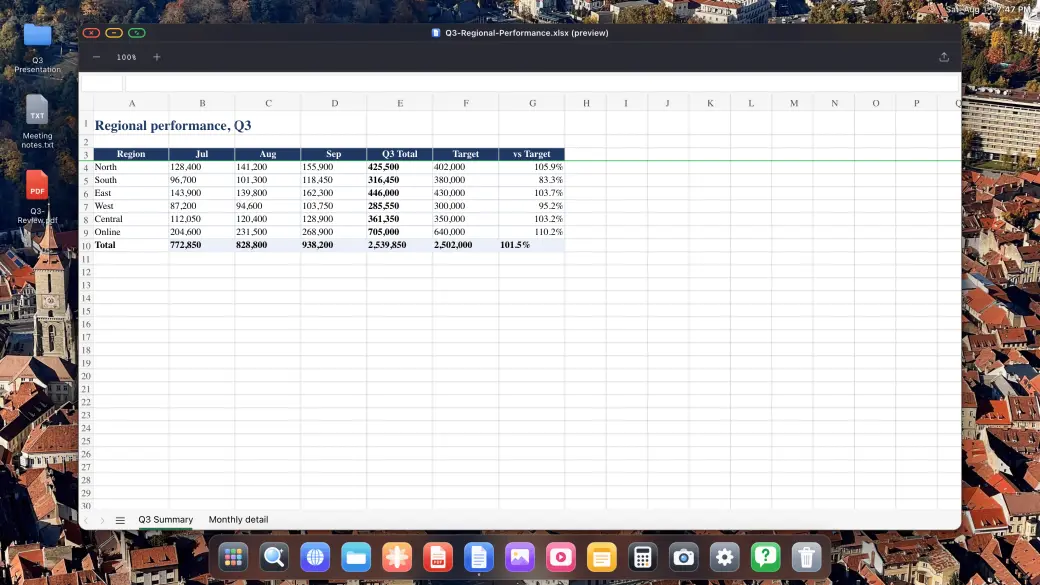
웹에서 얻은 모든 것을 다운로드해서 바로 그 자리에서 열어 보세요. PDF 뷰어로 주석과 서명을 하고, Word, Excel, PowerPoint 파일을 데스크톱 크기로 미리 볼 수 있습니다.
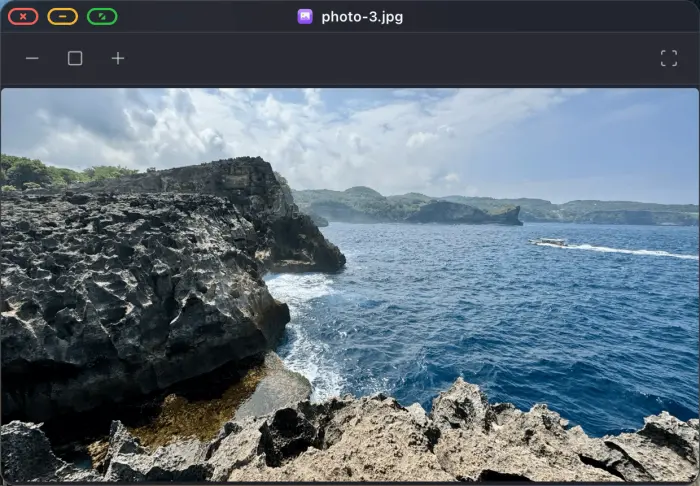
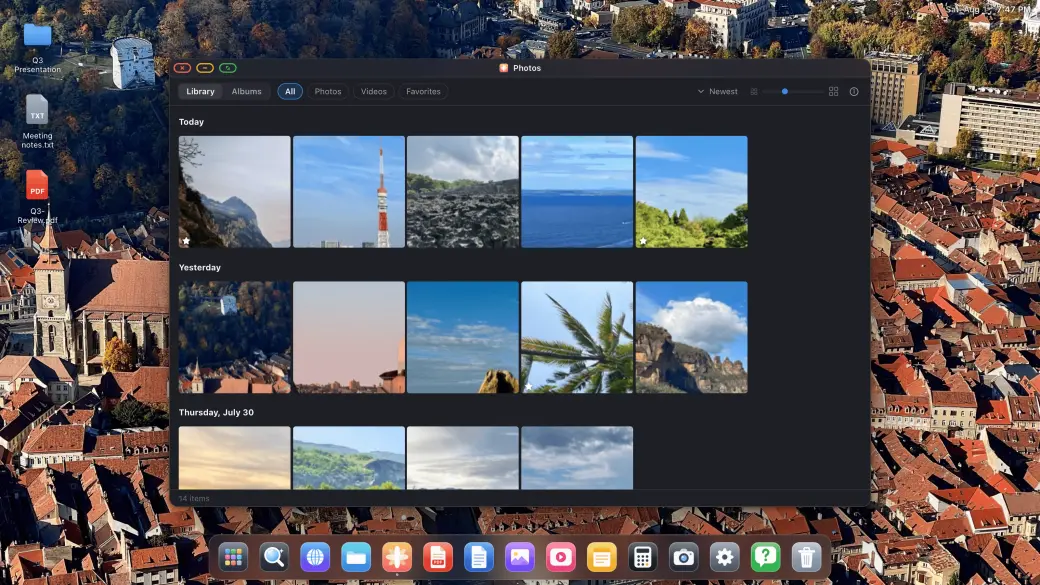
사진 보관함이 외부 디스플레이에서 열리고 TV에서 전체 화면 슬라이드쇼로 재생되며, 필요할 때마다 내장 이미지, 동영상, 오디오 플레이어와 메모, 계산기까지 모두 갖춰져 있습니다.
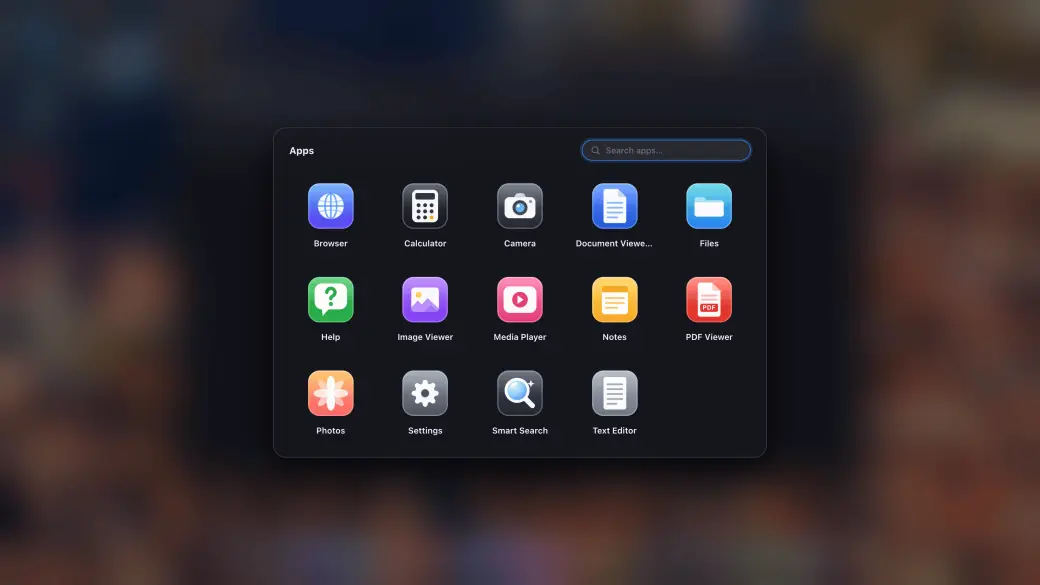
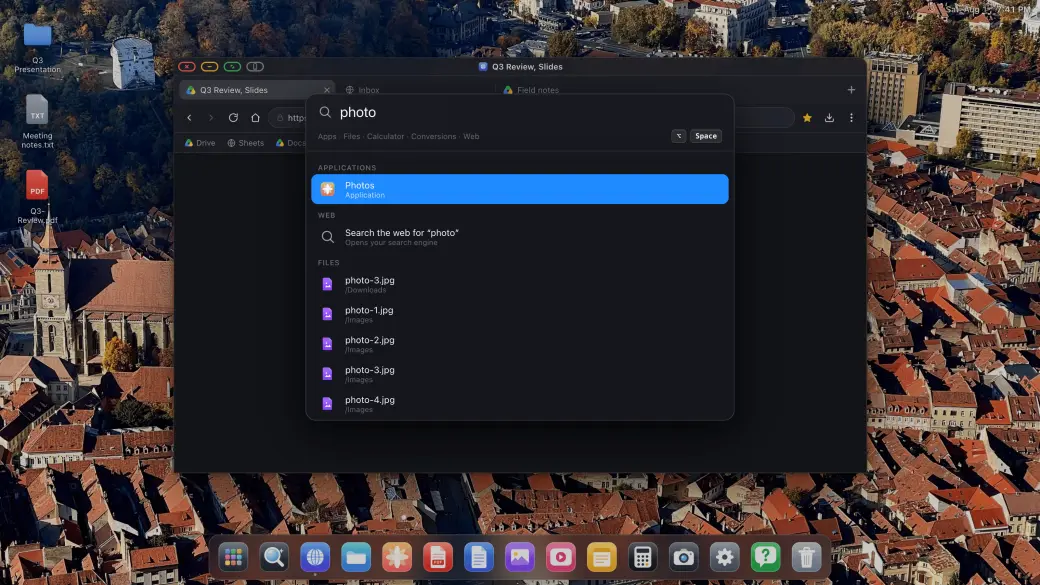
앱 서랍에는 모든 내장 앱과 앱으로 설치한 모든 사이트가 들어 있고, 검색 오버레이는 키보드에서 손을 떼지 않고도 즉시 앱, 파일, 답을 찾아줍니다.
iPhone을 외부 모니터, 휴대용 모니터, TV 또는 프로젝터에 연결하면 파일 시스템, 앱, 전체 화면 브라우징이 포함된 완전한 데스크톱 경험을 즉시 얻을 수 있습니다.
USB-C to HDMI 또는 USB-C to USB-C 어댑터를 사용해 iPhone이나 iPad를 외부 모니터, 휴대용 모니터, TV 또는 프로젝터에 연결하세요. XeOS: External Display Browser가 연결을 자동으로 감지하고 화면의 모든 픽셀을 채웁니다.
블루투스 마우스와 키보드를 페어링하면 외부 디스플레이에서 완전한 브라우저 경험을 즐길 수 있습니다. iPhone을 위한 최고의 삼성 DeX 대안입니다. 화면 속 컨트롤로도 훌륭하게 작동합니다.
파일을 관리하고, PDF에 주석을 달고, Office 문서를 미리 보고, 미디어를 재생하고, 웹을 전체 화면으로 탐색하세요. 즐겨 찾는 사이트를 독립형 앱으로 설치할 수 있습니다. 검은 여백은 절대 없습니다.
iPhone 외부 디스플레이 전용으로 제작된 다양한 네이티브 앱과 도구 모음.
즐겨 찾는 웹사이트를 독립형 앱으로 설치하세요. 여러 창을 띄우고 드래그, 크기 조절하며 필요한 모든 것을 한눈에 볼 수 있습니다.
외부 모니터에서 YouTube, Netflix, Twitch 등 모든 온라인 동영상을 완전한 전체 화면으로 시청하세요. 사이드바도, 검은 여백도 없이 화면 전체를 꽉 채우는 순수한 전체 화면 영상입니다.
사진, 동영상, 오디오를 위한 내장 플레이어. 메모와 계산기 앱으로 생산성도 놓치지 마세요.
다운로드를 관리하는 완전한 파일 시스템. 큰 화면에서 바로 PDF를 열고 주석을 달거나 Word, Excel, PowerPoint 문서를 미리 볼 수 있습니다.
iPhone에 블루투스 마우스와 키보드를 페어링하고 외부 모니터에서 완전한 데스크톱 브라우징 경험을 얻으세요. 커서, 스크롤, 단축키까지 모두 지원됩니다.
USB-C 또는 HDMI로 모든 외부 모니터, 휴대용 모니터, TV, 프로젝터에 연결됩니다. XeOS: External Display Browser는 화면의 고유 해상도에 자동으로 맞춰 고정 데스크 환경이든 이동 중인 휴대용 디스플레이든 선명하고 구석까지 꽉 찬 화면을 제공합니다.
Xbox Cloud Gaming, Amazon Luna, GeForce NOW 등 지원 서비스의 게임을 컨트롤러로 외부 화면 전체에서 즐기세요.
XeOSXeLink가 있는 Mac
iPhone의 XeOS
Mac에 XeLink를 설치하고 XeOS에서 화면 공유를 여십시오. Mac 윈도우나 디스플레이 전체가 클릭하고 스크롤하고 입력할 수 있는 XeOS 윈도우가 됩니다.
 XeOS
iPhone의 XeOS
Safari · Chrome · Edge Firefox · 차량 디스플레이
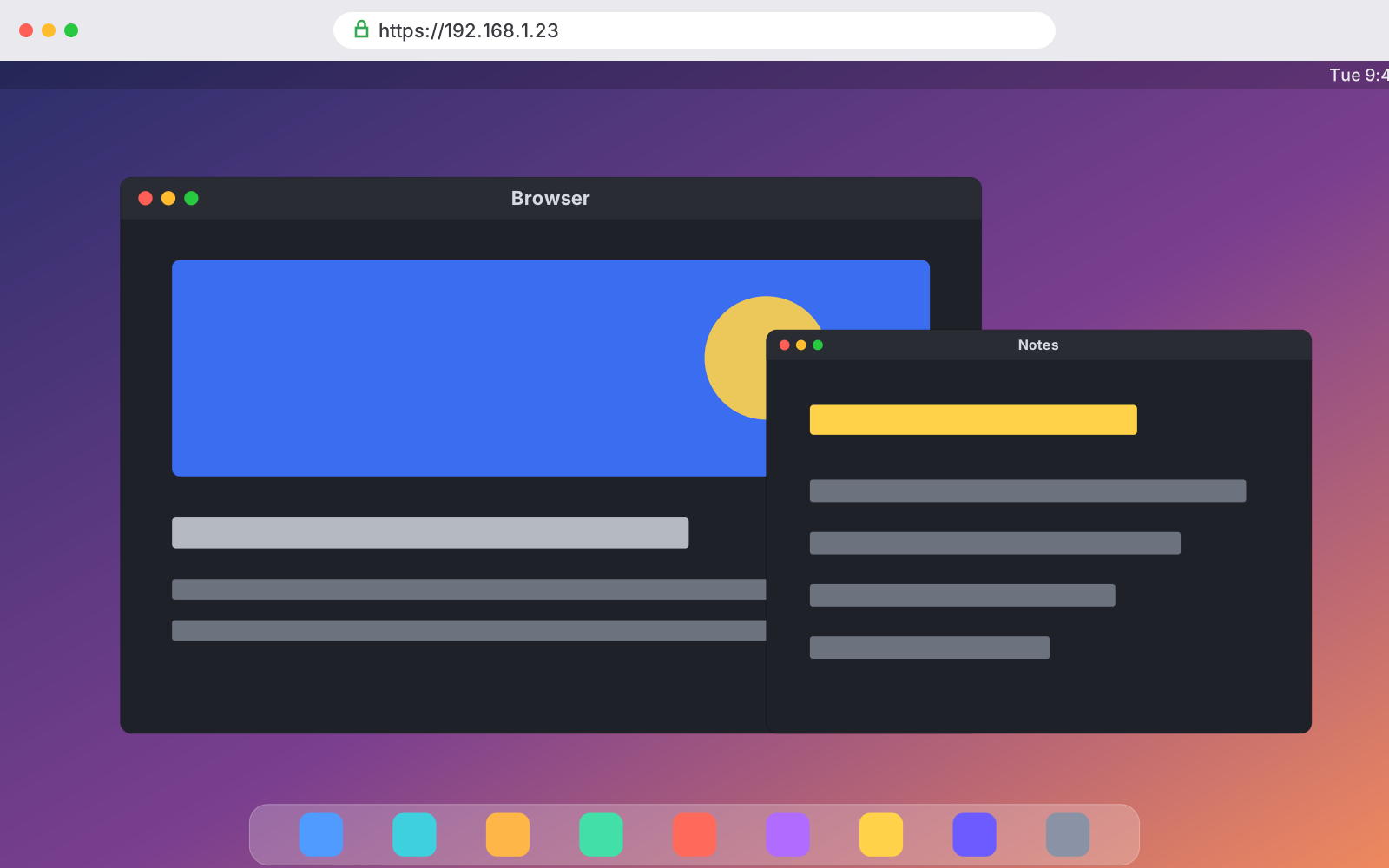
화면 공유에서 XeOS 미러링을 켜고 같은 Wi‑Fi에 있는 컴퓨터, 태블릿, 휴대폰 또는 차량 디스플레이에서 링크를 여십시오. 데스크탑을 실시간으로 보고 조작할 수 있습니다.
사용 방법
Plugging an iPhone into a TV is easy. Getting a usable screen out of it is the hard part. Stock iOS mirrors your phone, so a 16:9 monitor shows a tall phone-shaped picture floating between two black bars. XeOS replaces that mirror with a desktop that uses every pixel the panel has. Do the setup on this page once and the rest of the guides here will assume you've done it.
전체 가이드 읽기
TV, iPhone, 케이블이 있고, 화면 가운데 휴대폰 모양 사각형 안에 갇히는 대신 영상이 화면을 가득 채우길 원한다고 해봅시다. XeOS로는 5분이면 끝납니다. 로그인하고, 전체 화면으로 전환하고, 내장 광고 차단기가 일하도록 두면 됩니다.
전체 가이드 읽기
Holiday photos on the living room TV, or a looping display in a shop window. Either way you don't need a computer, a media player or a smart TV app. An iPhone, a cable and XeOS will fill any screen with your photos. There are two routes, your own photo library or a Google Photos album in the browser, and they suit different jobs.
전체 가이드 읽기블로그에서
iPhone을 외부 디스플레이와 함께 사용하는 데 필요한 모든 정보.
Short version: no. The iPhone Duo brought Split View to the iPhone for the first time, so you can have two apps open side by side on the inner screen. That's it for multitasking. Plug it into a monitor and you still get a mirror of the phone, two windows at most, scaled up and surrounded by black space. Below is what the Duo actually adds, what happens on an external display, and how the XeOS app finally gives you a real multi-screen desktop mode.
아티클 읽기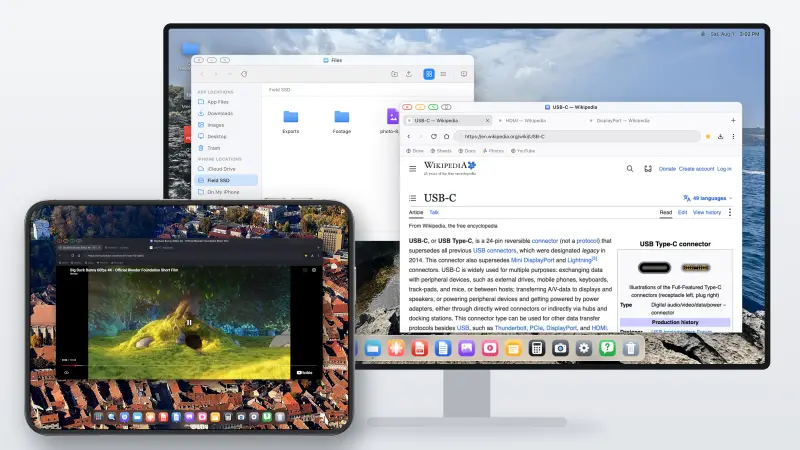
The iPhone Duo finally lets an iPhone show two apps at once. What it still doesn't do is what Samsung DeX has done since 2017: turn the phone into a desktop when you plug it into a monitor. Here's where the Duo stops, and how to get a DeX-style desktop on an external display with it today, with the Duo's own screen working as a second display alongside.
아티클 읽기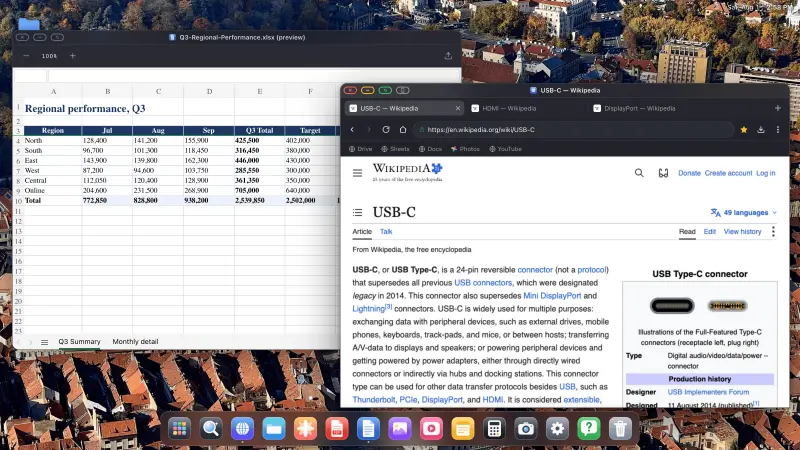
Short version: no. iOS 27 did add a few multitasking features, but only for the iPhone Duo, and nothing for any other iPhone. Plug a regular iPhone into a monitor with iOS 27 and you still get a mirror, phone-shaped, floating between two black bars. Below is what iOS 27 actually changed, what it didn't, and how to get a desktop on a big screen without waiting for Apple.
아티클 읽기iPhone에서 데스크톱 경험을 얻는 것에 대한 모든 것
iPhone과 iPad를 위한 최고의 삼성 DeX 대안, 실제로 작동하는 데스크톱 경험을 제공합니다!
iPhone을 외부 모니터나 휴대용 디스플레이에 연결하면 일반 앱들은 iPhone의 세로 화면에 맞게 설계되어 남는 공간을 검은 여백으로 채웁니다. XeOS: External Display Browser는 연결된 디스플레이의 가로 해상도를 꽉 채우도록 브라우저 UI를 렌더링합니다. 위, 아래, 옆 어디에도 검은 여백이 없습니다. 외부 모니터, 휴대용 디스플레이, TV, 프로젝터의 모든 픽셀이 활용됩니다.
XeOS: External Display Browser에는 iPhone 외부 디스플레이에서 전체 화면 브라우징 경험에 필요한 모든 것이 담겨 있습니다. iPhone용 삼성 DeX 대안이라면 갖춰야 할 모든 것입니다.
XeOS를 다운로드하고 어떤 모니터, TV, 프로젝터든 즉시 강력한 워크스테이션으로 바꿔보세요. iOS를 위한 최고의 삼성 DeX 대안입니다.
파일 시스템 • 문서 및 미디어 앱 • 설치형 웹 앱 • 전체 화면
Last updated: August 13, 2026
This Privacy Policy applies to XeOS (the "App"), an iPhone Desktop Mode app designed to deliver a full-screen, no-black-bars desktop experience on external monitors, TVs and projectors. The App is developed and operated by a solo independent developer. Your privacy is our top priority, the App is architected from the ground up to collect no personal data and to keep everything on your device.
XeOS: External Display Browser does not collect, store, transmit or share any personal information or data. There are no user accounts, no advertising SDKs, no crash-reporting services, and no third-party tracking of any kind embedded in the App.
The core feature of the App is rendering a full-resolution browser on an external display connected via USB-C or HDMI. The App uses Apple's native WKWebView to render web content at the full resolution of the connected screen, corner to corner, with zero black bars. All web content is fetched directly by your device using your own internet connection (Wi-Fi or cellular). No browsing activity, visited URLs, page content or interaction data is recorded, logged or sent anywhere by the App.
The App supports web-based video meetings (e.g. Zoom web, Google Meet, Microsoft Teams) on your external display. When you access a website that requests camera or microphone access, iOS will prompt you for permission as it does in any browser. Camera and microphone streams are handled entirely by the underlying web page and Apple's WebKit framework, the App itself never records, stores, processes or transmits any audio or video. Permissions can be revoked at any time in iOS Settings → Privacy & Security → Camera / Microphone.
XeOS lets you download files (PDFs, images, documents, etc.) from websites you visit. Downloaded files are saved securely and are accessible through the XeOS File System and the iOS Files app. The App does not transmit downloaded files to any external server, index their contents, or retain any record of your downloads. Files remain entirely under your control on your device.
The App supports Bluetooth mouse and keyboard input to deliver a desktop-class browsing experience on your external monitor. Mouse movements, clicks, scroll events and keyboard input are processed locally on your device by Apple's UIKit/WebKit. No input is logged, recorded or transmitted by the App at any point.
The App includes a built-in ad blocker to enhance your browsing experience and protect your privacy while browsing on an external display. The ad blocker uses local content-blocking filter lists that are applied entirely on-device via Apple's iOS API. No browsing data is sent to any ad-blocking service or third party. The filter lists are bundled with the App and may be updated via normal App Store updates.
Any preferences you set within the App (such as display settings or browser preferences) are stored solely in local device storage (UserDefaults or equivalent). This data never leaves your iPhone and is not synced to any cloud service or external server by the App. Website data such as cookies and local storage from pages you visit are managed by Apple's WebKit on-device, consistent with standard iOS browser behavior.
To help us understand how the App is performing and where it can be improved, basic usage information may be shared between the developer and Apple through Apple's own developer platforms. This exchange happens directly between the developer and Apple, no outside third party is involved, and the data is never sold or passed on to anyone else. By using the App, you agree to this usage data being shared with Apple in this way.
In some cases, the App may store completely anonymous, general app-usage information, in line with Apple's own guidelines, for example how many people use the App, or where they might get stuck during setup, so we can keep improving the experience. This data cannot be linked back to you in any way and is limited strictly to how the App itself is used. Nothing you do on your external screen is tracked. And this can always be verified by anyone using Apple's App Privacy Report.
The App is distributed through Apple's App Store. Any purchases or payment transactions are handled entirely by Apple. The developer does not receive or process your payment details. Apple's own Privacy Policy governs data collected during App Store transactions. Please refer to Apple's Privacy Policy for details.
XeOS is a comprehensive Desktop Mode environment. When you navigate to any website or install a site as an app (YouTube, Netflix, Zoom, Google, etc.), that website's own privacy policy and data practices apply. The App developer has no control over and takes no responsibility for the content or privacy practices of third-party websites you choose to visit. The App itself adds no tracking layer on top of your usage.
The App does not collect any personal information from users of any age, including children under 13. Since no data is collected, the App complies with COPPA and equivalent regulations by design.
If this Privacy Policy is updated, the new version will be posted on this page with a revised "Last updated" date. Continued use of the App after any changes constitutes acceptance of the updated policy. Significant changes will be communicated via App Store release notes.
Questions about this privacy policy or how the App handles data? , we personally read and respond to every message.